by Felicien | Dec 12, 2018 | Education
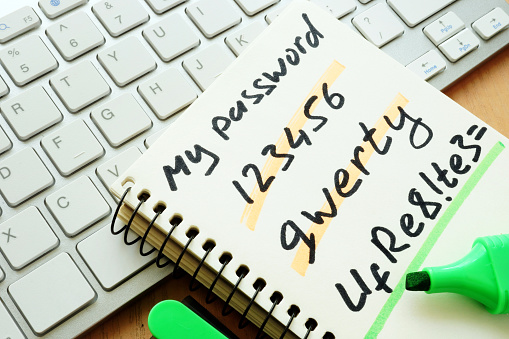
Regardless of the money businesses invest in cybersecurity, technology is only part of the cybersecurity puzzle. Regardless of new hardware, updated software and the best IT support team, cybersecurity is an ongoing commitment. Cybersecurity must be on the minds of every employee every hour of every day.
A Chain Is Only As Strong As Its Weakest Link.
This idiom is attributed to Thomas Reid who wrote “Essays on the Intellectual Powers of Man” in 1786. It first appeared in print in 1868 in the Cornhill Magazine. Simply put, it means that a group of people can only be as strong or successful as the weakest or least successful member.
Email is a favored method of cybercriminals – email is used to transmit ransomware, viruses and other harmful software.
Each email that each employee opens represents a cybersecurity threat. Only with a continuous and ongoing employee awareness program can you have an effective cybersecurity solution. It only takes one employee opening one email to expose your business to a cyber-attack.
Employees come and go – make sure that critical passwords are changed when an employee leaves. Be sure that new hires understand your cybersecurity policies and know to whom they should report potential risks.
What Can Businesses Do to Ensure Employees Don’t Pose a Security Risk?
First, ensure that you have a firewall, up-to-date anti-virus software and a spam filter. Always make sure that every new computer, laptop or tablet is up-to-date on these items before it is given to an employee.
Email 101. Teach email safety. These simple questions will help employees evaluate emails that originate from unknown senders.
Who is this email from? Virtually every email should be originating from a fellow employee, a supplier or a customer.
Why am I getting this email? Emails should relate to an employee’s job description.
Are attachments safe to open? Have you taught your employees how to decide what types of files are safe to open?
Does an email threaten to cancel a credit card or close an account if you don’t pay money? Employees need to understand this might be ransomware.
Is an email really from someone known? Teach employees how to spot suspicious “look-alike” email addresses.
Does anything just not seem right about an email? Neither the IRS nor the FBI sends emails to employees.
Continuing Education for your Employees. People are people, and they forget. Employees need ongoing training about email safety. Keep the training short and exciting to keep their attention.
Weekly mini sessions – perhaps by the department.
Utilize a speaker from your IT provider.
Weekly email “Cybersecurity Tip of the Week.”
Share actual case studies (specific to your industry is ideal).
Monthly E-newsletter – could be part of your IT partner’s service.
Simulated phishing attack conducted by your IT partner.
The Power of Human Error
In spite of educating your employees, human error accounts for almost 50 percent of data breaches. The accidental loss of a device or a misplaced document may be the cause of a severe security breach. Shred-It vice president Monu Kalsi observes that the smallest bad habits may result in substantial security risks. Examples include:
Leaving a work computer unsecured while on break or in a meeting.
Leaving sensitive documents out on a desk overnight.
Accidentally leaving sensitive documents on an airplane (the Homeland Security Super Bowl debacle).
Leaving sensitive documents within view of others in a public space.
Using public Wi-Fi.
Sharing company-issued computer with family or friends.
Draft a written policy to provide each employee who works remotely from home or when traveling.
Another potential source of human error may come from sub-contractors or vendors who have access to your facilities and/or employees. The Shred-It study showed that 20-25 percent of security breaches were caused by vendors. Ensure that when a vendor relationship ends that all ties are severed – change codes for keyed entrances when there is a vendor change.
Attention to small details may save your company lots of money.
The Bottom Line …
Employees are human. They make mistakes or commit errors in judgment. They also forget. Invest in updates for firewalls, security software and well-trained IT personnel. Regular cybersecurity training for your employees protects your business from damaging cyber-attacks.
Update policies. Incorporate a clean desk policy to prevent unauthorized copying or theft of critical document. Develop and institute a vendor policy and a remote employee policy.
Go paperless whenever possible. Invest in technology that scans essential documents into PDFs that are emailed to the owner of the document. Shred the document immediately after scanning.
Hard drive disposal. Destroy obsolete hard drives. Never throw them away because even deleted information can be retrieved by smart cybercriminals.
Lost device policy. Designate someone that employees can tell immediately if the equipment is lost or stolen.
by Felicien | Dec 11, 2018 | Education
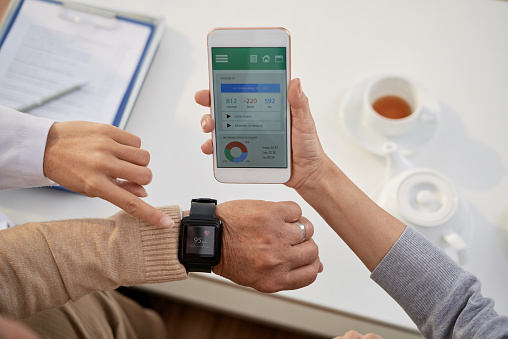
Forms of mobile communications and their frequency of use in healthcare have increased significantly over the past decade, as they have across virtually all economic sectors. Today, hospitals support their medical care units with various kinds of modern communications technology. Of course, increased adoption and varieties of technology use in the healthcare industry comes with new challenges for healthcare professionals. That means new opportunities for technology services providers to collaborate with them on the development of insightful and thorough solutions.
Understanding the communications technology needs of modern healthcare providers and how to approach solutions to their unique challenges in clinical, administrative and remote contact environments yields a wealth of possibilities for new cross-applications of telecommunications tools.
Here is some information to help in collaborations to facilitate the quickest and most effective, convenient, and secure communications at every turn for physicians, nurses, administrators and other healthcare industry professionals.
Mobile Policies and Adoption Levels in Healthcare Organizations
These days, mobile policies are not yet fully adopted and enforced across many large healthcare institutions. Others have advanced much farther down the path to optimizing their organizations’ communications systems and utilization practices. Some are even developing their patient-care and patient-relations protocols to extend the use of mobile technology to enable more accessible and thorough information sharing with patients.
The news may seem to be a pretty mixed bag, regarding the progress of communications across the healthcare sector. But, the overriding reality is that overall utilization rates of mobile technologies across the industry have multiplied over the past ten years.
There are challenges in developing viable cellular and Wi-Fi infrastructures, and special security issues are brought on by “Bring Your Own Device” (BYOD) allowances in many organizations that are otherwise on exceptionally cautious about information systems security. Nevertheless, BYOD practices are increasingly used in even some relatively sensitive information handling in healthcare systems. There are additional issues of mobile policy and generally lacking mobile strategies that present both significant problems and opportunities for healthcare organizations and mobile services consultants.
Altogether, mobile devices have become a standard tool throughout the healthcare industry, now used in roles spanning the entire broad field of specializations, including by physicians, nurses, medical technicians, other clinicians, lab managers, executives, pharmacists, healthcare business analysts, social workers, patient services reps, risk management professionals and healthcare IT staff.
Mobile Strategies Across Today’s Healthcare Industry
Strategies for mobile communications implementation must involve formalizing an organization’s policies on technologies, security, and forms of communication permitted in various healthcare contexts and for various purposes. Of course, each healthcare organization has its own variation on ordinary policy allowances, restrictions, and other entailments based on the unique needs of their team’s healthcare activities.
Healthcare organization policies on mobile devices and their use should actually be understood as representing an integral component of comprehensive strategies for delivery of more efficient, higher-quality healthcare, to improve both patients’ and healthcare providers’ levels of satisfaction with their experience in the healthcare system. Mobile strategies that serve these over-arching goals are naturally more successful, such as devices that automatically alert doctors and nurses and improve response time.
Establishing policies that set forth controls, in combination with built-in auto-controls for HIPAA compliance, among others, protect patients as well as healthcare organizations and their employees from exposure of patient data and other security issues. With the IoT now accounting for seemingly countless devices connected through worldwide networks, unapproved access and cyber-crime are ever-more common, impactful to operations, and costly to resolve.
HealthIT.gov advises that healthcare organizations’ mobile use policies include safeguards for patients’ health information in language that specifies requirements for management of mobile devices and that is clear on restrictions of device use and training requirements for users. It further emphasizes the importance of clarifying security settings requirements, and other recommended mobile device policies. It also offers much useful information on current health IT developments, regulations and information resources.
Healthcare Industry Mobile Technology Transition
The most recent Hospital Consumer Assessment of Healthcare Providers and Systems (HCAHPS) (2017) survey asked patients questions about the responsiveness of hospital staff during their treatment. The Centers for Medicare & Medicaid Services (CMS) Consumer Assessment of Healthcare Providers & Systems (CAHPS) also asks such questions of patients in their information gathering programs used in the agency’s evaluations of healthcare institutions. Healthcare organizations are sensitive to these particular reviews and understand the need to work to improve the patient experience to prevent the risk of CMS resistance to reimbursements and other dreaded consequences of issues with responsiveness to patients’ needs.
So, it makes sense, just based on those concerns, that hospitals are now implementing mobile policies for doctors, nurses, and other healthcare team members who provide direct care to patients. Increasing efforts around clarification of types of workflows that can be safely and effectively managed using mobile devices point to a growing preference for maximal utilization of these tools to facilitate work that directly affects patients’ overall satisfaction with the care they receive.
Updating Mobile Strategy in Healthcare Systems
As in any type of organization, strategic plans must be revised to accommodate new alternatives. Mobile strategies in healthcare organizations require updates to include newly discovered concepts for improving methods to satisfy needs of patients and of technology users on staff, for modifications of clinical process flows, for adopting new technologies that come on the market, and so on.
Today, changes of software and devices are happening at rates with which few other technologies in hospitals are keeping pace. Commensurately, mobile strategies and policies should be reviewed routinely, to be sure that they are appropriate for current patient care processes and technology solutions available on the market.
A large majority of healthcare organizations now utilize smartphones and internet-enabled phones. Onsite pagers, wide-area pagers and encrypted pagers have declined in popularity, with the increasing use of mobile phones. Tablets in clinical settings and in various patient communications contexts are gradually increasing in use.
Updating your organization’s mobile strategy to increase the efficiency of the healthcare delivery process empowers technology-enabled clinical and administrative teams to implement needed mobile security and compliance changes. It also enables or facilitates their efforts to:
Improve their effectiveness in meeting the needs of patients.
Streamline clinical workflows.
Overcome challenges in full-scope mobile adoption.
Expand their capabilities through applicable consumer apps.
Phase out out-moded systems with new technologies.
Acquire new capabilities that complement EHR applications.
Incorporate new mobile technologies already on the market.
Make changes that better support the organization’s financial sustainability.
Mobile Technology Challenges and Solutions
Even the best and most secure devices are only as good as the network connection upon which their users must rely for access to critical information and to communicate with other members of the team. However, reliable Wi-Fi coverage continues to cause the most frequent issues for mobile users in healthcare institutions, followed by cellular coverage. Managing compliance and data security are others of the most common difficulties.
Undependable connectivity can result in issues of patient safety if a doctor or nurse does not receive critical information when needed. Further, frustrations can lead to attrition among healthcare team members forced to continuously find ways to work around technology deficiencies to complete essential processes in patient care.
Technology challenges must be resolved with permanent solutions. However, hospitals with connectivity problems may not have performed a comprehensive assessment of their wireless coverage, or have pursued remediation.
For those institutions, correcting these essential technology performance issues is an area of opportunity to improve the quality of their organization’s overall experience for patients and families and healthcare workers. Solutions that can be explored to enhance network coverage for Wi-Fi, cellular or/and paging may include:
Mapping weak signal spots, and pursue options to increase coverage.
Add more antennas, repeaters, or other reception devices.
Boosting Wi-Fi connections/increasing coverage.
Installing more Wi-Fi and various repeater access points.
Upgrading routers.
Extending distributed antenna systems (DAS).
Adding more cell towers to accommodate hospitals (to include all major cell service carriers)
Amplifying the RF signal for pagers.
Additional Mobile Technology Opportunities and Challenges in Healthcare
Secure Texting — Secure texting has become an essential communications component in many healthcare organizations. It can be especially valuable when fully integrated to utilize directories, scheduling, lab reporting and other operational systems needed in time-sensitive situations. Hospitals that are still not using this tool appear to be missing an opportunity to significantly increase efficiency in critical moments. Note: Be aware of legislated restrictions on patient care information that can and cannot be shared by secure text. Also know about requirements, such as secure sign-on (SSO), messaging encryption, and others that are applicable in some healthcare industry contexts.
Security Advancements — Keeping protected health information (PHI) secure continues to be one of the top concerns for every healthcare organization. All are aware by now of the risks of costly downtime due to security breaches, potential data exposure or loss, viruses and ransom incidents. At the 2019 Health IT Conference (HIMSS18) discussions were centered on actively preparing for cyber-attacks, instead of on preventive measures, as in the past.
A major component of a PHI security program is successfully managing device security. Relying only on policy adherence and employee education invites security issues. Going forward, healthcare IT consultants should be collaborating with client organizations on mobile security solutions, as a priority.
Patient and Family Use of Mobile Tools — Many hospitals now provide personal portals for their patients to use for receiving everything from lab test results to billing statements. Some physicians even incorporate the setup of portal access and review of its information features during patients’ visits.
Benefits of Mobile Communications in Healthcare
The number and variety of mobile devices used by healthcare team members these days make it clear enough that the technology has become an essential tool for collaboration and coordination of patient care. The value of mobile technology tools for healthcare team members efforts to improve the quality of patient care include:
More efficient collaboration between clinical staff members.
Faster access to information at critical times.
Immediate awareness and faster response to alerts.
Improved safety.
Convenient access to EHR.
Convenient access to reference materials.
Increased overall efficiency for doctors and nurses.
Better outcomes resulting from increased efficiency.
Enhanced patient experience with 24/7 access to information.
The Near Future of Disruptive Healthcare Industry IT
Even as many healthcare institutions are still trying to fully incorporate already proven technologies into their processes in ways that fully realize the advantages they offer, newer technologies await broader adoption.
Since the advent of the revolutionary electronic health record (EHR), new technologies recognized for their potential to further change the way healthcare is delivered in the U.S. over the next several years include:
Secure texting
Smartphones
Security (anti-virus, hacking, ransomware)
Auto-alerts
Increased cellular coverage and reduced latency (5G)
Google Glass
Real-time information access via portals for patients
Increased patient engagement in their healthcare
Artificial intelligence
Telemonitoring
Video phone communications
Teleconferencing
Internet of Things (IoT)
Voice-controlled virtual assistants (ex: Alexa®)
These and other new technologies will further increase efficiency in working with patients and allow healthcare teams to work together more closely, with everyone on the team receiving essential information simultaneously. Teams can make better decisions and take more fully-considered actions, through improved opportunities for consultation and collaboration. Caregivers will have more time to spend with their patients. Patients and families can receive more timely and complete updates.
Keeping Pace with Changes in Healthcare Communications
Throughout the process of healthcare delivery, today’s healthcare professionals and organizations have endless opportunities to leverage mobile communication technologies to improve outcomes for patients. Many healthcare organizations have already made significant progress in integrating mobile technologies and overcoming the attendant challenges.
Still, there are many problems to be resolved. Unreliable cellular and Wi-Fi connectivity can discourage broader adoption and can even lead to safety issues. Functionally, the usefulness and benefits of advanced mobile communication technologies, with their capacity to capture details from directories, schedules, test results, etc., and to auto-send clinical alerts, and so much more are severely reduced by the connectivity problem. These issues can seriously impact patient care and PPI security, which fact makes diligently updating mobile policy documentation and validating training on updates as they are made a continual imperative.
As the use of mobile devices has revolutionized the way people live and communicate throughout modern society, healthcare team members have developed now very familiar skills in working with those technologies, which they can adeptly apply to workplace challenges.
To enable the safest and fullest application of the many new opportunities for improving healthcare methods and practices through mobile technology, healthcare institutions must continue to more completely iterate policies that define appropriate usage of mobile technologies in the healthcare environment. They must also, of course, diligently monitor to ensure that technology usage does not become an obstacle to optimum patient care through face-to-face interaction.
Mobile technology is now a permanent fixture in the healthcare industry. Therefore, healthcare organizations must align their primary goals with their staff members’ modes of communicating in the care of patients.
Disruptive new mobile technologies will continue to present vast opportunities and significant challenges for healthcare team members and organizations. The perspective to keep is that these state-of-the-art technologies are incomparably powerful communication and information tools for healthcare team members to use in their daily efforts to provide optimum quality care for their patients.

by Felicien | Dec 11, 2018 | Education
Sure, you can purchase Windows applications for a price. With some — like Microsoft Office and Adobe Photoshop — it’s impossible to get around.
But there are also many Windows applications out there that are 100% free. Some of them can even replace most of the features of your favorite paid programs (Microsoft Office and Adobe Photoshop included). Or, if you’re considering buying the paid versions of these programs, you can first download the free version to ensure you like the layout, options, and fluidity.
Below, we go over 10 of the best free Windows applications for download. These applications aren’t trials, and they aren’t limited to things like watermarks or other incomplete features. They are absolutely free, downloadable applications that you can use for … well, forever.
Let’s get started!
1. DaVinci Resolve
DaVinci Resolve is one of the most professional video editors on the market. Functionality is excellent, and you have a range of options when editing video in nearly any form. With this program, however, you’ll need to keep in mind two things.
First, in order to properly run DaVinci Resolve, you’ll have to have at least 8 GB of RAM, 1 GB of graphics memory, and a 64-bit version of Windows.
Second, there are two versions of this software: DaVinci Resolve (free version) and DaVinci Resolve Studio. The latter is a paid version and, naturally, has more capabilities and features. If you don’t want the paid version, choose the option on the left when downloading this program. And remember that for basic editing practices (with some added keen features), the free version of DaVinci Resolve is still quite capable completely worth it.
2. Blender
Blender is another of the best free applications for Windows. It is an open source 3D modeling package. Use it to create amazingly-professional 3D images of any kind; if you like, you can even translate your designs to a 3D printer. Blender can also be utilized to create animations.
In addition to its 3D imagery modeling capabilities, Blender also features video editing capabilities (basic) and has an integrated compositor.
3. Apache OpenOffice
When Microsoft Office is too pricey of an option for your word and data processing needs, Apache OpenOffice is an excellent alternative. It has been downloaded over two hundred million times.
This program includes a word processor, database, drawing package, presentation package, and spreadsheet maker. All of these programs are compatible with the paid version of Microsoft Office.
A sub-option of OpenOffice is another free Office package called LibreOffice. They are essentially comparable with only a few features that differentiate them.
4. Audacity
In terms of sound applications, Audacity is one of the most widely-used and professional multi-track audio editors out there. It is also a recorder. Volunteers created this super easy-to-use program to be completely open source. It can record and edit an entire album, has multiple themes and playback options, and allows you to edit and use effects just like a professional program.
5. SketchUp Make
SketchUp is a modeling program and is used often by those interested in 3D printing; the software can create all types of models that can later be translated to a 3D printer. It is extremely easy to use.
There are two SketchUp programs, and this is the free version. The professional (and paid) version is called SketchUp Pro. As a result of this, it is essential that you state that you are only going to use SketchUp for personal projects at the time of your free download.
6. GIMP
GIMP is an image editor and is completely open source. This program is an excellent alternative to Adobe Photoshop for editing photographs and other images. Even though the program has quite a steep learning curve, it’s definitely possible to get used to the platform and reap amazing benefits from the program — especially if you’re not ready to shell out for Photoshop.
7. Krita
Krita is a painting program and is open source. It was created by artists and is geared toward artists. You can download the program from the Krita website. The program allows you to create drawings on your computer, much in the way that real drawings (with paper and pen or pencil) are created. If you have a Graphics tablet, the program works especially well.
8. Sculptris
Sculptris is a 3D sculpting program available from Pixologic. It uses technology that professional 3D-modeling sculptors use. The whole package is a pared-down version of an all-in-one-digital sculpting solution called ZBrush (also by Pixologic), but this doesn’t mean it’s not possible to use Sculptris to create some pretty amazing things — great for those thinking about investing in ZBrush, who want to see how the software works.
9. Inkscape
A vector graphics editor, Inkscape allows you to “Draw Freely” as the advertising proclaims. It is comparable to Adobe Illustrator.
The program was created by developers for professionals and amateurs alike. Those who can benefit from this software include classic designers, web designers, illustrators, and anyone else interested in vector imagery. A broad array of structured drawing tools are available for a clean and neat final presentation.
10. Scribus
Scribus is a desktop publishing package that can produce a range of excellent results in terms of type- and image-setting. It is a top-notch DPT program for PDF and animated presentations as well. Create and arrange typesetting, layout, and much more.
Keep in mind that many of these applications can also be used on Macs or with Linux. Applications that are Mac compatible include:
Sculptris
Krita
Scribus
Inkscape
Audacity
SketchUp Make
GIMP
Blender
DaVinci Resolve
Apache OpenOffice
Applications that are Linux compatible include:
Krita
Scribus
Inkscape
Audacity
GIMP
Blender
Apache OpenOffice
Are There Any Other Free Application Options?
In addition to the ten free applications listed above, there are also two other, runner-up free applications you might consider.
Bonus App #1: Fusion from Blackmagic Design
This is a motion graphics program and compositor for both 2D and 3D design. Just make sure that you have strong enough capabilities with your PC as this program has specific requirements.
Bonus App #2: Autodesk 123D
Finally, here’s another 3D modeling option that is free for users of all ages. Autodesk 123D offers a variety of packages for assistance with 3D modeling that can create jewelry, home décor, Minecraft models and other toys, and much more. For industry, the models created with Autodesk 123D can be used in a variety of settings as well.
If you are interested in any of the areas listed above — illustrating, 3D modeling or sculpting, sound editing, video editing, image editing, or word and data processing — be sure to give these free applications a try on your Windows computer. These free versions were created by professionals to be open source for use by everyone and anyone, so take advantage of the technology and get creative!

by Felicien | Dec 11, 2018 | Education
Hackers Know How to Steal Money Anonymously
In West Barnstable, Massachusetts, Cape Cod Community College recently fell victim to a phishing scam that resulted in the school losing more than $800,000. The money was taken out of the school’s bank accounts. While this kind of scam is common these days, there are measures a business can take to prevent it. In the case of Cape Cod Community College, experts believe endpoint security solutions using next-generation technology would have prevented the monetary loss for the school.
The hackers of today are quite sophisticated, and if a business falls victim to one of their scams, there is often very little they can do about it. Hackers know how to remain anonymous, and leave few if any, digital footprints to follow. This means the likelihood of recovering one’s money is little to none. That is why it is so vital to prevent these things before they happen by using proper technology.
The president of Cape Cod Community College, John Cox, revealed the financial loss via a digital theft to the staff and faculty of the school in an email on December 7. By working with the bank at which the school’s accounts were held, the school has been able to recover about $300,000 of what was stolen, which is more than most smaller businesses would be able to do. It is unlikely they will be able to recover the entire $800,000, but they might be able to get some more of the money back by working closely with the bank, as they are doing.
Details of the Digital Theft
Cox gave an interview with a local newspaper after informing the workers at the college of the theft. In the interview, he revealed many interesting details about the theft, including:
The email that allowed hackers access to the school’s bank account information appeared to come from another college, so it seemed safe to open the attachment that came with it.
After opening the attachment, the person who initially opened the email believed the attachment was suspicious and alerted the school’s IT department. Alerting the IT department is standard protocol at the school when it comes to suspicious emails and attachments.
When the IT department did a diagnostic on the attachment, they found a polymorphic computer virus embedded in it. They quarantined the virus, but it had already gotten into the school’s computer network.
The scammers had a fake URL that seemed to go to TD Bank, where the college has its accounts. By placing phony calls to school employees to validate transactions, the scammers were able to make nine transfers out of the college’s bank accounts, totaling $807,103.
The scammers attempted 12 transfers, but workers at TD Bank recognized three of them as suspicious and did not allow them to go through.
Cape Cod Community College has recently installed next-generation endpoint protection software, but only on some of their computer networks. If it had been installed on all of them, the hackers likely would not have been able to gain access to the school’s bank account information and use it to transfer out the money.
Other Schools Have Had This Issue, As Well
Cape Cod Community College is not the only school to have this kind of issue in recent times. In June of 2018, hackers stole around $1.4 million from 21 account holders in the Connecticut Higher Education Trust.
Hackers are not just after money, either. They are out to cripple the schools they target. Sometimes, they don’t steal any money at all, but instead, generate outages of the computers at a particular school. This happened to a college in Wisconsin in June of 2018, and it resulted in classes having to be canceled for three days because the computer infrastructure to support the classes, students, and employees wasn’t there.
It hasn’t just been colleges being targeted, either. K-12 schools are also targets. A public K-12 school in New Jersey lost $200,000 in September of 2018 in a phishing incident similar to the one experienced at Cape Cod Community College.
Technology Companies are Stepping Up to Help Prevent This
Technology companies are stepping up in light of such incidents, creating phishing simulators to help schools teach their employees to avoid allowing their workplaces to become the next phishing victims. They are also reaching out to schools to increase awareness of the need for next-generation endpoint protection software, and to help schools install and use it.
by Felicien | Dec 11, 2018 | Education
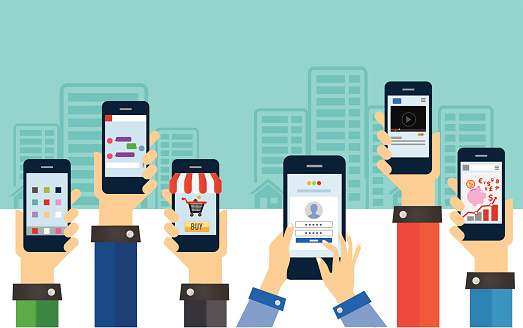
Even though the word App is relatively new, it has become popular in everyday terminology as its uses have changed lives in the modern world. Almost all mobile phones are now smartphones, so even those individuals who were apprehensive about using new technology now use apps on a daily basis. That is why we now celebrate National App Day every year on December 11.
What is an App?
The word “App” was listed as the word of the year by the American Dialect Society in just 2010, showing just how quickly apps have become a regular part of society. But people already use the word so much they don’t really think of where it comes from. While the term “app” is short for “application,” common usage has changed the meaning.
An app is actually a kind of computer software or a program, and now usually refers to a very small one used on mobile devices like smartphones and tablets. Initially, the term could have meant any mobile or desktop application, but the term has quickly evolved to conform to the way people use it. Now there are thousands of apps, and some individuals and businesses design and run their own apps to make specific tasks easier.
Kinds of Apps and Main Uses
There are three basic kinds of apps, but Web Application Apps are used through a browser and Hybrid Apps have characteristics of both Web Application Apps and Native Apps. Native Apps are the ones used on mobile devices, and they only work on certain devices and have a special source code.
Of course, once someone understands how apps work they can create a new one to perform specific functions. Apps are available on Google Play for Android users, Apple’s App Store, the Windows Phone Store and BlackBerry App World. There are currently millions of apps, and prices range as widely as uses. Some apps are entirely free, while others have a recurring rate.
Apps can be used for communication, including encrypted phone calls or video phone.
Apps can be used for entertainment, providing movies, books and music.
Travel apps provide needed information and tools, helping with everything from transportation to finding the closest restaurant.
Many people use apps for games, playing simple games like solitaire or complicated games with players around the world.
Many apps provide important tools, helping people organize their homes or perform essential functions at work.
There is no reason to think the proliferation of apps will slow down any time soon, if ever. It only remains to be seen how many people will adopt these handy tools to perform more and more specific jobs. Hopefully, people will be thinking of the endless possibilities as they celebrate National App Day on December 11.

by Felicien | Dec 10, 2018 | Education
No matter the line of business you’re in, outsourcing your IT services to a managed service provider (MSP) provides a world of benefits. Both your internal systems and your online presence will be optimized and streamlined, tech problems will be taken care of right away, and you’ll have more time to focus on what matters.
Aside from providing excellent customer care and competency in their field, great MSPs employ the best IT experts, are there for you when you need them, stay up-to-date on new technology, and … they do one other important thing.
They conduct Quarterly Technology Reviews.
What are Quarterly Technology Reviews?
Quarterly Technology Reviews or QTRs are meetings your IT services company regularly conducts with you to assess the effectiveness of your current tech investments and them, your managed service provider.
A QTR occurs quarterly or four times per year, and it’s up to your MSP to book the appointment; you shouldn’t have to. When you see that your MSP is taking the initiative with QTRs, it’s a great sign that you’re working with a leading company. At a QTR meeting, you’ll be able to provide feedback to your MSP about the service they’ve been providing and the technology you’ve been investing in.
What are the specific benefits of a Quarterly Technology Review?
For you, the client, the benefits of QTRs are numerous. You’ll have an open platform to discuss any bugs or issues you’ve been having with your technology or possible problems with computer systems, email, the website, etc. Just remember that for immediate problems, you shouldn’t wait for the QTR and should merely contact your MSP right away — that’s what they’re there for.
In the end, if your MSP conducts QTRs with you, your business will see the following benefits:
Improved current technologies and/or the implementation of new systems where needed
Saved money when you limit spending where it’s not required
Enhanced compliance with regulations and security
Improved productivity
Streamlined efficiency
For your MSP, the most significant benefit of Quarterly Technology Reviews is showing you that they care and are monitoring your success. This goes a long way in maintaining their clientele.
QTRs also allow a tech firm or MSP to highlight your company’s return on investment or ROI (your investment being them, for the most part). As a client, they want you to be alerted to the fact that their company cares about you and that their services are worth it. Whether there are problems to fix at a QTR meeting or not, your MSP wants to reiterate that you need them.
This isn’t necessarily a bad thing for you, the client. After all, you hired them and are paying them for their services. Allow them to show off for you, and don’t be hesitant about voicing any issues you have so that they can be fixed quickly. A tech firm who conducts QTRs with you wants to keep you as a client.
When will your first QTR meeting be as a new client?
Naturally, as a new client, you won’t have a quarterly technology review right away.
Even after a few months post-contract signing, there just won’t be enough time to verify that your new systems, technologies, and other implementations are working correctly and providing you with the necessary benefits.
Therefore, your MSP will likely schedule your first QTR for at least 90 days after you go live.
But keep in mind that your MSP shouldn’t wait too long to conduct your first QTR. After all, the first review meeting is the most important because most problems will have become evident at this time.
While you can certainly contact your MSP right away whenever you need them throughout the first 90 days, as a client, it’s likely you’ll feel better bringing up issues in a formal meeting — especially when the problems are rather large or pervade several types of technology.
You want to know that your MSP is on the ball and ready to ameliorate any issues right away.
Where are most QTRs held?
In a perfect world, you’d meet one-on-one, face-to-face with your MSP for your quarterly technology review. However, this won’t necessarily be possible, and that’s probably okay.
After all, if your MSP has numerous clients and is conducting QTRs with everyone, they would always be at QTR meetings. And on your end, too, you’ve got work to do and may not have time to schedule formal sit-down meetings four times a year — just to check-in on technology that’s already been established and working.
Instead, it’s likely your first QTR will be face-to-face, if possible. If you’re a large client, your MSP should definitely make this effort. After that, however, most QTRs are held via video or phone conference.
In the end, Quarterly Technology Reviews remain one of the absolute best ways to stay in touch with your MSP about the efficacy and benefits of your current technological investments. As you search for a high-quality managed service provider in your area, be sure to ask about QTRs. Those companies who provide them are likely to take a better interest in their clients’ success — and that means good things for you.
