
by Felicien | Dec 31, 2018 | Education
December 31st is Make Up Your Mind Day
As New Year’s Eve approaches, it’s time to remember its other name: Make Up Your Mind Day. As the last day of the business year for most companies, it’s also a vital point for putting your plans for the next year into action. Unfortunately, creating a business technology strategy can be a complicated process for many IT professionals. Which way will your company go in the new year?
December 31 is Make Up Your Mind Day. So have you made up your mind regarding your 2019 technology plan?
Here are a few ideas to keep in mind as you work on developing your business technology plan for 2019:
Have You Made Up Your Mind Regarding Your 2019 Technology Plan?
Look at digitizing: The process of turning your organization from a traditional one to a digital enterprise is a complex process and requires a great deal of thought and investment to pull off well. Companies that lack a solid understanding of the challenges and opportunities are among the reason why 84% of attempts at digitization end in failure. Make sure you prioritize this vital part of your company’s growth for the upcoming year.
Consider legacy assets: Will that old server holds out a few more years or is it time to upgrade the aging sales software instead? Though legacy assets can be challenging to incorporate into your existing scheme, it’s much easier than it was just a few years ago given the prevalence of solution-based software. However, there’s a particular point where it’s just more straightforward to say goodbye to these old classics. Fortunately, there are a few easy signs to help you recognize whether that time has come.
Contemplate what tech employees use: Should you dictate to employees the technology they should use when at work? Considering the prevalence of mobile devices and the focus on specific brands, the iOS versus Android battle may appear front and center at your workplace very soon. With 38% of employees resenting management dictating what tech they can use on the job, it’s important to consider more comprehensive solutions that allow employees to work more productively.
Take a look at the long-term goals: Trying to bring your business into the fourth industrial revolution without long-term goals to guide you would be like Columbus taking off across the Atlantic without an astrolabe. You know you’re following something, but you waste a lot of time and effort trying to get there. Our friends at Hacker Noon have a great article on how to break down large, seemingly impossible goals into shorter goals, allowing you to navigate from one point to another without being lost in an ocean of planning.
Consider upgrades: What condition are those old workstations in? What about that series of laptops that you’re continually making repairs to or sending out for warranty work? When you have the budget available, upgrade or replace poor-performing assets in your system to improve your overall uptime and reduce the amount of work that needs to happen to keep things rolling. This gives you more free time for strategizing to get your business ahead.
Make it mobile: If you’re not mobile by this point, you’re missing out. There are so many tools available to help you improve productivity, whether it’s connecting social media accounts, communicating with teams, taking remote payments or having music while you’re wrapping up quarterly reports. Adding mobile capability means your entire team can be more productive on the go, whether waiting for the VP for the meeting or dealing with an emergency from around the globe.
Contemplate automation: What does your workflow look like? If you still have manual processes that can be automated, you’re wasting money. Whether it’s marketing tasks that can be more easily handled by a bot on Facebook, a tracking system for your warehouse to make your pickers more efficient or any number of other tasks, automation keeps your business rolling smoothly and efficiently while making your operation more flexible.
With digitization breathing hot down the necks of most IT professionals, having a solid technology strategy in place can make the difference between success and failure of the business as a whole. As IT shifts from an ancillary department to the central core of a company, it’s important to make sure that the leadership is in place to strategize this shift and ensure that it can be made successfully without costing the business more than necessary to provide an excellent outcome.

by Felicien | Dec 28, 2018 | Education
PowerPoint is regaining a much-needed edge in the world of business presentations. Microsoft recently announced some new exciting and easy to use features that will improve presentation design for those who subscribe to Office 365 and who have PowerPoint 2016 or beyond. Some experts are calling the new features like the Live Captions and Subtitles innovative and even, sleek.
1. Live Captions and Subtitles: This is a new and very innovative feature to PowerPoint that transforms and even translates what you are saying into helpful real-time captions and subtitles. These live captions and subtitles also support those who are deaf and hard of hearing in Microsoft’s mission to use artificial intelligence (AI) for social good. This feature also engages those who speak an entirely different language making your PowerPoint presentations more inclusive. This feature will support 12 languages and display captions or subtitles in over 60 languages using AI.
2. Zoom: Say goodbye to clicking from one slide to another and keeping track of how all of those slides work together. PowerPoint’s new Zoom feature is like a presentation’s visual table of contents. You select the slides you want to feature and the Zoom tool will automatically become the menu of all the presentation’s slides. Plus, while on the menu slide, you can “zoom in” or focus in on different parts of the presentation. Zoom is a creative an eye-catching feature that allows presenters to share the overall context of the presentation without having to click through a variety of slides. And it is straightforward to use with three options; the summary zoom, section zoom or the slide zoom. The summary and section features create menu slides that allow presenters to select what to click on. The slide feature cleverly allows you to include a clickable thumbnail into a slide as opposed to the menu slide.
3. Morph: The Morph slide transition feature gives you the opportunity to easily create interesting and seamless transitions between slides, smoother animations, and object movements among slides. Morph allows a presentation of individual slides become like a continual thread creating a type of video. Experts suggest the best way to create a successful Morph is to select two slides that include at least two common objects. A tip is to copy and paste the common object onto two slides and then move the object to a different location on the second slide.
4. Slide Hyperlinking: This is a game changer in PowerPoint’s features. Slide Hyperlinking feature allows you to click on any slide within your presentation creating a more interactive and better flowing presentation. There is a feature, “place in this document” that allows this to happen. If an audience member has a question concerning information on a previous slide, the hyperlink feature takes you back instantaneously.
5. Designer: PowerPoint has taken the mystery out of beautiful presentations with Designer. Designer helps and inspires you to create professional looking slides with ease. This feature will generate a design concept as soon as a photo or other content is inserted. A template including color schemes, font types and selections, and other stylings are recommended. In the end, Design saves you time, effort and stress when creating a presentation.

by Felicien | Dec 28, 2018 | Education
It’s difficult to imagine a modern business that doesn’t have Wi-Fi. The internet is one of the most powerful tools in the world right now, and every level of every business typically needs it on demand. For most business locations, that access is determined by the integrity of the Wi-Fi network. There are a lot of components to even the simplest networks, and some things can make performance great or drag it into the ground. If you follow just five simple tips, you can solve the most common problems and have a faster, more reliable Wi-Fi experience.
Find the Right Spot
Wi-Fi coverage starts with placing the central router. Two things determine the right spot for your router: range and interference. The first thing you want to do is find a central room that will allow the router to reach the whole building. If you have multiple floors, the router needs to be in the middle. Standard business equipment will have a range between 100 and 200 feet. That’s a good rule of thumb to help you find the best place to keep it.
Interference is often a bigger problem than simple range. Thick walls or ceilings can eat a lot of the radio signal that Wi-Fi uses. The adobe and stucco styles that are popular in the Southwest and California are particularly rough on signal strength. Basically, any wall that isn’t hollow is going to be trouble. By that same philosophy, you want to avoid putting the router in cabinets or other obstructions that add to the effective thickness of material the signal needs to penetrate.
Even worse than thick obstacles are metals and electronics. Any sufficiently large metal container or siding can act as a Faraday cage and ultimately kill the signal. Large electronic devices and heavy-current wires can also create large sources of interference.
When you put it all together, you want a location for your router that is as central as possible and clear of obstruction. Empty space should surround the device for the best signal strength.
Boost Your Range
Even when you manage to find the perfect spot, you still might not have the coverage you want or need. Many buildings are just too big for a single router. Additionally, floor plans aren’t made with Wi-Fi in mind, so there might be a frustrating nook or corner that isn’t getting signal. This is more easily overcome than it might seem. A repeater or range extender will usually solve the problem. They attach to the signal of the central router and act as an extension hub to give your Wi-Fi a more extensive range.
When you place a repeater, follow the same rules you did for your router. The repeater can fall victim to the same interference as any Wi-Fi device.
Save Bandwidth
In the end, you only have access to so much data per second. Sometimes finding a provider with a more significant data stream is necessary, but there are things to check before going that route. In general, there are two sources of bandwidth hogs that you can manage: users and apps.
Managing users starts with security. Your Wi-Fi needs a strong password and encryption to ensure that unauthorized users are off the network. Piggybacking is often the source of internet slowdowns for businesses everywhere. It doesn’t take effective security measures to plug that leak.
If your business offers Wi-Fi access to customers, the issue is a little trickier. Usually, the best practice is to have at least two completely separate networks. Guest access can be segregated from business-critical functions. That way having too many guests at once won’t impact your ability to function as a business.
Managing apps is also pretty easy. The biggest bandwidth hogs are applications that involve video. Higher definition video adds to demand, so your best bet is to try and schedule use of these apps around moments when Wi-Fi is in less demand. If necessary, you can use administrative software that will automatically throttle apps that use too much bandwidth, but keep in mind that this can impact the performance of those apps.
Try Different Channels
There’s a good chance that your business is surrounded by other buildings. There’s another good chance that those buildings also have their own Wi-Fi networks. Those adjacent networks can interfere with each other, and it is usually inconsistent and frustrating when it happens. There’s an easy fix.
Cycle through different channels on your Wi-Fi router and network. Considering the standard range of routers, you should be able to find an unused channel. That will eliminate the interference problem and help your overall performance.
Check Your Service
After all is said and done, most businesses don’t provide their own internet access. Best practices can do wonders for your Wi-Fi, but you’re still at the mercy of your internet plan. If it doesn’t pack enough power, optimizing your other resources won’t solve the problem. Make sure that your data pipeline is sufficient for your business needs. It may be that spending a little more on internet access is an investment that can generate positive returns.
Sometimes the simple stuff won’t cut it. It’s worth remembering that IT experts exist, and many can offer a competitive means to solve your internet issues. If the DIY approach isn’t enough, look for an IT services company that can get you what you need for a price you like.
by Felicien | Dec 28, 2018 | Education
If there’s one thing that most small businesses have in common, it’s a limited budget to invest in infrastructure. Yet failing to devote any resources to securing your technology can put the company itself at risk. Understanding the specific ways that small businesses are vulnerable to cybercrime — and how these dangers can be combatted even on smaller budgets — can make the difference in whether or not the company can survive attempted cybercrime.
How does small business cybercrime affect individuals?
Small businesses generally keep digital information on customer transactions and for employee records. Both of these databases are vulnerable to small business hacking. Cybercriminals are typically interested in access to bank accounts and credit card information, to drain those accounts. But they may also use social security numbers, physical addresses, and even medical insurance and employee benefit plan information to attempt more elaborate identify theft fraud.
How does cybercrime affect small businesses?
Exactly how hard a small business will be hit by a data breach depends not just on the extent of the episode, but on state laws which dictate how a company must respond to the incident. A study conducted by the Ponemon Institute estimated that, for every breached record, the small business employer was forced to pay up to $200 in the recovery process. This per-record cost takes into account the investigation, notifying the affected parties, paying for any litigation or liability, and the cost involved in stemming the breach.
Small business cybercrime can also damage the store or office’s reputation with its business partners. Hackers are often looking for ways to gain access to more heavily-protected information from larger corporations. Potentially, a small business that contracts with larger companies can offer a “backdoor” to those entities. Should that illegal access happen, the larger company is likely to recover from the breach — but also be reluctant to do more business with the small business that failed to protect the information.
Why should small businesses be especially concerned?
Small businesses are both more vulnerable to cybercrime incidents, and more likely to be disproportionately impacted by a single incident. In fact, an alarming 66 percent of small business will go out of business less than a year after a “significant” breach, analysts have discovered.
Why? That high per-breached-record cost is one key reason. Perhaps even more importantly, customers have less confidence in a small business’ ability to protect them from future incidents than they would be following notification of an incident from a major national chain.
And customers have good reason for this waning confidence. They understand that major companies have the resources to both protect themselves from phishing expeditions, and to recover from the breaches that do happen. Small businesses simply don’t have the financial or employee resources to devote to installing elaborate security systems that flag potential small business hacking attempts.
What are the leading causes of data breaches?
Surprisingly, only about one-third of small business data breaches came about through deliberate cybercrime, according to a recent study. The other two-thirds were almost equally divided between human error and technology glitches. Of course, these initially non-deliberate breaches are still causes for concern. Although hackers may not be the ones to “knock the door down” in the case of accidental breaches, they’re certainly on the lookout for these vulnerabilities to take advantage of the valuable data.
What can small businesses on a limited budget do to protect data?
Because two-thirds of data breaches come from human error and system glitches, small businesses have an opportunity to tighten these up, even on a limited budget. In fact, there are several budget-friendly ways small businesses can begin tightening up their data:
Consider the cloud. Perhaps because of high-profile celebrity hacking cases, many business managers are hesitant about storing data in “the cloud.” Yet these off-site storage systems are actually much safer options, especially for small businesses. Industry analysts warn that most cybercrimes or data breach scares came about because of printed material that was misplaced, or devices that were lost or stolen. Ensuring that important information can’t be found directly on employee devices or through discarded paper records is the first step toward keeping would-be cybercriminals at bay.
Designate an employee to do a quarterly data audit. Given the hectic nature of running a small business, it’s not unusual for department heads to lose track of where they’re actually storing the data. Have one or two team members regularly ensure that all of the information is being stored where it should be — and move it when it’s not. It’s also a smart idea for all relevant parties to receive an audit report on any ongoing mistakes that are happening.
Schedule regular training sessions. Company-wide meetings can be hard to organize for small businesses. Yet it’s crucial that every staff member know the mistakes and scams that various departments are vulnerable to. Whether it’s a restaurant’s credit card scanner or a payroll manager’s email inbox, different systems are vulnerable to different kinds of both deliberate and inadvertent breaches. Whether you arrange for company-wide seminars or separate department meetings, make sure to regularly train all employees on the latest vulnerabilities happening to your industry — and how to prevent them.
Inventory all network devices. As more employees bring their work home with them, the greater the number of privately-owned devices that interact with your network. It’s important to keep track of all of these tablets, laptops, and cell phones to install a mobile device monitoring tool. This will help authorize these devices, and keep them — and the business — better-protected.

by Felicien | Dec 27, 2018 | Education
Not every internet scam needs sophisticated software to put into action. In fact, one of the most successful ones going on right now is incredibly simple in operation, while being quite sophisticated in its psychological tactics. It is the psychology of it that gets people to send the scammers money.
The concept of the latest scam is simple. The scammers send emails to potential targets telling them that their computer has had malware installed on it and that the malware has recorded them using online pornography. The email includes at least one of the target’s online passwords and tells them they will send the proof of their pornography use to their friends, families, and employers unless they send payment in Bitcoin.
It is the use of the passwords in the emails that makes this scam stand out from previous similar ones. These are passwords the targets have actually used, though may not be currently using. It is the inclusion of the passwords in the emails that make the targets believe they may genuinely have been hacked.
The Truth of the Scam
In truth, of course, no one has been hacked with the supposed malware. Instead, all the scammers have done is to gather passwords obtained in other data breaches, and use them. Many cybercrime experts believe the majority of passwords being used in this scam came from the 2012 LinkedIn data breach, in which 117 million passwords were stolen and sold on the dark web. Those who have been targeted by this scam often point out that the passwords they have been sent are old ones they have not used in a long time, making the proposed origin of these passwords a stronger possibility.
Though most people ignore emails like the ones the scammers have been sending, the addition of passwords the potential targets have actually used makes these emails far more psychologically effective. This is why the scammers have been able to extort so much money out of their targets with this scam.
Other Elements of the Scam that Make it Effective
Scammers are spoofing the intended targets’ email addresses, as well, making it seem as if the emails are coming from the targets’ own accounts. This is an additional psychological tactic that makes the scam quite effective with a lot of people. Thus far, people in 42 countries around the world have reported receiving the scam emails, and scammers have been able to collect around $4 million from their intended targets. Around one-third of the targets have been people in the United States.
It is easy to tell just how much Bitcoin scammers have been able to collect because most of it has been requested to be sent to one Bitcoin address: 1JsACYBoRCYkz7DSgyKurMyibbmHwcHbPd
Since Bitcoin addresses and the amounts in them are all publicly available and listed on the blockchain, it isn’t a mystery where the money is going. However, the anonymity of these Bitcoin addresses makes the owner of the address a mystery. The way the blockchain is set up, there is no sure way to find out the identity of the owner, either.
What to Do if You Receive One of These Emails
If you or someone at your company receives one of these emails, here is what you do:
Do not believe your computer has had malware installed on it.
Do not make any Bitcoin payments to anyone.
If you are still using the password that was sent to you in the email, change it.
Make sure you aren’t using any passwords that may have been exposed in a data breach.
Keep your passwords safe by using a password manager.
Do these things, and you need not to be concerned about becoming another victim of this online scam.
by Felicien | Dec 27, 2018 | Education
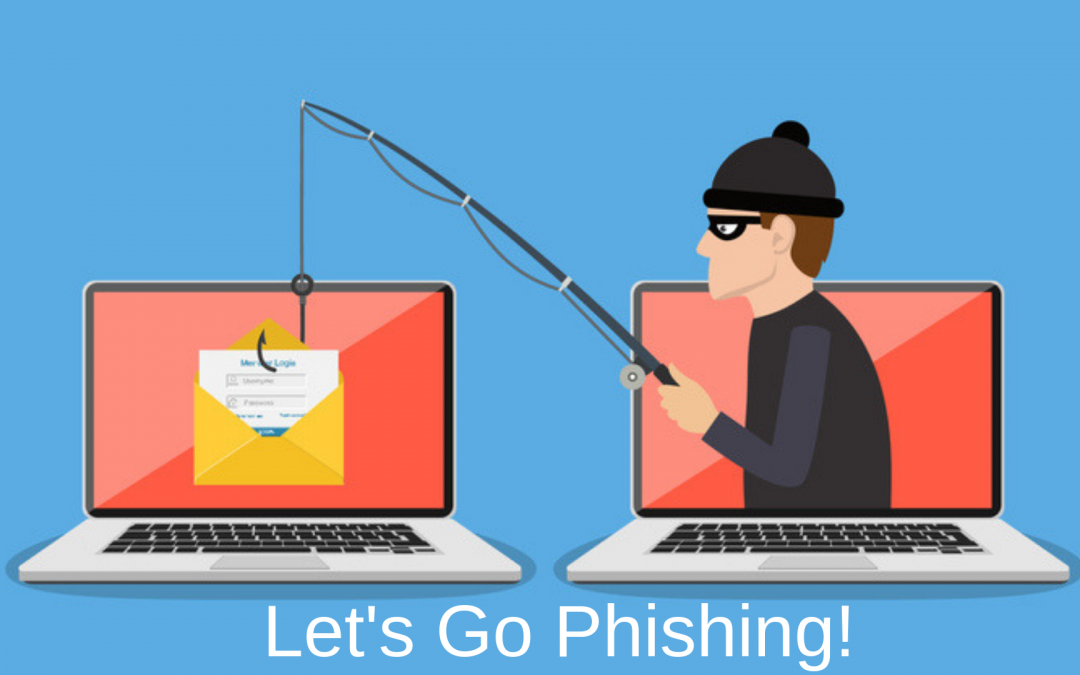
It is a scary fact that one out of every three business employees will open a phishing email at work on any given day. Phishing emails are created explicitly by hackers to try and convince you to give up pertinent information about your business or inadvertently make your data vulnerable. Therefore, it is critical that you know all you can as a business owner about email phishing practices. Take a look at some of what you should know about phishing emails, what they look like, and the steps you can take to protect your business.
A Closer Look at Phishing Emails
Phishing emails are specifically designed to trick users into revealing sensitive information. The emails most often look like they are coming from a legitimate sender and contain links that an unwitting user may click on. When these links are clicked, the user is led to a spoof website that is set up to appear as an authentic site. Once on the site, the user is asked to enter credentials, this could be login information, banking details, or other sensitive information. When the user performs these actions, the data given is captured by the spoof website system, and then later, the credentials can be used by the criminals to access real accounts.
A Look at Why Phishing Emails Are a Common Threat
According to a study done in 2017, there are a whopping 269 billion emails sent every day around the world. When you put that into perspective as a business owner, you see that this adds up to a lot of potential opportunities for criminals to attack your business through your employees. The APWG (Anti-Phishing Working Group) says that it is estimated that $9 billion will be leeched from companies and organizations through phishing in 2018.
Hackers who send out phishing emails either have the goal of stealing information and using it themselves or stealing the information to make a profit in another way. Sensitive financial data is often bought and sold on the Dark Web for a hefty sum.
The latest wave of phishing scams has shown up on social media sites like Facebook, Twitter, and Instagram. Direct links to spoof websites are created and proposed in a way to look legitimate, so users click on these links and believe they are being routed to legitimate websites.
Problems with phishing have become so prevalent that reports are gathered consistently to warn the public. APWG’s Phishing Activity Trends Report For The 1st Quarter Of 2018 stated:
263,538 phishing emails were detected
The number of phishing emails was up 46 percent from Q4 in 2017
At least a third of modern phishing websites had HTTPS and SSL certificates
Phishers are primarily posing as payment services, but they have also been known to target webmail services, financial institutions, cloud and file hosting sites, and other industries.
Most Prevalent Phishing Email Subject Lines in 2018
Phishers use phrases and terms in subject lines of their emails that would demand attention from just about any email user. The most common phishing subject lines in the second quarter of 2018 can be narrowed down to ten phrases.
1. Password Check Required
2. Security Alert
3. Email Deactivation Warning
4. Urgent Information for Employees
5. Update to Company Policies
6. Revised Policy Information for Employees
7. Staff Review
8. Mail Label Delivery
9. Change Your Password
10. Delivery Attempt Made
Even though these were the ten most common subject lines used, not all of them were effective at garnering clicks. “Password Check Required” accounted for about 15 percent of clicks. “Security Alert” was also at the top of the list of subject lines clicked with that phrase accounting for 12 percent of clicks. There were relatively the same (between 7 and 11 percent) amount of clicks on most of the other email subject lines.
Avoiding Phishing Scams in the Workplace
Train employees to understand HTTPS certifications do not always mean they are on a secure site
Instruct employees to alert someone immediately if they believe they have received a phishing email or have been fooled by a phishing email attached to a spoof site
Make sure all user passwords are complex and fully encrypted
Avoid clicking links in emails unless absolutely necessary, and you are certain the email is legitimate
Train employees on how to recognize a bogus phishing email
Employ the two-factor verification capabilities every time it is possible on a site
When it comes to phishing emails and scams, a little education will go a long way to protect your business from an attack. If you feel your business is being targeted by phishing emails, make sure you alert everyone in the workplace of the situation and work with your IT service to add extra security.
