
by Felicien | Aug 3, 2017 | Education
Are you wondering if your business can benefit from using Office 365 Business? Stop wondering. It will.
I work with a wide range of clients who run various types of businesses. Whether a client is a solopreneur who’s just starting out, or someone who’s been at the helm of a 50+-person company for decades, I find most business owners tend to share the same concerns about their companies.
One of the most common concerns my clients have is whether they’re doing enough to create a lean company that doesn’t sacrifice productivity to save a few dollars. When one of my clients comes to me and expresses this doubt, I always ask which business-application package he or she is running.
I firmly believe that using the best software makes the best companies. That’s the reason I always recommend, without hesitation, Microsoft Office 365 Business to every one of my clients. Office 365 Business offers a company of any size the tools it needs to succeed.
Six Reasons Why Office 365 Business Is the Perfect Fit for Any Company
Although I think Office 365 Business is the best business application suite out there, let me take a few minutes to explain what makes it so special, and why you should use it for your business.
There’s no need for your staff to learn new applications. It takes the average employee 20 hours to learn how to operate a new application. That’s about half of a work week. Office 365 Business comes with the business applications your employees already know how to use, like Word, Excel, and PowerPoint. When businesses use Office 365 Business, they can ensure that even new hires can get straight to work without extensive training.
Documents are available from any computer anywhere there’s an Internet connection. It’s time to retire your server. Employees now have the ability to access work documents without being tied to a desk in the office. This allows your staff to work remotely from home, or on the road, and gives your sales force in the field the ability to have complete access to your critical product materials, customer information, and forms on the fly. With Office 365 Business, your team will have all the up-to-the-minute, mission-critical information they need at their fingertips to make the correct decisions instantly.
Your team will have an unprecedented ability to communicate and collaborate. Multiple employees can collaborate in real time with Office 365 Business. They can use Yammer on their computers or any other device to keep up to date on the company’s latest news and current activities. Try One Drive for Business or SharePoint, and let your employees easily share documents with each other while still preventing unauthorized access or changes. OneNote makes it convenient for staff members to leave notes and feedback for group projects, and Skype for Business makes one-to-one video chats, and even large meetings possible at the click of a button.
Your cyber-security fears are reduced. Hacking is always on the minds of business owners. It should be. In 2015, Duke University conducted research that revealed over 80% of all online U.S. companies have been hacked— That’s 4 out of 5 businesses. Office 365 Business takes the security needs of every business seriously. Every subscription comes with high-level, built-in security and constant monitoring, 24/7, to provide one of the safest options available for your business. You can forget about waiting for security patches when you use Office 365 Business. Microsoft applies new security patches and updates as soon as they’re available.
Lose your IT department. Keeping up with technology can take a lot of time and resources. Businesses that subscribe to Office 365 Business no longer need to worry about purchasing, installing, or updating multiple applications for each employee. Then there’s the option of scalability. Since Office 365 Business is a per-user, per-month subscription service, it’s easy to scale up or down whenever you need to. You can stop wasting time ordering and keeping track of hundreds, or even thousands of different licensing agreements. Stop worrying about buying and maintaining an office server; you just don’t need it when your company works in the cloud.
It won’t break your budget. It doesn’t matter if you run your business out of your apartment or rent an entire floor of a Class-A building—You can afford Office 365 Business. The per-user cost is ridiculously low—From just $5 a month for a bare-bones package, to $12.50 for EVERYTHING. You can’t find a better deal on such a wide range of incredibly useful business applications anywhere.
Isn’t Your Business Worth Office 365 Business?
There’s only one thing you should be thinking about, and it’s this: Why didn’t I switch to Office 365 Business years ago?
I can’t answer this question for you, but I can encourage you not to wait any longer.
Remember, Office 365 Business is the best business application for every business because:
It’s easy to use.
It allows employees to work from anywhere.
It promotes collaboration and communication.
It’s probably safer than your current solution.
It is so simple you don’t need an IT department.
And it’s one darned good deal.
For more information about Microsoft Office 365 Business, or for anything IT, contact {company} in {city} at: {email} {phone}
by Felicien | Aug 3, 2017 | Education
Do you use a wired or wireless connection to access and transmit data? You may not think that it matters which you use, but it does.
When businesses set up, upgrade or relocate their data systems, they have a significant decision to make—What data can be accessed via a wireless connection, and what needs to be relegated to an Ethernet connection? To make an informed decision, it’s important to understand the advantages and disadvantages of both.
Ethernet Connections
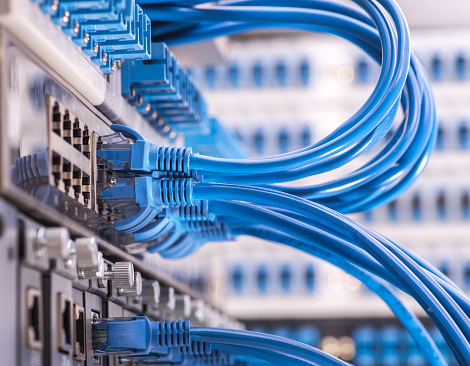
An Ethernet connection is your basic Internet cable hookup. You run an Ethernet cable from a compatible device to the Ethernet port on your router or gateway to get Internet access. This option is attractive in its simplicity, but there are some important points to consider first.
Security: A wired connection isn’t absolutely secure. You can still download malware, open phishing emails, and leave computers exposed to vulnerabilities with a wired connection. Nevertheless, it does protect against certain security troubles as opposed to wireless networks. Hackers can’t eavesdrop on data exchanges the way they can over unprotected wireless networks, and it’s one vector less to consider when creating a strategy to protect your most confidential data. Additionally, mobile devices tend to contain more vulnerabilities overall than desktops, so using a wired connection lowers the number of potential security mistakes that employees can make.
Speed: Let’s give wireless connections their due here—When backed up by fiber optics and a powerful router, WiFi can be extremely fast—fast enough for most common tasks. However, Ethernet cables will always have a bit of an edge here. Data doesn’t need to be switched between as many formats, and doesn’t require a radio frequency to move data. This can make Ethernet anywhere from “a little bit faster” to “a whole lot faster” than a WiFi alternative. That’s important when your business needs to run important, data-intensive services.
Reliability: An Ethernet connection poses relatively few problems when accessing an Internet connection. As long as your provider doesn’t go down, and no one trips over the cord, then you can pretty much depend on that cable providing you Internet access. This is useful if you need to keep services up and running for customers, or deploy processes that could last for hours.
Physical Safety: Speaking of tripping over cords, Ethernet connections do have some downsides. They are physical lines that have to be strung throughout your work environment so that all your devices have Internet access. That’s not such a big deal in the server room. However, once you start planning for cable connections around the office, it can be quite complicated. It’s no surprise that many small businesses need to pay extra installation expenses to run cables everywhere. Find a place that’s pre-wired, or be prepared to pay some extra costs.
WiFi – Wireless Connections
You know what these are. You’ve doubtless set up a router and WiFi network for your home or business. These networks allow computers to connect to the Internet wirelessly, which is a particularly important option for using today’s mobile devices that don’t come with Ethernet ports. WiFi connections have come a long way in recent years, and can offer high-quality Internet access. However, they still have their limitations.
Flexibility: This is why you have a wireless connection, right? It’s a mobile world out there, and you need mobile devices to survive in your industry. A WiFi connection allows you and your team to work where you want and how you want. It allows you to set up a broad variety of computers and smart devices exactly where you need them without worrying about running cables. It allows employees to continue using their mobile devices seamlessly when moving in and out of your office. It’s just handy to have, and we all know it.
Facilitate Modern Features: There are some things you can only do with WiFi. You need it to provide customers free Internet connections. You can only manage a reasonable BYOD policy if you have WiFi. If you use an application for timesheets or check-ins, you’ll need WiFi. WiFi enables many important customer and employee solutions that can’t be obtained any other way.
Time-Saving: Wireless networks don’t always save time (Setup procedures can take a while, as we all know.). However, once they’re up and running they do tend to be advantageous in the active workplace. When you no longer have to rush to a workstation to get an important task done, things tend to move more quickly. For example, we’ve seen plenty of increases in efficiency in factories, construction companies, and in inventory management when supervisors can make decisions and authorizations from their mobile devices.
Variable Quality: Remember that wireless connections aren’t always dependable. They can experience interference and only cover so much territory. You can’t count on wireless quite as much as you can a wired connection, especially for important tasks.
Security-Intensive: When you use a wireless network in place, you must invest in security. This means not only ensuring the right authentication and encryption are in place, but also that you maintain careful management over what applications employees use to access business data and where it can be accessed. It’s a whole new dimension of cybersecurity that requires plenty of additional regulations and controls.
What’s the Right Choice for Your Business?
From a broad perspective, you should keep sensitive data and more intensive processes to wired connections, and use wireless connections for sharing data and completing everyday work tasks that don’t require stringent security requirements. In practice, however, this quickly becomes a difficult guideline to follow.
For advice, or information on up-to-date strategies and solutions to manage your data, {company} can help! We serve businesses in {city} with a variety of services designed for their unique needs. Contact us at {phone} or {email} to learn more.
by Felicien | Aug 2, 2017 | Education
Even the smallest business isn’t immune from the threat of cybercrime. Are you doing enough to protect your business from becoming a victim?
The ransomware panic caused by WannaCry and Petya affected tens of thousands of computers throughout the world. However, these attacks were just one part of the latest wave of an ever-increasing number of sophisticated cybercrimes that companies are being forced to deal with every day.
It seems that every time you open the newspaper there are stories about major corporations such as Yahoo, Verizon or Taobao being victimized by hackers. But digital criminals aren’t only targeting large companies with deep pockets, they go after the little guys as well. In fact, small and medium-sized businesses (SMBs) make up the bulk of hacking victims. Experts estimate that these organizations suffer more than 4,000 cyberattacks every single day.
If that doesn’t scare you, taking a close look at your company’s cyber security should. The Denver Post reported that approximately 60 percent of the small and medium-sized businesses that suffer a cyberattack never recover, and are out of business within six months. This is a shocking statistic—And it’s something that I share with our clients when talking about protection from cybercrime.
Preventing Cyber Attacks Must Be a Top Priority.
I agree with the statement from Ginni Rometty, the Chairman, President and CEO of IBM Corp., “Cybercrime is the greatest threat to every company in the world.”
Unfortunately, two-thirds of SMBs don’t agree with us, and the majority of them don’t have adequate safeguards in place to prevent an attack. This means they’re tempting targets for cyber criminals.
Businesses that are victims of cyberattacks stand to lose a lot of money. Juniper Research predicts that by the end of 2019, online crime will cost companies more than 2 trillion dollars. Currently, the average small business that falls victim to hacking loses around $690,000. Mid-sized businesses wind up paying more than 1 million dollars to clean up after an attack. That’s a money that most don’t have.
Even worse than the initial cost of recovering from a cyberattack is the possibility of legal action by customers or clients who have had their information compromised. Combine that threat with the risk of being investigated and fined by governmental regulators, and the bill for a cyberattack has the ability to cripple most companies.
Besides all the direct monetary damage, a cyberattack can ruin a business’ reputation.
Growing a reputation takes years, and just one data breach can ruin the trust you’ve worked so hard to build. Thomas Ordahl, Chief Strategy Officer at Landor Associates, said a company’s reputation is the driving force behind growth, and, “It is also the asset that when compromised… is least easily fixed.”
If you believe your business’ current cybersecurity plan is inadequate, now is the time to start developing a better one before it’s too late.
Five Things You Must Start Doing Today
While a comprehensive cybersecurity plan can take a long time to implement, there are several things you can do start doing today to make your company safer from cyberattacks. Start with these five tips:
Talk to your employees. Mostdata breaches are caused by untrained employees. Make sure your team knows how to keep your company’s data safe by avoiding common dangers like opening attachments from unknown senders, improperly disposing of sensitive information, or using simple passwords.
Maintain up-to-date hardware and software. Developers release security patches whenever they become aware of vulnerabilities. Make sure all of your computers and applications are updated regularly.
Review your outside vendors. It’s very common for smallbusinesses to use third-party vendors for services like payroll or web hosting. If you do, make sure that all of your outside vendors have a comprehensive security plan in place to prevent hackers from accessing your private data.
Back up your data nightly. You should always backup your data to an offsite, secure location. The increased number of ransomware attacks make frequent backups of critical data essential. You can back up your data manually or use a managed backup service.
Use tough encryption. While state and federal law requires businesses to use encryption to protect the sensitive information of customers, they should expand their use of encryption to include information that’s not covered by compliance laws.
While no preventive measure is 100 percent effective, the more you protect your business today, the less likely you’ll wake up to a cyber nightmare tomorrow.
The IT professionals at {company} in {city} have the expertise to protect your business from cybercrime. Contact us for a complimentary review of your security needs. {phone} {email}

by Felicien | Aug 1, 2017 | Education
Data laws are in the process of changing yet again. Is your business prepared? The EU’s General Data Protection Regulation (GDPR) provides new oversight into how organizations are, and should be, handling and protecting the personal data of users. Personal data includes records with identifying personal information as well as a computer’s IP address—In essence, anything that could be used to identify an individual.
New regulations go into effect in May of 2018. Everyone is trying to do their part to stay one step ahead of the cybercriminals who want to do us harm. And, with facts and figures like the ones below, it’s no wonder that data laws change as frequently as the weather:
Cybercrimes are getting more frequent. In 2016, more than 29 million records were exposed in 858 publicized breaches across sectors including financial, government, healthcare and education.
Small businesses are being hit the hardest. The Ponemon Institute’s study, 2016 State of Cybersecurity in Small and Medium-Sized Business reveals that 55 percent of SMB respondents say their companies have experienced a cyberattack in the past 12 months.
The damage cyberattacks cause can be devastating. 50 percent report they had data breaches involving customer and employee information in the past 12 months. In the aftermath of these incidents, these companies spent an average of $879,582 because of damage or theft of IT assets. In addition, disruption to normal operations cost an average of $955,429.
To make matters worse, according to the World Economic World Forum’s, “Global Risks Report 2016” a “significant portion” of worldwide cybercrime actually goes undetected. This means, as bad as these numbers are, the true situation is even more dire.
Will changing data laws doing more harm than good?
All of this raises an important question—Are these data laws doing more harm than good? Could new data laws actually force you to close your doors instead of help protect your business? According to one new analysis, the answer may not be as clear as one would hope.
The GDPR contains one seemingly small, but significant change that business owners in particular need to be aware of—Accountability. Under the GDPR, if personal data is stolen or otherwise compromised during a cyberattack, the affected company must report the breach within 72 hours of identification.
So, what happens if you fail to do this?
Under the GDPR, non-compliance could lead to an immediate fine of $20 million euros, or 4% of global turnover – whichever is higher. To put this into perspective, say a company as large as Apple was hit with a data breach and they didn’t disclose it for five days. That extra two-day waiting period could cost Apple billions of dollars.!
To provide some additional context, consider the case of Talk Talk, a UK telecom company that was hit by a massive data breach in 2015. At that time, the company was fined $400,000 for failing to take steps to prevent the breach from happening. Under the new law, that fine would grow to tens of millions of dollars.
Supporters of the new law argue that this is a real opportunity for businesses all over the world to promote protection for individuals’ privacy to gain a competitive edge in a crowded marketplace. They say the reward of “getting it right” is much greater than “getting it wrong” – at least in theory.
Many organizations are in full-on panic mode because of this.
Experts agree that not only will these new laws affect every part of a business, but people don’t know what to do to stay prepared. Plus, there’s a shocking lack of awareness for affected businesses—60% of people who responded to a survey thought the new regulations wouldn’t affect their organization in any way. These respondents could not be more wrong.
It’s estimated that the average business will need between 12 and 15 months to prepare, something that only 29% of businesses in the UK have started to do. When you consider that May of 2018 is less than a year away, this is a cause for alarm.
It’s imperative that your business conducts a comprehensive data audit to ensure personal information is secure at all times.
Companies like yours need to start by gaining as much visibility as possible into data security. You also need to know how it’s being used, what existing policies govern how it can be used, and what you need to do to ensure compliance before the new laws take place.
Make sure your company’s leadership is fully behind the change, and your employees are trained to recognize cyber threats. As always, data security requires an “all-hands-on- deck” approach. This has never been more important than it now.
Data laws will always change, and for a good reason—Cyber security is one of the most significant topics facing businesses today. This is why it’s so important to stay up-to-date on all the latest changes, rules and regulations. It puts you in the best possible position to stay one step ahead of the criminals who want to do you harm, and to stay compliant with regulations.
If you’re in {city} and would like to find out more information about this or any other IT topic, don’t delay—Contact {company} by sending us an email to {email} or by calling {phone}.
by Felicien | Aug 1, 2017 | Education
Did you grow up loving MS Paint?
Microsoft is replacing it on future Window operating systems, but don’t worry, it’s still being supported.
1985 was a great year. It gave us such classics as the time-defying DeLorean in Back to the Future, the chart-topping song Everybody Wants to Rule the World by Tears for Fears, and MS Paint from Microsoft.
Yes, the classic painting program, which came with every Windows operating system since Windows 1.0, was first released way back in 1985. And now it’s time for all of us to say goodbye to MS Paint. Well, at least as a standard application on any new Windows OS.
Microsoft recently made the announcement that the company was removing MS Paint from the Windows 10 Fall Creators Update and replacing it with a newer version that the company named Paint 3D. Despite the company’s assurance to Windows users that Paint 3D was a much better graphics program and would still retain many of the favorite features of MS Paint, there was a passionate outcry.
Whether it was a wave of nostalgia, or that MS Paint fans from around the world wanted Paint to remain as is, they were so upset that they flooded forums and in-boxes with protests.
And it appears their cries were heard!
Just days after making the initial announcement to replace MS Paint, Windows released a statement that acknowledged the program will still be around. The devotion of its almost 100-million users around the world paid off. As a compromise, Microsoft made it clear that MS Paint would still be supported and available — It just won’t be a part of any future Windows operating system. Instead, MS Paint is going to have a home on the Windows Store where it will continue to be offered, and for FREE!
A Look Back at the Long History of Microsoft Paint
There are very few things in the world that last for 32 years—And even fewer tech products. MS Paint is one of those incredibly rare applications that’s defied the odds and has found a permanent niche.
In the beginning, using MS Paint was pretty bleak, and a lot less colorful. When the program was first released in November 1985, it was called Windows Paint. It only supported 1-bit monochrome and came with very few drawing tools. However, even with these extreme limitations, the program drew the attention of many.
When Microsoft released Windows 3.0 five years later, things began to look brighter for the program. It received a major makeover, which started with a new name, Paintbrush. Besides a name change, this version added an easier-to-use interface, and the ability to use colors for the first time.
It wasn’t until the release of Windows 98 that MS Paint became a truly functional graphics package. For the Windows 98 version release, Microsoft provided the ability to save artwork in JPEG, GIF and PNG file-extension formats. This change let users create an image in MS Paint and use it in another program. The Windows 98 version of MS Paint also permitted users to create art with a transparent background, a perfect for the burgeoning Internet during that same period.
The release of Windows XP expanded MS Paint’s save formats to include natively saved images as JPEG, GIF, TIFF, PNG and BMP extensions. This version also let users import scans and digital photographs directly into the program, which added a ton of new options.
One of the biggest and most important updates to MS Paint was the version that was distributed with Windows 7.0. In this update, Microsoft added the ability for users to undo up to 10 of the last changes they made. This combined with better controls for cropping and magnification provided real power and functionality.
The last major updates to MS Paint were introduced in Windows 7.0. MS Paint received an overhaul that included a greater selection of brushes, and the annoying, yet playful, need to continuously “reload” your brush while using oil or watercolor to simulate the effect of running out of paint. Users were now able to undo up to the last 50 changes.
A First Look a Paint 3D
So, what about the program that’s replacing MS Paint? Is it worth using?
The answer depends on why you need or want a 3D-modeling program. If you just want to mess around and try your hand at creating some 3D artwork for fun, then yes. Paint 3D is definitely something you should check out. The interface is a lot more user-friendly than most of the other options on the market, and offers a wide range of 2D and 3D options.
However, for any of my clients who are wondering if they can replace their current 3D- modeling software with Paint 3D, I’d have to recommend holding off on making the switch. Paint 3D’s limitations don’t make it a good alternative for you.
Try Paint 3D out for yourself and see what you think. You can download the latest version of the program from the Windows Store for free. Check it out for a bit of fun, even if you don’t plan on using it for your business.
For more information about Microsoft Paint 3D or other Microsoft Products, for your business in {city}, contact {company} at: {phone} or {email}
