
by Felicien | Sep 27, 2017 | Education
Is your business’ productivity suffering? It may be due to a poor workflow. Using Microsoft Flow can help.
Is the productivity of your business slipping? Do projects take longer to complete than they should? Perhaps this has nothing to do with inadequate staff training or lack of motivation, but your workflow.
The workflow consists of the steps you take from the start of the project to its completion. A poor workflow impedes productivity and decreases the quality of work. A good workflow offers many advantages and is worth the time to set up. How do you achieve this? I tell my clients to use Microsoft Flow.
What is Microsoft Flow?
Microsoft Flow makes simple, repetitive tasks easy to accomplish by handling them automatically—Different applications can “talk” with each other to collect and share data while keeping you aware of major changes. Flow works with many popular applications such as Outlook, Office 365, Dropbox, Facebook, Slack and more.
How Flows Work
With Flow, you can automate tasks (flows) without being a technology wizard. Flows can range in complexity, from simple tasks like saving an email to Dropbox, too much more complex ones like searching Twitter feeds for people who post about your company, following their account, and adding their names to an Excel file.
We advise our clients to automate tasks quickly using templates in Flow. There are hundreds of ready-to-go templates, plus thousands of user-created ones that are available online to download. There’s is a good chance that you’ll find the template that works for your needs right out-of-the-box or at least one that only requires a few tweaks.
Of course, every business is different, and all of them have unique needs. That’s why Microsoft made it so simple for you to create your own flows. Instead of bogging down employees by requiring the use of a scripting language to create flows, everything is created visually using triggers and actions from a series of menus.
How to Create a Flow
To give you an idea of how easy it is to use Flow, the following are the steps to create an automated process that sends a notification to your phone every time you receive an email from a particular address. This is a very useful flow, and it’s adaptable for a number of situations.
In order for this flow to work properly, you will need a Flow account, a subscription to Office 365, the push notification service, and the Flow mobile app for your phone.
Sign into your Flow account and select Create from blank from the My flows menu tab.
Click on the Office 365 Outlook icon and select When a new email arrives from the list of triggers.
Choose the folder you want to check for the email, and then click on Show advanced options. Fill in the email address you want to monitor in the From Select Hide advanced options.
Choose New step under the Add an option Find the Notifications – Send me a mobile notification under the action tab and select it.
Inside of the Textfield, write the message you want to receive on your phone. Close the Add an option
Select Create flow at the top of the page, and give the flow a name and save it.
Don’t worry if all this seems a little confusing. There are many tutorials to walk you through the process in greater detail.
How to Get Flow.
You can sign up for free online. There are three different versions of Flow: Flow Free, Flow Plan 1, and Flow Plan 2.
Flow Free is free to use, but it has significant limits on the number of applications it can use to create flows. In addition, the Flow Free plan only checks for the conditions to activate a flow every 15 minutes. That means if you have time-sensitive flows, the free option isn’t a good choice for you.
Flow Plan 1 is $5 per user per month. It checks the required conditions to activate flows every three minutes, which is much better than the free plan and is adequate for most business needs. Flow Plan 1 also provides access to premium services which can greatly expand the usefulness of Flow.
Flow Plan 2 is $15 a month per user and is the most robust option available. It checks for conditions to run a flow every minute. This makes this plan option a must-have for time-sensitive applications. Like Flow 1, Flow Plan 2 grants subscribers access to premium services, but also adds the ability for an administrator to create organization-wide policies and restrictions for using Flow.
There are so many ways to use Microsoft Flow in your business. In my opinion, it’s well worth the cost of Plan 1 or 2. While there are other similar products out there, I think, since Microsoft Flow is probably the best choice for most businesses.
We’d be happy to tell you more. Feel free to contact us at the information below.
{company}
{email}
{phone}

by Felicien | Sep 27, 2017 | Education
If you aren’t storing your business data in the cloud, you’re risking physical damage that may not be recoverable. Learn how to quickly overcome these vulnerabilities in the Cloud.
There was a time when backing up business data included checking the date stamp on a physical tape drive, making a copy, laboriously labeling it, and storing it in a drawer. Well, things have definitely changed for business data storage solutions – And for the better!
Today’s backup options still include on-premise storage but have expanded to provide cloud-based options as well as hybrid alternatives. They support the need for immediate and full backups with lighter connectivity requirements.
Here are some answers to questions we often receive. They should help you decide which storage option is right for your business.
Why Are There Risks with Traditional Backups?
There’s a strong likelihood that your current backup solution has been working well for years—So, you may ask, “Why switch?” Until now, you’ve probably been fortunate enough to avoid a physical or cyberattack—But continuing to use less-secure options like jump drives or tape backups simply isn’t sustainable for the long term.
Perfect examples are the recent hurricanes and wildfires ravaging through the country. If your office was in one of those areas, and you relied purely on physical media storage, you would have lost all your data.
The same goes for theft—Hacking of your systems, or someone breaking into your office and physically stealing your backups means your data is gone forever. While this is less likely, a disgruntled employee could do a great deal of damage by doing this.
While automated backup options such as Apple’s Time Machine or other scheduled backups are better, these alternatives are quickly showing their age. They are still vulnerable to physical attacks, and susceptible to cyber attacks as well. The configuration could be either external hard drives attached to each computer and server or an advanced local network setup that stores all backups in a central location.
How About DIY Data Storage?
Proponents can counter the argument that hard drive backups aren’t susceptible to fire, flood, and theft if you take them offsite to a secure location (such as a storage facility, your home or other business location). While this may mitigate some risk, it certainly doesn’t provide the same level of security as a managed security and backup solution. The sheer amount of physical data storage required could get expensive—And restore from a backup can be incredibly challenging, especially if you need data quickly.
What is Cloud-Based Document Storage?
There are different types of cloud-based storage: general document storage and dedicated cloud storage. General document storage includes options such as Dropbox, Box, Microsoft’s OneDrive, Google Drive and more. These services are excellent for providing collaboration capabilities and the ability to retrieve documents regardless of your physical location. However, when you’re dealing with vast quantities of data far beyond standard document and individual file storage, a more robust option is required. For instance, these general cloud storage alternatives work well even for large files such as photos and videos, but they’re not ideal for highly secure data such as personal information or anything covered by HIPAA regulations.
Are Managed Cloud Services Appropriate for My Business?
This is one of the most professional and reliable options available to businesses of any size. Managed cloud services provide you with peace of mind — Why? Because security professionals will continuously monitor your data for incursions and inconsistencies. This, plus the convenience of quick file restoration and secure physical storage, makes it a good choice. Dedicated cloud storage often includes a facility that’s staffed 24/7/365, and boasts the latest in state-of-the-art security systems—much more security than any business could afford.
My Business is Seasonal. What’s the Best Choice for Me?
When you outsource your data storage, you can quickly and easily scale up or down based on your needs. Instead of having to purchase, install and harden a new server to grow your storage capacity, cloud systems scale automatically, or with only a phone call from you. The same is true when usage drops as well and is easily handled by your storage provider. Since you only pay for the storage that you need, many businesses find that this is a cost-effective option that has all the benefits and few, if any, negatives.
What’s Active Monitoring?
If someone hacked into your network or released malware into your systems, how long would it take you to notice? Chances are you wouldn’t see it right away, which is another reason to work with a trusted managed cloud services provider who will actively monitor your network. Active monitoring of your account means proactive patching of any security vulnerabilities, plus quick action once the danger is identified.
Want to learn more about which backup and data-storage solutions are right for your business in {city}? Contact {company} at {phone} or {email} to speak with one of our IT security professionals. We’ll listen to, and understand your needs before suggesting any solutions.

by Felicien | Sep 27, 2017 | Education
WordPress may be one of the world’s most popular content management platforms, but its plugins open up a Backdoor Vulnerability.
WordPress is one of the most popular CMS (Customer Management Software) platforms of all time, and for good reason. The overall ease of use and administration appeals to individuals, bloggers and small businesses. Plus, it’s compatible with tens of thousands of plug-ins to help you perform tasks, transform data, aggregate analytics, grow customer lists, and effectively sell products and services.
With all that WordPress has going for it, the install base is in the millions — making it a prime target for hackers looking to take advantage of widespread vulnerabilities. Unfortunately, that’s exactly what happened when a backdoor into the WordPress administration was found in the Display Widgets plugin.
The Display Widgets plugin is currently installed on over 200,000 WordPress sites across the Internet. Worse, WordPress.org staff members may have known about this for a long time, and they didn’t take immediate action to stop selling it.
WordPress’s Staggering Growth
Did you know that a WordPress post is published every 19 seconds? – And that downloads of the platform were up over 500 percent in the last five years? WordPress now accounts for nearly 50 percent of websites on the Internet!
With hundreds of millions of posts, more than 36,000 WordCamp conference attendees, and installs in nearly 60 countries, WordPress is the “800-pound gorilla” of the Web CMS market.
Self-proclaimed as being the most flexible, customizable, and easy to update CMS on the market today, WordPress has moved beyond hosting blog pages to now powering websites for some of the largest and most exclusive brands in the world (like McAfee, Routers, CNN, NASA, Facebook and more).
Is WordPress Secure?
Sure, the platform is relatively easy to use, but is it secure? This is the question that millions of users are asking themselves after the news broke about the vulnerability in the Display Widgets plugin.
However, if you own a small business, you may not have the time to fully research these security concerns. You just want to know that your blog post is getting published as it should.
The intuitive and user-friendly interface is welcoming, but you must take the time research the vulnerabilities before you decide if WordPress is right for you. The same plugins that let you take advantage of new functionality in WordPress can also be your downfall.
WordPress Vulnerabilities
Security exploits are nothing new for WordPress users, and the WordPress.org team addresses these issues regularly with security releases and patches. However, if you aren’t keeping up with security patches, vulnerabilities can provide unauthorized access to your systems.
Here’s a short list of WordPress security issues and when they occurred:
2007/2008: WordPress servers were compromised leading major technology blogs to “cry wolf.” WordPress created a new and more intuitive update process for ongoing updates.
2009: After discovering a need for overall hardening of the platform, WordPress released a flurry of updates that began a new and more proactive focus on security.
2011 – 2014: Hackers discovered a vulnerability in the Tim Thumb image resizing utility that allowed them to load and execute a PHP code onto WordPress servers. Attacks continued until the code was pulled by the developer.
2013: A large-scale review of top sites through Alexa’s software revealed that nearly 75% of them were vulnerable because they ran older versions of the WordPress platform.
2015: While the world’s largest body of plugins was still vulnerable, security updates were quickly released. Unfortunately, releasing updates doesn’t mean that users will apply them, even with repeated notifications from WordPress. The XSS vulnerability was a major security outbreak, bug fixes were quickly released.
Can We Trust WordPress to Protect Us?
Although the plugin with the backdoor code vulnerabilities was removed from the WordPress store, a question remains: “Why was it added back to the store after the three previous removals for similar issues?”
This happened after the sale of the plugin from the author to a new distributor. It was revealed that the updated plugin was publishing false entries to WordPress sites— These were only visible to logged-out users and didn’t show up in the WordPress admin section. This was in concert with a user-tracking functionality that implicitly went against WordPress’s terms of service, and that sent personal information to a third-party server!
While WordPress continues to be an incredibly popular web CMS platform, it’s important to ensure that all plugins are up to date, and that the WordPress platform itself has been fully patched.
Want to learn more about maintaining a secure presence on the Web? Contact {company} at {phone} or {email}. Our security professionals will work with you to ensure your content, and site visitors are safe at all times.
by Felicien | Sep 27, 2017 | Education
Virtual Private Networks, or VPNs, provide you with an added layer of security for your business systems and sensitive data. Learn how to find the right VPN solution for your unique needs.
If you’re considering adding a VPN, or Virtual Private Network, service to your business infrastructure, you may be overwhelmed looking at the various choices available on the market today. VPN services provide you with the ability to protect your privacy, securely encrypt internet traffic and can also help protect your business from cyber criminals. Remote workers have been utilizing VPNs for years in order to connect to a corporate environment without compromising overall security of the organization. Demand continues to grow for this affordable technology, due in large part to increased travel demands and the practice of using contractors instead of full-time employees become more mainstream.
What is a VPN?
A Virtual Private Network provides an individual or an organization with additional levels of security, allowing files to be shared safely regardless of the physical location of any endpoints. Technically, a VPN is simply a Wide Area Network that is exceptionally secure, incorporating many of the features that you would expect to find in a traditional firewall. Few of these features are noticed by users, however, they all happen behind the scenes. What users will notice is that there are generally additional steps involved in accessing a corporate network via a VPN, such as requiring a generated key code or utilizing a dongle for added security. VPN services essentially create a secure data tunnel between the provider’s server and the user, allowing a connection that cannot easily be breached.
Why a VPN is Important.
Today’s workers are increasingly mobile and have a true business need to access information from a variety of locations that may or may not be secure. For instance, you wouldn’t necessarily want your users to access your corporate network when utilizing WiFi from a coffee shop, due to the dangers associated with this activity — catching the eye of a cyber criminal, for instance. However, with a VPN your employees can easily gain the ability to read or write to their files on your corporate server securely and with the risk associated with creating a port into your systems from a less-secure location or entry point. The ability to quickly and easily view data when they are away from the office allows employees to be more productive and efficient throughout their week.
VPN Considerations.
Today’s global business world requires creative solutions, and a local VPN allows you to access data from other countries as if you were physically in that country. The location of your VPN server is important for that reason, as it allows you to overcome geo-blocking restrictions — which can come in handy if you’re doing business internationally. There are a variety of other points to consider when you’re reviewing VPN solutions, such as:
Data Caps: How much data is included in your plan can be significantly different depending on your service provider. Limited data amounts may be paired with exceptionally high overage costs, making it important to review not only the included amount of data but what happens when you exceed your monthly or quarterly allotment.
Number of Servers: While you may think of it in terms of purchasing a single VPN server, what you’re actually getting, is access to a bank of VPN servers — making it critical that you ask your service provider the size of their server bank. A limited number of servers could mean a general slowdown for your business or an inability to meet increased needs in the future.
Included Devices: Most VPN providers cap the number of devices that can connect per organization, often with a limit of 3 devices per individual covered by the plan. Higher level tiered pricing may allow for up to 5 devices per user, but the price differential can be significant. Keeping in mind the device cap and the expected usage level by your employees will help ensure you can right-size your VPN plan and still leave room for future growth. Personal devices are not the only ones that need to be counted in your overall cost estimation, however. Keep in mind that each router, server, and other network storage devices will also need a unique access point.
Data Security and Privacy: While nearly all service providers do some type of data logging and user data capture, keep this aspect in mind when making your final decision. If your employees will be accessing critical financial or healthcare-related data, logging should be minimal and quickly released by the VPN service provider to ensure that it complies with all federal regulations.
Pricing: Subscription periods can greatly reduce the overall costs of a VPN. If you’re willing or able to sign a longer-term agreement, you are much more likely to receive favorable pricing within your contract. If you’re testing a monthly service before deciding to take the plunge, the short-term investment may be greater than you would expect. Prices can start as low as free or only $10 per month, depending on your requirements as far as the number of users, required servers and security levels.
In general, a Virtual Private Network is a simple way to maintain strict security standards throughout your business while providing your employees with the flexibility that they need to access business-critical information when, where and how they need to work. Fast, effective and affordable, this technology provides the added level of security that businesses need to stay mobile. Ready to get your business started with a VPN solution that you can trust? Contact {company} today at {phone} or via email to {email}. Our security professionals will work closely with you to scope your business needs and ensure that any solution we recommend will work well for your organization.
Contact {company} today at {phone} or via email to {email}. Our security professionals will work closely with you to scope your business needs and ensure that any solution we recommend will work well for your organization.
by Felicien | Sep 27, 2017 | Education
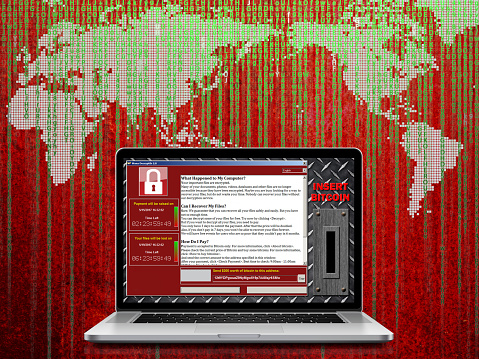
Although ransomware threats are real and dangerous, there is actually some good news to be had. By knowing what the good and the bad news is, in fact, people will place themselves in the best possible position to deal with these threats. Of course, these so-called “threats” often transform into cases of blatant theft and fraud.
The people behind these heinous crimes, furthermore, are counting on the fact that most of the people who will get hit with ransomware threats have either never heard of “ransomware” or they have assumed that this type of crime only targeted big companies and rich folks. Needless to say, both assumptions are false.
The Good News
These threats generally require action on the part of potential victims; if we can keep those victims from doing what the criminals want them to do (i.e., click on a given link, pay money to supposedly get their kidnapped data back, etc), they can fare much better, in most cases. Ransomware is all about creating a domino effect, which, when it does what they expect, leaves total mayhem behind. Well, the trick is to take one or more of those dominoes out of the equation before the malicious attack takes place and, if necessary, while it is taking place.
Many of the people conducting these raids are sloppy and, one might even say, amateurish hackers. In fact, it’s obvious sometimes that these people work with a single program they either bought or clumsily put together themselves.
It’s possible to block many of these attacks—as a matter of fact, prevention is probably our best weapon and hope against ransomware hackers. Ransomware attacks often take advantage of security protocol/systems weaknesses. They discover those weaknesses by constantly poking the firewalls and anti-virus programs–the scary part is that these people seem to have unlimited amounts of time to be destructive and malicious. By thinking the way they do, we can start to develop stronger defense systems and protocols.
Since we know a lot (and are learning more day-by-day) about this type of threat, we are in an excellent position to design defenses, something which is happening as we speak.
Deploy more (and better) anti-malware and anti-ransomware technology, including the strengthened enforcement of PCI DSS standards, Transport Layer Security (TLS), Secure Sockets Layer (SSL), and chip-based POS systems.
Amazingly, point-of-sale malware attacks, another closely-related form of cyberspace terrorism, went down by approximately 93% from the year 2014 to the year 2016; this proves that cyber terrorism can be defeated or at least substantially decreased with the right kind of response.
The Bad News
These botnets or viruses (whatever form they come in) can do significant damage to people’s personal data files or even whole computer systems.
These backyard hackers are mostly in far away countries where it would be difficult to “touch” them.
The technology they’re using is self-evolving (actually, not really) but almost self-evolving.
Unfortunately, the average person out there is too ill-equipped and poorly- prepared (and probably hasn’t even heard about “ransomware”) to deal with these threats adequately.
This type of scam has proven to be very profitable so far for the perpetrators.
There are people in the world who can devote their whole day to working on destructive technology like this; the people fighting them off, on the other hand, have to punch out at 5 pm.
ANTI-RANSOMWARE THREATS BEST PRACTICES
The following ideas and options have been used in the past and can be used in the future to help deal with these cybersecurity attacks. It must be noted, however, that it’s foolish to set up as a goal to not ever succumb to a ransomware or malware attack–indeed, there is no such thing as a perfectly secure system. The best that we can do is remove or adequately address weaknesses, make sure that we have the most updated programs and systems in place, and see to it that staff is well prepared for potential cyberspace terrorism events. We need to be clear, though, that ransomware threats are only the tip of the iceberg when it comes to cyberspace terrorism
What makes it so relevant today, though, is the fact that it has as much to do with making money (by the malicious hackers) as it does with disrupting and destroying systems–in other words, it involves an additional incentive missing from most other cyber attack tools. Secondly, ransomware threat attacks target the public, not just organizations. For your part, make sure that whatever solutions you strive to implement protect your clients as much as your system, your staff, and your equipment.
Backup all your files regularly. Cyberspace terrorism is all about inflicting fear, taking away power and disrupting the peaceful flow of things—by securing your data, you hold on to your power.
Regularly update your operating system and all programs.
Proactively identify and address security flaws (such as by patching).
Work to better secure administration tools and system components.
Disable outdated and unnecessary protocols for end-user accessibility.
Find ways to better protect your servers and the network.
Keep servers updated and patched.
Defend against brute force attacks by strengthening remote desktop credentials.
Consider network segmentation strategies.
Employ elaborate, customized data categorization strategies.
Consider deploying behavior monitoring and application control.
Enable sandboxes.
Better secure gateways.
Require all staff to submit to on-going, regularly updated ransomware threat management training.
Just as companies conduct fire drills, conduct mock ransomware threat drills to get staff ready for the real thing.
CONCLUSION
Ransomware threats can be managed successfully but it’s going to take time, money and much better involvement and cooperation by law enforcement, private industry, and government authorities.
Secondly, we need to be doing a much better job of educating the public about this dilemma. Articles like this, as a matter of fact, in conjunction with PSAs, advertisements, e-mail campaigns, etc., may become critically important in order to greatly decrease the number of people that yearly succumb to what is, in essence, cyberspace terrorism.
