
by Felicien | Oct 26, 2017 | Education
Petya’s Latest Variant — Bad Rabbit — Leaves Companies in Shambles as It Spreads Worldwide; US Department of Homeland Security on Alert.
Early Wednesday morning, leading anti-virus security company, Avast, reported that the Bad Rabbit virus – a variant of Petya ransomware — had made its way to the US. Though specific breach details are difficult to come by, the US Department of Homeland Security (DHS) issued a warning about Bad Rabbit yesterday stating:
“US-CERT has received multiple reports of Bad Rabbit ransomware infections in many countries around the world. This suspected variant of Petya ransomware is malicious software that infects a computer and restricts user access to the infected machine until a ransom is paid to unlock it. US-CERT discourages individuals and organizations from paying the ransom, as this does not guarantee that access will be restored. Using unpatched and unsupported software may increase the risk of proliferation of cybersecurity threats, such as ransomware.”
DHS urged individuals and businesses to take notice and be vigilant in the face of this latest malware attack. To combat the threat, DHS is urging IT professionals to review US-CERT Alerts TA16-181A and TA17-132A, each of which describe recent ransomware events.
There is certainly no shortage of hacker activity as of late. Earlier this year, a ransomware variant called Petya spread across North America hitting corporate giants like Merck and FedEx. The virus is so serious that some affected companies we’re faced with the fact that their data was simply not recoverable. In fact, FedEx and other affected companies faced material financial impact in light of the attack. Merck also experienced financial losses of over $275 million, prompting many businesses to take a second look at cybersecurity insurance strategies.

by Felicien | Oct 25, 2017 | Education
Get to Know the Fast-Spreading Malware Threat Before It Gets to Know You
Earlier this year, a ransomware variant called Petya spread across North America hitting corporate giants like Merck and FedEx. The virus is so serious that some affected companies were faced with the fact that their data was simply not recoverable. In fact, FedEx and other affected companies faced material financial impact in light of the attack. Merck also experienced financial losses of over $275 million, prompting many businesses to take a second look at cybersecurity insurance strategies.
Petya’s Latest Variant: Bad Rabbit Ransomware Starts Rampage With Hits on Russian & Ukrainian Companies
Business owners took notice when Petya first hit the scene, but there’s good reason for professionals to stay on high-alert. Like most malware viruses, Petya has morphed into countless variants over time. The latest potential Petya variant has been dubbed Bad Rabbit and has already affected systems at three Russian websites, an airport in Ukraine and an underground railway in the capital city, of Kiev, according to BBC. Even worse, Bad Rabbit Shows no signs of stopping as it spreads rapidly across Russia, Ukraine, Germany and now into North America.
Touching Down in the US: Bad Rabbit Spreads to North America and Has US Department of Homeland Security Taking Notice
Early Wednesday morning, leading anti-virus security company, Avast, reported that the Bad Rabbit virus had made its way to the US. Though specific breach details are difficult to come by, the US Department of Homeland Security (DHS) issued a warning about Bad Rabbit yesterday stating:
“US-CERT has received multiple reports of Bad Rabbit ransomware infections in many countries around the world. This suspected variant of Petya ransomware is malicious software that infects a computer and restricts user access to the infected machine until a ransom is paid to unlock it. US-CERT discourages individuals and organizations from paying the ransom, as this does not guarantee that access will be restored. Using unpatched and unsupported software may increase the risk of proliferation of cybersecurity threats, such as ransomware.”
DHS urged individuals and businesses to take notice and be vigilant in the face of this latest malware attack. To combat the threat, DHS is urging IT professionals to review US-CERT Alerts TA16-181A and TA17-132A, each of which describes recent ransomware events.
While cybercriminals can often be hard to track and prosecute, DHS is urging professionals to recognize the importance of making explicit reports in the case of an attack. The organization asked any potential victims of Bad Rabbit to report ransomware incidents to the Internet Crime Complaint Center (IC3) immediately.
So, How Does It Work? Understanding How the Bad Rabbit Virus Moves in and Takes Company Networks Hostage
Bad Rabbit might sound like a goofy cartoon character but the impacts of this ransomware variant are no laughing matter. The Bad Rabbit virus works swiftly to encrypt the contents of a computer and asks for a payment of 0.05 bitcoins, or about $280 (£213), according to recent reports.
The ransomware masquerades itself as a convincing update for Adobe Flash, and once downloaded it attempts to spread within victims’ networks, according to The Wall Street Journal. In reality, of course, the attacks “do not utilize any legitimate Flash Player updates nor are they associated with any known Adobe product vulnerabilities,” warns an Adobe spokeswoman.
Bad Rabbit in the US: How to Move Faster than the Virus to Protect Your Company’s Data and Continuity
In the face of this looming cyber threat, professionals have one question: how can I protect my business from the Bad Rabbit virus? Cybersecurity professionals across the country have been working to identify concrete ways to prevent the Bad Rabbit virus and help business owners stop the cybercriminals in their tracks. The leading ways to keep your company in the clear are listed below.
Vaccinate your Machines: Early Wednesday morning, a Massachusetts researcher from Cybereason, claimed that he has a vaccine to protect customers from Bad Rabbit. Following this short series of fool-proof steps will automatically vaccinate your company’s computers, laptops, and other devices, keeping them safe from Bad Rabbit invasion:
First, create two files: C:Windowsinfpub.dat& C:Windowscscc.dat.
Then, go into the each of the file’s properties and remove all permissions to both files. When doing this, remove the inheritance so the files do not inherit the perms of the C:Windows folder.
Monitor your Event Logs: Microsoft has also been working diligently to issue threat reports regarding Bad Rabbit. They refer to Bad Rabbit as Ransom:Win32/Tibbar.A. and state that Windows Defender can detect the ransomware using detections updates 255.29.0 and higher. So, the first step is ensuring the latest Defender updates have been installed on all your company machines.
Next, Microsoft states that since Bad Rabbit will clear the event logs and create various scheduled tasks under the names Drogon, Rhaegal and Viserion, business owners can monitor their event logs to proactively detect this type of malicious activity.
The key events that business owners should be looking for include:
Event 1102 – this indicates that the audit log has been cleared
Event 106 – this indicates that a scheduled task has been created.
System administrators can then attach a scheduled task to these events that will run a specified command if the events are detected. This command, for example, could require an email or alert to be sent to an administrator. If these events are detected proactively, they could offer an indication that the computer has been scheduled for a shutdown. Microsoft suggests business owners can then abort this process by using the shutdown-a command.
Reach out to Local IT Experts for Guidance and Support: When threatening and complicated reports of ransomware hit the news waves, it can understandably leave business owners feeling paralyzed – unsure of how to best implement strategies for prevention and protection. That’s where IT experts come in. Managed IT providers have the experience and resources necessary to help educate you and your staff members and reduce your chances of having data held hostage.
Although most IT providers are committed to providing information and resources that empower business owners to protect themselves, professionals should never have to face overwhelming cyber threats alone. Sometimes reaching out for support is the best way to protect your business and restore peace of mind.
If you’re worried about Bad Rabbit and its ability to take hold of your critical business data and not sure how to best protect your business, reach out to IT experts for most proactive cybersecurity support. Whatever you do, don’t wait to fall down the rabbit hole.
by Felicien | Oct 25, 2017 | Education
The three Titans, Google, Microsoft and Apple address security issues with KRACK.
Just when everyone thought Wi-Fi was safe, that illusion was recently shattered. Security researcher Mathy Vanhoef has discovered a vulnerability that he’s calling “KRACK.” The flaw is in the WPA2 protocol, and everyone’s Wi-Fi network is at risk of being hacked. The vulnerabilities include HTTP content injection, packet replay, decryption, TCP connection hijacking and more. Hackers could gain access to credit card numbers, photos, passwords, and emails. The WPA2 woes will have an impact on both home users and business users.
Apple, Google, and Microsoft
Microsoft was the first Titan to respond to the news. “We have released a security update to address this issue, says a Microsoft spokesperson in a statement to The Verge. Customers who apply the update, or have automatic updates enabled, will be protected. We continue to encourage customers to turn on automatic updates to help ensure they are protected. Microsoft says the Windows updates released on October 10th protect customers, and the company withheld disclosure until other vendors could develop and release updates.” Apple is also on top of its game. Patches and fixes for tvOS, watchOS, macOS, and iOS are in beta and will be released in a software update shortly. Google is scrambling to fix the issue and will do patches on any affected devices over the next few weeks.
The new security flaw has been described, innovative and unprecedented, and it’s really up to the Titans to properly address the problem. Apple, Google, and Microsoft are fully aware that once they fix this vulnerability, another one will be on the horizon. Cybercriminals will always find and exploit vulnerabilities. It’s always an endless cycle.
Other smaller tech companies have also responded to the KRACK security bug. “Cisco also said it had published a security advisory to detail which products are affected, and a blog to help customers better understand the issue. Fixes are already available for select Cisco products, and we will continue publishing additional software fixes for affected products as they become available,” a spokesperson said. “Intel confirmed it was working with its customers and equipment manufacturers to implement and validate firmware and software updates that address the vulnerability. It also released an advisory.”
What Consumers Should Do About the KRACK Security Bug
All Wi-Fi users should take steps to protect themselves and their devices. They must manage their router patches and settings. In addition, consumers should avoid using public Wi-Fi networks. Any security updates provided by Apple, Google, and Microsoft should be installed on both routers and devices. Norton offers a Wi-Fi vulnerability alert and privacy. It will encrypt traffic and protect against identity thieves. Your information will be invisible to hackers.
Public Wi-Fi is a top target for cybercriminals. It’s important to note that these Wi-Fi access points aren’t well secured. Airports, coffee shops, shopping centers, and hotels are prime hunting ground for hackers trying to steal personal information. KRACK is just another tool in the cybercriminals arsenal.
For consumers whose smartphones, PCs and routers don’t yet have updated solutions, there are still some steps that can be taken to protect online privacy. VPN software can offer protection since it encrypts all traffic. Although changing a Wi-Fi password won’t specifically prevent a KRACK attack, it’s still advisable.
How do attackers implement KRACK? There are several conditions that must be met. First, the cybercriminal must be within physical proximity of the user. Second, the user’s device must be wirelessly enabled. Third, the cybercriminal executes a man-in-the-middle to intercept traffic between the user’s device and the wireless access point.
Decades to Uncrack KRACK
It will take decades to uncrack KRACK. The challenges go way beyond a mere patch and are not limited to just tech devices. For example, the company Netgear took immediate action after the KRACK attack. Fixes were available for dozens of router models. But, the company makes over 1,000 router models. Each needs to be tested, and the company will need partners to do a full fix. How long will that take? These challenges aren’t unique to Netgear either. It just underscores how ill-prepared the industry is in this type of calamity. This just covers routers, too. What about Wi-Fi IoT devices? The KRACK vulnerability could affect security cameras, garage doors, and even appliances.
Keep in mind that “There is no evidence that the KRACK vulnerability has been exploited maliciously, and Wi-Fi Alliance has taken immediate steps to ensure users can continue to count on Wi-Fi to deliver strong security protections, read a statement published by a Wi-Fi industry trade group. This issue can be resolved through straightforward software updates, and the Wi-Fi industry, including major platform providers, has already started deploying patches to Wi-Fi users. Users can expect all their Wi-Fi devices, whether patched or unpatched, to continue working well together.” That should keep consumers and businesses from panicking.
All around, the key to fighting a cyberattack is in the hands of the top three Titans and other major players in the technology industry. New defensive strategies must be employed, and the public needs to be educated and updated on current threats when using technology for home or business. However, with Google, Apple, and Microsoft at the helm, we should all be in good hands.
by Felicien | Oct 25, 2017 | Education
How to prevent suffering from malicious misuse of your data – a risk revealed by the recent breach at DocuSign, where hackers impersonated the electronic document company to distribute malware.
The DocuSign episode is an example of a multi-stage threat. In the DocuSign case, the multi-stage threat involves malicious misuse of data assets by hackers. Stage one was the initial data breach. This was problematic, but on the surface, its potential impact on DocuSign’s business was relatively low. It was embarrassing, but not deadly. Stage two was the malicious misuse of DocuSign customer information. Used for the sophisticated spear phishing that took place, later on, this was a much more serious threat.
If you’ve ever bought or sold a home, you’ve probably used DocuSign, the leading electronic document management company. The service has over 100,000,000 users. DocuSign facilitates the execution of legally binding contracts online using electronic signatures.
Now, imagine you got a signature request over DocuSign from someone you know. It’s routine, or so it seems. When you download the document, however, your device gets compromised by malware. What went wrong?
Did a hacker infiltrate DocuSign and embed malware in their code? That would be quite a feat. But, something like it did happen recently. As reported in Krebsonsecurity, hackers breached DocuSign’s defenses and stole customer names and email addresses. A cybersecurity professional might deem this as “low value” data, but the nature of the attack shows this assumption to be mistaken.
The attackers proceeded to impersonate DocuSign with realistic-looking web pages and forms. They sent out signature requests to DocuSign customers by posing as DocuSign. Unsuspecting users, already familiar with the service, unknowingly clicked on malware links and were infected.
How Multi-Stage Threats Challenge the “Heat Map” Approach to Cybersecurity
The DocuSign episode is an example of a multi-stage threat. In the DocuSign case, the multi-stage threat involves malicious misuse of data assets by hackers. Stage one was the initial data breach. This was problematic, but on the surface, its potential impact on DocuSign’s business was relatively low. It was embarrassing, but not deadly. Stage two was the malicious misuse of DocuSign customer information. Used for the sophisticated spear phishing that took place, later on, this was a much more serious threat.
DocuSign’s exposure is significant, going beyond a mere security incident to encompass damage to brand image and possible legal liability. Their whole business and brand are built on the perception of integrity. The breach tarnishes that image in addition to causing direct, financial damage to the firm. This is the risk that virtually every business faces from multi-stage threats.
A multi-stage threat creates multiple risks. As a result, they challenge the conventional cybersecurity “heat mapping” process of matching countermeasures to threats. In a heat map, a security manager identifies your most valuable data assets and systems. Then, factoring in the probability and potential business impact of an attack, they focus security resources on the areas with the great potential for attack and highest business impact.
Using this approach, the database holding customer names and email addresses would probably receive a lower “heat” level and a commensurately smaller investment in cyberdefense. A more critical system, like the repository of signed electronic documents, would likely be rated “hotter” and get more robust and costly countermeasures.
While the heatmap approach is useful in many situations, it is not well suited to a malicious misuse case like the one suffered by DocuSign:
It is difficult to predict how “low value” data will be used in a more serious attack.
Security managers for small to mid-sized businesses have to keep up with evolving threats.
In the DocuSign example, two common and lower-level attacks combine to form a much greater threat. A simple data breach gave hackers the ability to conduct spear phishing. The two threats merged. In spear phishing, the attacker impersonates an individual known to an email recipient. The intent of spear phishing is to trick the recipient into clicking on a malware link or sharing login credentials to a system.
Spear phishing can be difficult to prevent because its emails are personalized, informal and lacking in identifiable markers of fraud, e.g. “I’m a Prince with a million dollars. Can you help me?” Those can easily be flagged by spam and malware filters. Spear Phishing emails often slip through such filters.
It is highly probable that the DocuSign attack also involved social engineering. The attackers might have cross-referenced public records of real estate transactions and posed as a realtor or other named individuals that recorded the deeds. The phishing victim would be getting an email from a person known to be associated with a recent real estate deal. The email asks the recipient to click on a DocuSign link. It looks legitimate. It would take extreme vigilance to detect any sort of wrongdoing in this case.
Are You at Risk for Malicious Misuse of Your Data?
Your business may be exposed to risks of multi-stage attacks like malicious misuse of your data assets. The exact nature of the attack will, of course, depend on your business, but one can imagine a variety of scenarios:
A law firm sends emails that lead to the theft valuable personal information from clients.
A medical practice inadvertently violates patient privacy by hackers who use patient email addresses to steal personal information or exact bogus payments for services not rendered.
A small business gets impersonated by a hacker who diverts electronic payments to his bank account, not those of the company.
Defending Against Malicious Misuse
As providers of IT security and IT services for small to mid-sized businesses, we can tell you that effective prevention of malicious misuse is quite challenging. However, there are a number of things you can do to improve your defenses against this kind of threat without spending a lot of money. These include:
Enhancing technical countermeasures – One of the best moves you can make is to defend yourself better against the basic data breach that would lead to theft of your information. This might involve beefing up firewalls and intrusion detection systems. It could mean encrypting data at rest, so even if you get breached, the bad guys can’t get much they can use. Multi-Factor Authentication (MFA) could help in certain processes – to reduce the risk that a malicious actor can penetrate key systems. Phishing defenses are also useful, given that phishing is one of the most serious attack vectors for data breaches. There are now some very powerful anti-phishing solutions on the market.
Addressing the threat through security policy – The structure of your security controls may help or hinder your defense against malicious misuse. You may have vulnerabilities that you haven’t considered in the context of malicious misuse.
Investigating and remediating legal and insurance aspects of risk management – Understanding the potential impact of malicious misuse, it’s worth reviewing your insurance policies and legal agreements to make sure you are protected as much as possible from the threat.
Planning for malicious misuse incidents in advance – there’s no excuse for getting caught flat-footed with this kind of attack now. Have your response plans written, your remediation workflows thought through, your customer emails prepared, and so forth.
Conclusion
We work with small to mid-sized businesses to help them improve their cybersecurity postures. In our experience, it is possible to build robust defenses with reasonable, incremental investments in highly targeted solutions. There is no 100% guaranteed defense against a threat like malicious misuse, but we can help you bolster your protections and preparedness.
by Felicien | Oct 25, 2017 | Education
The latest Amazon phishing scam is just another illustration of why strong security is important. Find out more about this scam and how you can protect your business.
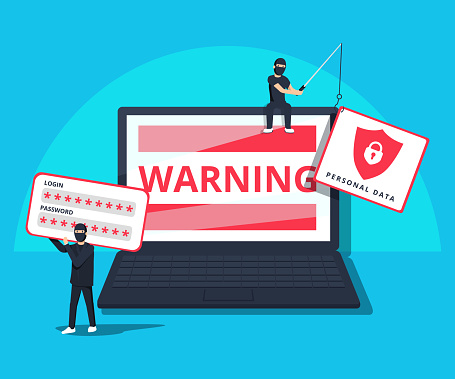
Amazon doesn’t want you or your business to call a number, provide a code, and verify your identity, and if you receive an email claiming that they do, you’re the target of a phishing scam. A phishing scam occurs when someone uses what might seem like legitimate phone calls or emails to get you — or someone in your organization — to respond with sensitive information. If the scammer can trick you out of usernames, passwords or identifying information, they can engage in hacking, identity theft, and other cyber crimes.
The Risks of the Amazon Phishing Scam
The recent Amazon phishing scam, which is reaching inboxes in October 2017, is a prime example of a common fear tactic scammers user to target individuals and businesses. The email warns you that someone tried to reset your password and asks you to call a number and provide a code when speaking to the customer service rep. The number routes you to a non-Amazon call center where operators attempt to get you to provide information regarding your Amazon login.
Many businesses and individuals keep their payment card information stored on Amazon’s servers — along with data such as names, addresses, and phone numbers. It’s convenient and makes it easy to order things quickly; SMBs might load a single payment card into the system and allow numerous people to purchase supplies via the account, for example. If your Amazon account is breached, that means all that data is breached too. It also means that hackers can use that information to potentially breach other accounts or your business network.
One of the dangers of the Amazon phishing email is that it looks quite authentic. It includes Amazon’s logo, and it’s well written and sounds authoritative. It even includes a short warning paragraph about phishing emails and tells you that Amazon won’t ever ask you to email your password to them. It’s so legitimate looking, many people have fallen for it already.
Other Types of Phishing Schemes & How to Combat Them
The ability to pass as legitimate, even under some basic scrutiny, is making these types of phishing schemes more dangerous. These schemes have targeted people with emails or phone calls from agencies such as the IRS, numerous banks, various online retailers, and sites such as PayPal. One of the common threads that are seen through phishing emails and calls is that they play on anxieties, worries, and fears consumers and businesses already have. Today, many people are already worried that their accounts may be hacked. They’re already worried their money isn’t safe. Businesses have to deal with potential cyber attacks and threats every day. When you receive a seemingly legitimate email regarding a danger, your immediate reaction may be to jump into damage control. Before you do anything, though, take a few minutes to do some research and consider the communication.
Conduct a quick Google search. In just a few minutes, you can see if anyone else is receiving these communications and if a known scam has been reported.
Look at the email address source. Some elaborate spoofs look like they originate from the internal network of the company in question, but some fakes are easier to spot. For example, an email that looks like 2d8487!@paypalpal.com didn’t come from PayPal.
Hover over any links in the email without clicking on them to preview them. Do they go back to the agency in question, or a spoofed site? It’s best not to click on links in these emails at all; you can always navigate to the site via your browser bar.
Call the agency’s customer service number (the one from their web page, not the one in the email) to find out if the email is legitimate.
Protecting Your Business Against Phishing Scams
Procedure and training are two of the best ways to protect your business from damage associated with phishing scams. First, create a procedure for responding to any of these types of emails. Put someone, such as internal IT staff or an administrative assistant, in charge of receiving reports of these emails or phone calls and doing the research to determine what type of response is needed. That person will begin to recognize phishing scams and may even see the same ones repeatedly, and they can assure other staff that there is no real threat and no response required.
You should also train your entire staff on good password and security protocol. Requiring staff to change passwords every 60 to 90 days across all sites, platforms, and tools help reduce the chance that a successful phish endangers all of your accounts or networks. Some tips for strong password management include:
Don’t use the same password for multiple platforms, sites, and tools
Don’t use words or easy strings of text or numbers (such as ABC or 123) in passwords
Passwords should be at least 8 characters — longer passwords are better than shorter passwords
Passwords should incorporate letters, numbers, and symbols when possible
Workers should not share passwords or write them down
If your company uses cookies or password storage software, then consider including multiple forms of authentication on machine and network login screens
By engaging in proactive cybersecurity, you can reduce the risks your business faces from phishing scams.
