
by Felicien | Jan 4, 2018 | Education
This is a question that comes up all the time—Is Microsoft Office 365 considered a cloud solution or Software As A Service?
I guess it all comes down to interpretation. Cloud technologies are all the rage these days. Businesses now have many options when it comes to their computing environment. They can elect to go 100% and put all of their technical resources in a cloud environment, either shared or dedicated. Or, they can store protected data on a private cloud while retaining the ability to use resources from the public cloud. We call this a “hybrid cloud” in our techy circles. Or, they can elect use shared resources like Microsoft Office 365.
So, is Microsoft Office 365 a cloud solution or a Software as a Service solution? Maybe it’s a bit of both.
Many companies are making the move to Office 365. More are now benefitting from its benefits. Microsoft Office 365 provides any-sized organization the ability to use email, work on projects, share information with coworkers in the office, or with partners outside the organization. It’s now mainstream and used by businesses of all types.
However, sometimes there’s a bit confusion about where Office 365 fits in. Is it the same thing as the Cloud, or is it something else?
To understand where Microsoft Office 365 stands, it’s important to know the difference between the Cloud and Software as a Service (SaaS). The Cloud is part of the larger titled Cloud Computing. Cloud Computing is an information technology (IT) paradigm that provides users access to shared pools of system resources and higher-level services that can be rapidly provisioned with minimal management. Cloud Computing involves the sharing of resources, similar to Microsoft Office 365. For this reason, many think Office 365 is the same thing as the Cloud.
Microsoft Office 365 does allow you to access files and information in an easy-to-use, shared pool. It makes emailing and working with others easy, much like the Cloud. However, the Cloud is more than just sharing files and information. Cloud technologies can be confusing. But to keep it simple, when using the Cloud, businesses shift their onsite technologies to the Internet (either private or shared).
The Cloud frees businesses from the maintaining of servers, telephone equipment, and other IT solutions. With the Cloud, computing resources are housed online so they can be accessed from anywhere with an internet connection. With a private cloud, resources can only be used by your authorized users.
In contrast, SaaS is a licensing and delivery model where the software is provided on a subscription basis and is centrally hosted. SaaS is typically accessed by users via a web browser. When looking at Office 365, this seems like a much better fit as far as categorization goes. In other words, SaaS is an application that’s not housed on premise.
Microsoft Office 365 is a subscription-based service that’s accessed through the Internet on a web browser. It’s not stored on your computer—You must launch it through a web browser each time you use it. SaaS applications can be run in the Cloud, but this doesn’t make them a Cloud.
The confusion surrounding Microsoft Office 365 stems from the fact that it’s accessed via a web-based system -similar to the way cloud computing allows you to share and work on various projects regardless of your physical location. It’s important to remember that it’s not stored on your computer. You can access Office 365 from wherever you are, on any computing device, as long as you have a subscription and an internet connection. It’s the same with any SaaS solution.
There’s a huge difference between cloud computing and SaaS. The Cloud’s focus revolves around virtual computers/servers, data storage capacity, communications, messaging, networks, and development environments. This isn’t the case with SaaS. SaaS is an application. SaaS is better suited for our purposes, than is the Cloud is.
When comparing the two systems, look at services they offer and how they can benefit your business. This will help you understand how Office 365 can work for your business purposes. The Cloud is better suited to large enterprises, that are involved in software development or other complicated computing processes. SaaS is for those who depend on software applications, which include all of us. Office 365 is simple to use, as exemplified by its widespread use ranging from company executives to college students. For these reasons, it would be considered a Software as a Service.
Does this mean that you can only use one or the other?—That you must decide between the Cloud or various SaaS applications such as Microsoft Office 365? No, it does not. The great thing about Microsoft Office 365 is that, because it’s more like an application, it can be run on both cloud servers and physical servers.
Microsoft Office 365 is a versatile tool that offers a multitude of functions that will make your work life much easier. To understand Microsoft Office 365 just remember, it’s a web- based system that allows you to access pools of files and information, not a server focused on data storage and capacity.
by Felicien | Jan 4, 2018 | Education
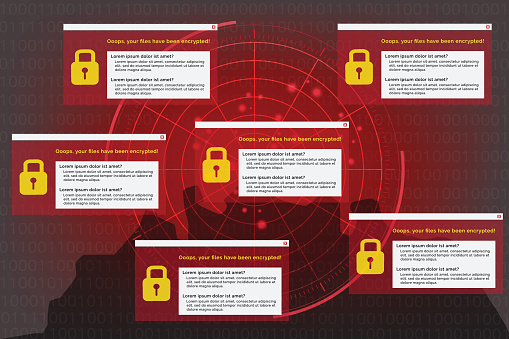
It’s no secret that the healthcare system has been wracked with ransomware attempts. In fact, it was one of the main concerns for 2017. This is due to the large amount of personal information that’s in the hands of the healthcare providers. All this private data is an attractive target for hackers who want to make a quick, albeit illegal, buck.
According to McAfee research, the healthcare sector has suffered more than most when it comes to ransomware.
Part of the reason for this is the surprising lack of focus on cybersecurity amongst many hospital administrators and healthcare providers—They are more worried about HIPAA compliance regarding data protection, rather than overall IT security
This must change. It’s predicted that ransomware attacks are going to be more numerous and disastrous than ever before. They have a hidden purpose–to severely harm your IT network, business and potentially your patients.
Hospitals, healthcare systems, and providers must take cybersecurity seriously and make it a priority.
Raj Samani, Chief Scientist at McAfee, predicts that not only will ransomware attacks continue as they have traditionally, but hackers will also introduce pseudo-ransomware attacks:
“The healthcare sector has probably suffered more than most, in terms of ransomware,” said Samani. “What we’re seeing today is the broken proliferation of ransomware–which really started in healthcare.”
According to Samani, pseudo-ransomware is a major challenge. It looks like a virus, but its purpose is something entirely different. These viruses will take hold of your data and hold it for ransom. However, no longer will hackers simply lock down your computer screen or workstation, they’ll take your data. And if you refuse to pay them, they’ll expose your private information.
In 2017, multiple medical facilities in the U.S. were targeted in different attacks. Some ended up paying thousands of dollars to retrieve their files. The hackers used ransomware to encrypt data, lock computers and hold the information for ransom payments. This should be a huge concern for healthcare administrators and providers who store a large amount of private information.
According to the FBI, we’re seeing an increase in these types of cyber attacks, particularly against organizations because the payoffs are high.
The FBI doesn’t support paying a ransom in response to a ransomware attack. “Paying a ransom doesn’t guarantee an organization that it will get its data back, said FBI Cyber Division Assistant Director James Trainor—We’ve seen cases where organizations never got a decryption key after having paid the ransom. Paying a ransom not only emboldens current cybercriminals to target more organizations, it also offers an incentive for other criminals to get involved in this type of illegal activity. And finally, by paying a ransom, an organization might inadvertently be funding other illicit activities associated with criminals.”
Ransomware attacks are not only proliferating, they’re becoming more sophisticated.
One reason for the increase in ransomware is because, ironically, we’re better at defending against it. Increasing IT security, decreases the likelihood that you’ll be attacked, right? Wrong – hackers only increase their efforts with new forms of ransomware. When they succeed, they’ll steal your information and make you pay obscene amounts of money for it.
Hackers have proven that no information off limits to them. They will take whatever information will get a reaction from the owner of the data, no matter how personal or sensitive. For this reason, it’s important to have a good cybersecurity defense in place to protect your organization and confidential data.
The FBI advises that you take a multi-pronged approach to battling hackers. This includes implementing software restriction policies, backing up data regularly, patching operating systems and restricting access to certain key files or directories.
The best way to prevent ransomware attacks is to use these best-of-breed solutions to keep the attackers out of your network. An architectural approach to IT security is the most effective way to prevent a ransomware attack from succeeding in the first place. With these protections in place, the criminal will move on to another, easier IT system to attack.
To safeguard your protected health information from ransomware and other malicious threats, your Managed Service Provider (MSP) can leverage a new best-of-breed security architecture with a layered protection that extends from the DNS layer to email, network, and endpoints.
There are numerous phases to a ransomware attack. The criminal must first design an Internet infrastructure to support the execution of command-and-control (C2) phases. Your MSP can implement an umbrella-like protection that blocks this before a connection is established—One that can block the C2 callbacks and stop your system from releasing data.
To prevent you or your staff from unknowingly being targets of ransomware you should do the following:
Ask your Managed Service Provider (MSP) to conduct security-awareness training sessions on a regular basis. They should provide information on the latest threats and tactics, and train your staff on incident-reporting procedures, so they feel comfortable relaying that they’ve been targeted.
Reinforce your security policies, such as not revealing or sharing user credentials (usernames/passwords). Plus, your staff should only use company-sanctioned software and applications.
Sign up for Software-as-a-Service (SaaS) applications to share files, exchange documents, and collaborate on projects, rather than relying on an email that might contain malicious attachments.
Make sure your staff never enables macros in Microsoft documents. Macro-based malware is on the rise and is very difficult to detect.
Use non-native document rendering for pdf and files in the cloud. Applications for desktops aren’t patched regularly, where cloud applications are.
Don’t forget about physical security. Shred paper documents, keep track of who is in your office, and prevent practices like shoulder surfing, piggybacking, and dumpster diving.
Have your MSP conduct ongoing risk assessments to find any vulnerabilities in your IT system:
Conduct periodic port and vulnerability scans.
Centralize your data logging and event-management platforms (SIEM).
Practice timely patch management.
Stop using unnecessary services and follow system-hardening
Practice strong password requirements, and use two-factor authentication whenever possible.
“There’s no one method or tool that will completely protect you or your organization from a ransomware attack,” said FBI Cyber Division Assistant Director James Trainor. “But contingency and remediation planning is crucial to business recovery and continuity — and these plans should be tested regularly.”

by Felicien | Jan 4, 2018 | Education
You may have been using your server for years, and haven’t noticed any decline in performance. But what if I were to tell you that servers lose efficiency the longer you use them?
It’s important to use devices that are up to date and function at peak performance—Which is why you should think about replacing your server if you haven’t done so the last few years.
You should replace your server if:
You’ve been using it for more than three years.
Your warranty has expired.
Your server is unstable.
Replacing hardware as it gets old is a necessity, and your server is no exception. You must be able to rely on your server for both critical and everyday functions.
It’s especially important to monitor the performance of business servers. Most servers fail around their fourth year of use. This means that if you want to have a reliable server, you should replace it before then.
Most servers come with a three-year warranty, and you should take advantage of this service.
You should also be able to find replacement parts in the event a piece needs to be replaced. However, this can be difficult in the ever-changing tech market. You could try replacing some of the elements or install a new drive, but it’s not likely that this will correct all of your problems. So, if you have issues with your server, you should just replace it.
There are other reasons why you should replace your out-of-date or non-functioning server hardware, including:
Avoiding unplanned downtime.
Preventing unplanned expenses.
Being equipped with modern features.
Planning future updates with ease.
When you continue to use an out-of-date server that’s past its prime, you run the risk of system failures and downtime. When a server goes down it can bring your entire business to a standstill, and it will feel like an eternity before you’re fully up and running again.
Server failures increase unplanned downtime by about 20% each year.
Not only will the resulting downtime mean reduced productivity for your company, but it also results in increased costs to resolve the issue. There’s no reason to spend money maintaining an aging system, especially when these costs could have been avoided if you replaced your system at the first sign of trouble.
Don’t wait until something forces you to replace your aging server hardware—Take action before then.
You should also upgrade your server with new software as required. Doing this ensures that you’ll have the newest and most secure features. This is especially important for businesses. However, just because you updated a server that’s five years old, doesn’t mean that the update will be a cure-all.
Newer servers will be more secure, and function better as a whole compared to older servers:
New servers meet government and industry regulations,
They come with firmware and patching updates, and
Many have the ability to warn you if problems arise. This way you can rest assured knowing that your device will function as it should.
Sometimes change is necessary, especially when you want to keep your business up and running. Spending money on a new server hardware probably isn’t something you want to do, but it will save you money and headaches in the long run.
by Felicien | Jan 3, 2018 | Education
An increasing number of information security officers agree that awareness training for employees is the number-one defense against cybersecurity threats. In fact, the nation’s first Chief Information Security Officer (CISO), Greg Touhill, said that if he had extra money to spend on security, he would spend it training employees. This statement was underscored by Jon Clay at Trend Micro.
Clay reports that “Spear phishing and messaging-based threats tend to be the first attack vector that criminals are using today. They are targeting the employees of an organization first and foremost to get access to that organization’s network. From there, they will laterally move out.”
In effect, his comment highlights the importance of training employees to recognize these threats. Properly trained employees know what to look for. However, just one poorly trained employee can open the door for hackers—And once they get in, they can do irreparable harm.
Your Company’s Data is at Risk.
We were all shocked by the recent security breaches at organizations like JP Morgan Chase and Equifax. If companies with high levels of security can be breached, then what about the thousands of smaller businesses across America?
Although most enterprises increased their budgets for IT security, it doesn’t seem to be having the impact CEO’s had hoped for. When you take a hard look at the job description of most CISO’s, you can readily see the problem. In today’s business environment, IT specialists are required to know everything there is to know about dozens of different devices—And each device must be properly configured and aligned with the overall data system’s architecture.
Data in the Cloud
Cloud technology makes data more readily available to employees—However, it’s also more vulnerable to cyber attacks. This leaves us with the question of whether we can continue to risk our most important data by leaving it out in the open for intruders to find.
Even the world’s foremost experts in this field view the future of digital security with uncertainty. Attacks on prime targets around the globe have been so successful that it requires industries to constantly evolve where cybersecurity is concerned.
Many IT experts believe that one reason for the consistent failure of counter-threat intelligence is the fact that experts are always a few steps behind the attackers. Cyber threats become more sophisticated with each new breach. When critical data is compromised, customer data, financials and intellectual property are freely available to hackers.
The Human Factor
Cybersecurity learning programs now include behavior-modification training. The concept of modifying behavior isn’t new—But applying it to the information technology environment is.
Employees must learn that certain behaviors are unacceptable. During training, they’re shown the numerous tricks that hackers employ—And training must be ongoing in order for it to be 100 percent effective. As cyber attacks evolve, so must our understanding of how to detect them.
Alan Paller, founder of the SANS Institute, along with other security specialists agree that, when it comes to cyber threats, we must address the human factor first. When every employee in a company is fully trained and aware of the many ways attackers infiltrate a company’s data, they’ll be one step ahead of the hackers instead of two steps behind.
CEOs are just as likely to click on a suspicious link in an email as are their employees. Therefore, everyone in an organization should undergo cybersecurity awareness training. From the CEO to the mail room, to every person who has access to a company’s data, all must be informed. It only takes one person to open that cyber door— And once thieves are inside your IT network, they’ll ransack it and take whatever they want.
Cyber thieves are continuously updating their intrusion methods. The latest attacks include effective spear phishing and whaling. They target CEO’s, board members and company leaders.
The quality of their forgery has risen to the point where the threat is almost indistinguishable from the real thing—These emails look authentic. They are so refined that even well-trained individuals can be fooled. The more believable the attack, the more likely it is to succeed. In order to rise to that level of believability, cyber thieves need our help. And they seem to have no problem getting it.
Protect Your Privacy.
As mentioned, the first and best defense against these attacks is education. The second-best defense is to protect your data. There are numerous ways criminals can obtain your confidential information.
Security experts recommend that all discarded paperwork be destroyed using a cross-cut shredder. If attackers can learn just a few key pieces of information about you, they can refine their attack and make it more likely to succeed. Cyber thieves want to know where you bank, your title at work, your favorite hangouts – even the names of close friends and relatives.
Social media makes it easy for anyone to find out who your friends are and even get photos of them. Criminals watch for photos that you post online, when you go on vacation, and more. Once they know you’re away from home and enjoying the beaches in Maui, it’s just a matter of going to your home and breaking a window.
This same philosophy applies to cyberspace as well. We all leave clues around that tell thieves where we shop, where we work, what kind of car we drive and other bits of vital information about our lives. Once they have it, they’ll use it against us in the form of malicious emails.
The Job of Combatting Thieves Involves Us All.
In a world where information is so readily available, the task for CISO’s is now more complex. It requires better and more consistent training for employees and vigilance at every level. With ongoing training, employees can help identify outside risks in their email boxes or across the Internet.
The job of combatting cybercriminals mandates that we take the protection of our data as seriously as we do the protection of our homes and families. It’s not just the responsibility of IT specialists and CISO’s—It’s everyone’s job to guard the “doors and windows” of our network and cloud storage systems.
by Felicien | Jan 3, 2018 | Education
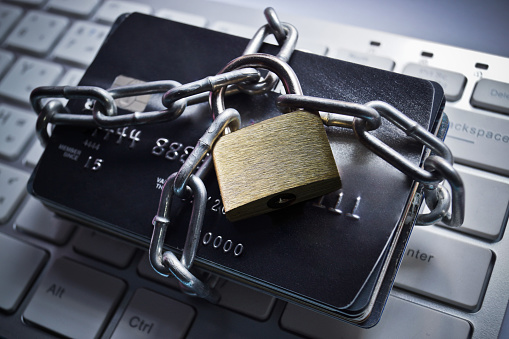
The 2017 Cost of Data Breach Study is an annual study that looks at the cost of data breaches in companies, focusing on different countries such as the United States. This study gives a good idea of the effects a data breach can have on a person and their business. This is the 12th annual study that has been done, and it provides important information. In the 2017 study, 63 companies participated.
Through looking at the effects data breaches have on these companies, a few things could be determined.
The average total cost of data breach in the United States is about 7.35 million USD
There has been a 5% increase in total cost f data breach
The average cost per lost or stole record is $225
There has been a 2% increase per lost or stolen record
A data breach is a very serious thing. It can mean the loss of thousands of sensitive documents that contain private or personal information. Because of this, it can also have a huge impact on your business. It makes sense that the sooner a data breach is detected, the sooner it can be stopped, and the more information you can keep from being stolen. Detection might include forensic and investigative activities, assessment and audit services, and crisis team management. These are all important aspects of keeping your documents and files safe and detecting a potential breach as soon as possible. In 2017, companies were able to lower the number of days before detection from 201 in 2016 to 191 days in 2017. This is likely due to investments in such enabling security technologies as security analytics, SIEM, enterprise-wide encryption and threat intelligence sharing platforms.
After a data breach, it is important to notify those who may be affected. This requires the services of help desks, identity protection services, and legal expenditures. It is very important to let people know when their information has been compromised and to provide whatever services you can for them in dealing with it. This can all be very costly to your business, as the United States has the highest data breach cost, as shown in this years study. Something that may help manage this cost is an investment in data breach insurance. With this insurance, you can offset some of the costs of a data breach. As shown in this year’s study, insurance protection and business continuity management reduced the cost of data breach following the discovery of the incident.
According to this year’s benchmark findings, data breaches cost companies an average of $225 per compromised record – of which $146 pertains to indirect costs, including abnormal turnover or churn of customers and $79 represents the direct costs incurred to resolve the data breach, such as investments in technologies or legal fees. These costs add up and can have a very real impact on your business. For this reason, it is important to understand where data breaches come from, and what you can do to not only protect yourself but also lower the cost of the issue.
In the 2017 study, it was found that 47% of companies participating in the study identified the root cause of the data breach as a malicious or criminal attack. This means that it was more than human error or negligence that created this problem. The average cost of a malicious attack was approximately $156, compared to $126 where human error was concerned. To lessen the likeliness of these attacks, as well as the cost to your business, it is important to invest in security analytics as well as the recruitment and retention of informed personnel.
In comparison to other countries, the 2017 study shows that the United States experienced a higher number of breaches, which can be very costly. Other countries such as Australia, Germany, and France, were able to reduce the cost of data breaches. In the United States, the cost of a data breach can span over multiple systems. This year the cost of a data breach increased by nearly 5 percent. Much of this cost was due to the churn and loss of customers. Looking at how other countries were able to reduce the cost of data breaches by retaining customers gives a great hint at something that could potentially help businesses in the United States to lessen their costs. Four categories that influence data breach costs have been put out with this study, they are:
Compliance failures
Extensive use of mobile platforms
CPO appointment
Use of security analytics
Compliance failures and extensive use of mobile platforms increase the cost of data breaches by almost $26 million while appointing a CPO and using security analytics reduce these cost by about $11 million. This shows the importance of working towards implementing systems that reduce costs, because they may not have as much impact in reducing costs as other issues to increase your costs.
Protecting your business and the information it has been trusted with is always the main goal of any company. For this reason, data breaches are a very scary, but real, though. It is important to know what causes data breaches, like malicious software, as well as the different ways you can protect your business, like implementing security analytics. The 2017 Data Breach Study provides all the necessary information one would require to update their systems, and stay informed about potential online threats.
