by Felicien | Jan 8, 2018 | Education
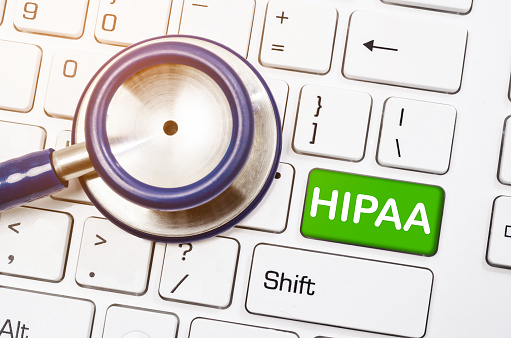
Healthcare providers are searching for simpler ways they can communicate with patients. It can be tedious to schedule all communication in person or over the phone, so medical professionals are looking for another way. Email has become a popular form of communication for those in the healthcare industry, but there are questions about its legality and if it complies with HIPAA laws.
HIPAA sets the standard on what is or is not allowed regarding medical communication. Meaning that to avoid a breach, penalties or fines, healthcare providers must understand the HIPAA privacy and security rules.
Privacy Rule: Patients have a right to request a provider communicate by alternative means.
Security Rule: Communication through email is not prohibited, however, it must have adequate protection.
HIPAA laws state that healthcare providers can communicate electronically, so long as safety measures are in place. Some suggested safety measures include:
Encrypted Email
It is always a good idea to encrypt sensitive information that you send electronically. Encryption keeps information safe, and should it fall into the wrong hands, it will be useless to them unless they have the encryption key. This makes encryption especially important considering that most email systems are not HIPAA compliant.
Do Not Send Protected Health Information (PHI) Via Email
If you must communicate any PHI, it is best to do this in person. By communicating sensitive information through email, medical provers may put their patients at risk of having their private information exposed.
Information that can be classified as PHI includes:
· Payment claims submitted to insurance providers.
· Patient referrals to specialists
· Appointment scheduling
Have Patients Fill Out Communication Consent Forms
A communication consent form will verify what forms of communication a patient allows. Written consent tells medical providers a patient’s preferred form of communication. This form is helpful if there is any confusion down the line as to what types of communication a patient allows.
Communicate Through a Patient Portal
A private patient’s portal is a place for medical providers and patients to message each other without the potential risks an email carries. A private portal is a secure platform, where patients can view information about appointments, medical results, or communicate with staff.
The Office of Civil Rights (OCR) states that if a patient communicated with the medical provider via email previously, it is okay to assume that communication through email is okay. It is also the healthcare professional’s responsibility to alert the patient if they feel as though the patient does not understand the potential risk involved in communicating through non-encrypted emails. Alternative means of communication should also be made available in this instance.
There are other steps that HIPAA recommends to ensure the safety of information transmitted via email. HIPAA emphasizes ensuring that you send emails to the right recipients. They recommend double checking the intended recipient’s email address, and even sending a test email before-hand which would help verify that the right person will receive the email.
A report by the Healthcare Billing and Management Association states that most of the Covered Entities and Business Associates are not in compliance with HIPAA laws. The fact that most are not in compliance means that patients need to take extra steps to ensure their information is secure and protected from potential security breaches. Patients should only communicate with medical professionals in a way that they are comfortable with, and should always remain aware of potential threats.

by Felicien | Jan 6, 2018 | Education
The year 2018 started with a Meltdown that even Mac and iOS users aren’t immune to. Meltdown is a flaw in processors that allows a hacker to gain access to the personal data stored in your computer. Meltdown, and the similar Spectre were discovered January 3rd. They affect processors from Intel, AMD, and ARM, leaving these machines vulnerable.
Meltdown exploits a user-based program to read your kernel memory. This means that important information such as passwords, credit card information, and more are vulnerable. Spectre allows applications to read each other’s memory. So far, these exploits haven’t been used for nefarious means, but they’re still a problem.
Microsoft and Google immediately went to work releasing a patch that would take care of the issue. Apple kept quiet until a document came out confirming that iOS devices and Mac systems were indeed vulnerable. Apple has since released updates for iOS, macOS, and tvOS to handle the exploits. Apple’s watchOS isn’t affected by these exploits, so Apple Watch users have nothing to worry about.
Keep an eye out for the latest patches for your OS, and make sure to download and install them as soon as possible. If you’re diligent about installing updates, you may have already installed the fix. If not, it will be available soon. It’s also a good idea to run antivirus software on your machine. Since the exploits can only be used locally, the attacker would have to gain access to your machine. If a hacker can’t gain access to your system, it’s potentially safe from Meltdown and Spectre.
by Felicien | Jan 5, 2018 | Education
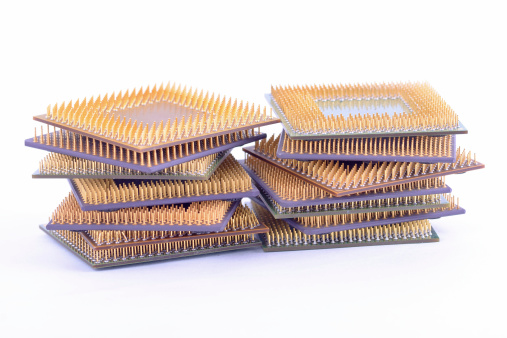
Potentially every Intel processor sold in the last 10 years could have a critical security vulnerability that puts users at severe risk.
It’s often these days that poor IT security comes down to something like human error, and lack of awareness on the users’ part. It’s less often that there’s a widespread design flaw discovered in the technology itself, which is exactly what happened with Intel this week.
The Register published an article this week detailing how every Intel processor produced over the course of the last decade is affected by a design flaw that would allow malicious programs to access and read what should otherwise be protected areas of a device’s kernel memory. Kernel memory is dedicated to essential core components of an operating system and how they interact with the hardware.
What does this mean for Intel users? This flaw could allow cybercriminals to access valuable and sensitive information like passwords. It’s possible that something as simple as JavaScript on a webpage, or cloud-hosted malware could penetrate the most interior levels of an Intel-based device.
Even worse, a foundational flaw like this can’t be patched with a simple, everyday update – the problem is in the hardware, which means it needs an OS-level overwrite for every single operating system (Windows, Linux, and macOS).
In a statement released January 3rd, Intel claimed that this flaw isn’t necessarily unique to their processers.
“Recent reports that these exploits are caused by a “bug” or a “flaw” and are unique to Intel products are incorrect. Based on the analysis to date, many types of computing devices — with many different vendors’ processors and operating systems — are susceptible to these exploits.”
According to Intel CEO Brian Krzanich, Intel was informed about the security flaw by Google a few months ago. Although the extent of this flaw isn’t fully known to the public right now, it appears that developers are working hard to patch systems over the course of the next few weeks.
That said, the patching process won’t be easy, given that it will involve severing kernel memory from user processes. In a nutshell, that means users will face major performance lags, anywhere from 5 – 30%, depending on the specifics of the device.
The fix works by moving the kernel to a totally separate address space, making it nonexistent — and therefore, inaccessible — to a running process. Unfortunately, this separation process takes a lot of time to perform, as it forces the processor to dump cached data and reload from memory every time it switches between two separate addresses. The end result is an increase in the kernel’s overhead and a slower computer.
While it may not be noticeable for the average user on their home PC, this kind of lag will likely affect businesses using enterprise-grade cloud configurations the most. Be sure to keep an eye on this developing issue in order to ensure your Intel-based devices are properly patched.
As always, the best way to stay aware of threats like this, as well as protect against them, is to work with an expert partner. Our team of cybersecurity professionals will help you stay ahead of exposed vulnerabilities like these so that you can remain safe and focus on the work your business does.
by Felicien | Jan 5, 2018 | Education
This often-overlooked security gap can create a surprising number of serious security risks.
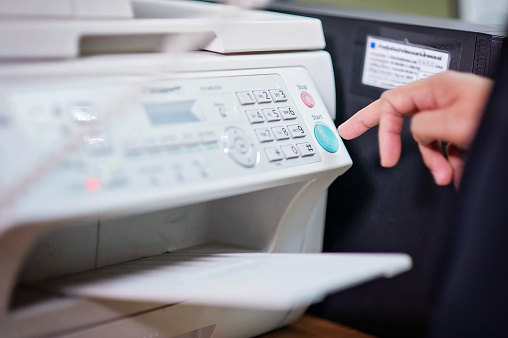
Multifunction printers are great tools, offering your team the ability to do just about anything their duties would require them to do from a single piece of hardware. Unfortunately, much of what makes multifunction printers (MFPs) so useful also makes them a major flaw in your network’s security.
The need to effectively safeguard protected health information (PHI) is a huge part of HIPAA compliance, and if your multifunction printer or printers are properly configured and secured, it’s very easy for a hacker to help themselves to the data being transmitted to and from those printers. In fact, they can even use an unsecured printer to gain access to your network, plant malware, steal PHI and other valuable data, or they may even destroy the printer itself.
Cybercriminals using an MFP to wreak havoc on an organization happens more often than you might think, with seriously unpleasant consequences. Despite that fact, a lot of healthcare practices – and their IT support providers – still overlook this potentially giant flaw in their otherwise highly-secure network.
The main reason an MFP is such an area of concern is that unlike single-function printer that connects directly to a computer, MFPs have sophisticated internal hard drives and CPUs that process and store data, and run on their own software. This “brain power” gives hackers something to play with, and without the right endpoint protections in place, security breaches are almost inevitable.
There are five main considerations to make when looking at your MFPs and the security around them. These are the things our team pays very close attention to not only when we work with healthcare organizations, but with any business that uses MFPs.
Hacking and Malware
Getting hacked is a surefire way to find yourself facing HIPAA fines and a whole lot of bad publicity, but that’s far from the only worry here. Once someone gets inside your network, they can block access to information and disrupt workflows that are essential to patient care, which is both inconvenient and potentially dangerous. Especially if a hacker uses the opportunity to plant malware or ransomware inside your network.
The biggest risk where MFPs are concerned is a hacker rerouting or intercepting information being sent to the printer they’ve gotten control of. If that information isn’t encrypted, there’s nothing stopping them from helping themselves to whatever they can find. Giving your MFPs private IP addresses or creating VLANs to keep them from connecting directly to the Internet can keep hackers and their nasty tricks out.
Encryption
Data encryption should already be part of your data security protocols, but a lot of times those protocols only apply to data stored on your network, not data that’s being transmitted – despite HIPAA strongly suggesting you do so. Data that’s been encrypted is all but useless to cybercriminals since without the key that data is unreadable. That being said, a hacker who can get a hold of a staff member’s credentials can sometimes get a hold of that key, so it’s still important to have a strong firewall and antivirus software in place to limit unauthorized access as much as possible.
Authentication and Access Controls
Authentication and Access Controls are also a big part of HIPAA compliance that once again doesn’t always extend as far as it should. Newer MFPs with more advanced settings can use the same type of authentication protocols you should have on your workstations and other devices, such as a smart card, magnetic swipe card, PIN code, or fingerprint. This is great for a few reasons since it lets you place strict access controls both as an overall security measure and as a means of managing access for your staff. You can control who is allowed to transmit documents or scan them into your EHR, fulfilling your role-based access control obligations to HIPAA.
Plus, this type of Two-Factor Authentication, when combined with MFP features like “hold job” keeps sensitive documents from printing automatically and sitting in the printer tray for anyone to walk up and grab. Having to physically go over to the printer and prove your identity before documents will print protects PHI, and can cut down on wasted paper and toner by eliminating unnecessary print jobs.
A central printer server that monitors and control information traveling to and from all of your organizations MFPs is the best solution as far as thorough security goes. When all printer traffic is moving through a single hub, suspicious activity is easier to catch. This setup works best when all of your MFPs are purchased from the same vendor, ensuring smooth communication between all of your devices and making it much easier for all of your MFPs to be configured correctly. This setup also gives you better control over “hold job” and similar features, letting you limit certain functions to only specific offices or work areas.
Faxing and Scanning
Faxing is something we as IT professionals are not fond of. By far the least secure way to transmit documents, faxing creates a lot of concerns we don’t have as good of an answer to as we’d like. Aside from the obvious problems of not knowing for sure who is receiving your fax transmissions, faxes can easily be sent to a mistyped number, MFPs save sent faxes to their internal memory and make that information vulnerable to hackers, and faxes can’t be encrypted. However, since faxes are not about to vanish from clinical settings for a lot of reasons, so the best you can do is use the same authentication and access controls applied to print jobs to secure inbound transmissions.
Scanning presents a lot of the same challenges as faxing, and brings some of its own problems to the table. Scanned documents can be added to the wrong EHR chart, or saved to a random, potentially unsecured folder and vanish. Both of these scenarios are HIPAA issues but can be handled by having scanned documents sent to a secure central folder to be sorted and filed. Controlling who can create scans and where they go once they’ve been created lets you keep a tight hold on PHI.
Physical Security
Even with all of the safeguards we’ve discussed in place, the printers themselves are still vulnerable to anyone who can lay hands on the hardware itself. Just because your network is locked up tight, it doesn’t mean someone can’t plug a USB with a malicious payload stored on it into the printer in order to infect or compromise your network. MFPs should be set up in areas not accessible to the public, in a room that can be locked to keep unauthorized personnel out.
When it comes time to retire your MFP, you need to make sure that the internal memory has been wiped clean before it leaves your building. This is where working with the right vendor is critical since a good vendor will let you keep the hard drive in order to fully protect your PHI and any other information stored in your old MFPs memory.
Finally, training your employees on all of your policies and procedures and making sure they understand exactly what the rules are and why they need to be followed to the letter will cut down on your risks significantly. Your staff needs to be your first line of defense, and that means making sure they’re not taking shortcuts that will jeopardize your security.
Working with an IT provider who can help you choose the right vendor, implement the right safeguards, and help you and your staff maintain security and HIPAA compliance can make all the difference. Knowing your IT provider hasn’t missed a single important detail means you can focus on your patients instead of worrying about your cybersecurity.
Want to learn more about the solutions available to help your healthcare practice take care of every potential vulnerability within your systems and network? Give us a call today and speak with one of our healthcare IT specialists.

by Felicien | Jan 5, 2018 | Education
Text is an umbrella term that covers any electronically transmitted written message between two devices—And it’s is a widely used form of communication today. Texts are showing up in both our personal and work lives on a daily basis. In fact, even medical practices have been using instant messaging more frequently to communicate to coworkers and patients.
But, when sending instant messages, there are some important things to know. There’s a very real potential for loss of information and HIPAA compliance issues. This is because:
Standard SMS texts aren’t encrypted, leaving your information vulnerable to hacker’s attempts.
You don’t have control over what happens to a message after sending it.
Documentation must be present in the patient’s medical record, which Is difficult to do with texts.
But what do the HIPAA laws say about texting private information? Shockingly, both HIPAA laws and the Office for Civil Rights (OCR) don’t have standard rules for dealing with sensitive data communicated via text. Instead, they maintain that it’s the responsibility of the healthcare provider to ensure text security. This is surprising, considering the growing number of medical providers who use texts to communicate personal information.
Although texting is fast and efficient, the most common form of texting, short message service (SMS), isn’t secure for use in a healthcare environment. SMS text messages can be intercepted during transit.
Any form of communication presents a risk. There’s always the potential that data transmitted over text could be stored in an unsafe way, or deleted when it should be saved for medical records. This is a concern as documentation is extremely important when dealing with medical records.
In a survey conducted by the Institution of Safe Medication Practices medical professionals were asked how they felt about the practice of texting medical orders. They said that
More than 50% of patient safety officers don’t believe medical orders should be texted.
40% believe texting medical information is acceptable while using encryption.
26% do not think this practice should be allowed at all.
Some medical providers believe that texting is convenient, increases workflow and that it’s no riskier than other forms of communication for personal data. However, this is disputed as in person or over-the-phone information is more secure because you can also tell who you’re delivering the information to.
It’s important for medical providers to be in line with HIPAA privacy and security policies when they choose to share information via text. These policies specify the manner in which personal medical information is allowed to be shared.
HIPAA Privacy Policy- Medical providers can only release information to authorized personnel.
HIPAA Security Policy- Providers must protect patients’ information and should include a plan of action if a breach occurs.
It’s also a good idea to understand and follow these policies when dealing with sensitive data. Patients don’t want their private data exposed, and medical providers don’t want to put their practices in jeopardy due to a data breach. All parties must be aware of how and to whom information is communicated. Plus, texting private information must only be done with the patient’s approval.
Be aware of how your staff and patients are communicating, as well as what kind of information they’re sharing. Texts are proven to be risky. This is due to the instability of the messages, and inability to control what happens to the information after sending it—There’s a great potential for something to go wrong.
It’s unlikely that communication through text will stop anytime soon. In fact, it will probably increase—We’ll be seeing it in all facets of our lives. In the meantime, there are steps you can take to make texting more secure:
Use encryption- By using encryption, you ensure the privacy and protection of any information that’s transmitted.
Security Risk Analysis- A risk assessment will reveal areas where your organization’s protected health information (PHI) could be at risk.
Limit sharing of personal information- Don’t send personal information. Instead, schedule a call or meet in person.
Outline policies- Make sure you outline texting policies in administrative and technical policies.
Update waivers and release forms- This will tell you what forms of communication the patient is comfortable with.
When dealing with highly personal information such as medical records or financial information, it’s essential that standard requirements are met. However, this is difficult when those who set the standards don’t have an outlined policy in place. Since HIPAA and the OCR have yet to specify what is or is not allowed, there are many dangers when sending sensitive data through text. The bottom line? —If you don’t feel comfortable texting information, don’t text.
