
by Felicien | Jan 15, 2018 | Education
The adoption of seemingly futuristic technologies is creating a new reality in healthcare today. The following are some of the remarkable healthcare technology advances of 2017.
The Leadless Pacemaker
The pacemaker has come a long way since the 1960s when investor Dr. Wilson Greatbatch accidentally invented it. Today, leadless pacemakers have demonstrated high rates of implant success. Companies like Medtronic and St. Jude Medical have created versions that reduce potential risks such as serious infection, venous stenosis or occlusion, and tricuspid valve insufficiency.
Augmented Reality for Healthcare Education
It’s estimated that the U.S. needs 96,000 more doctors to meet the current healthcare needs of the national population. During their years of education, physicians are put through a gauntlet of requirements. However, with 3D training solutions, doctors can now learn about anatomy without having to cut open a cadaver. These software tools use CT and MRI scans to convert them into 3-dimensional holographic images of tissues and organs so students can interact with them as if they were real. Medical 3D imaging isn’t new, but with today’s technology, organs seemingly “pop out” of the screen and can be manipulated virtually to provide a real-life experience.
Patient Access Solutions
Did you know that less than 10% of hospitals use digital record systems? What’s more, only 54% of referrals that are faxed result in scheduled appointments? Seems archaic, right? This causes backlogs and inefficiencies, not to mention a negative impact on patients’ health. Now there are software platforms that can help providers and staff route patients to the most appropriate, high-quality clinician in a community. Plus, they can integrate this information into an EMR system.
Diagnosing Solutions
Diagnosing patients has always been a challenge without in-depth testing. Soon, we may have devices that can identify ailments in seconds, versus hours or days: Final Frontier Medical Devices, a Pennsylvania-based team led by brothers Dr. Basil Harris (an emergency medicine physician) and George Harris (a network engineer) took home the 1st place XPRIZE for their artificial intelligence-based engine that learns to diagnose medical conditions. It includes a group of non-invasive sensors that collect data about vital signs, body chemistry, and biological functions to make a quick and accurate diagnosis.
Warm Blood Perfusion System for Organ Transplants
Cardiac transplantation is now a realistic solution for people with severe heart failure that can’t be remedied by other therapies. Survival among transplant recipients has improved as a result of treatments that suppress the immune system and prevent infection.
Unfortunately, the number of heart donors has plateaued—it’s estimated that 50,000 people are candidates for cardiac transplantation, but only 5,000 transplants occur each year. Typically, surgeons in the U.S. preserve organs in a cold solution and transport them in coolers to patients in need. However, this can result in damage to the heart, and in some cases, render it unusable.
Thankfully, a new process called warm perfusion keeps hearts beating and lungs breathing so doctors can assess and treat organs to make them last longer. This has the potential to reduce the chronic shortage of hearts and other organs for transplant by expanding the pool of usable ones.
Advanced Cancer Treatments
Acute lymphoblastic leukemia is extremely difficult to treat and progresses rapidly—most patients die within a few months. Now, scientists at Juno Therapeutics put 24 of 27 adults with refractive acute lymphoblastic leukemia into remission, and six patients have remained disease free for more than one year. The use of human T cells has the potential to revolutionize the way cancer is treated and can be effective regardless of the type of previous treatments that patients have undergone. Patients can also avoid the long-term side effects from current treatments.
In Silico Clinical Trials
Clinical trials in their current form take many years to complete. Testing a single compound can cost more than $2 billion in the U.S. due to FDA regulations. The process is long and tedious. Now, researchers at Wyss Institute have developed microchips that replicate the functions of human organs. These microchips, called “organs-on-chips” provide an alternative to traditional animal testing. Each individual organ-on-chip mimics the physical microenvironment of living organs, including breathing motions in lungs and deformations in the intestine. They provide a window into the inner workings of human organs.
3D Printed Drugs
3D printing has been around for many years and has been used mostly in manufacturing. It has now expanded into the healthcare industry where it’s used to create custom prosthetics and dental implants. Now, 3D printing may also change the pharmaceutical world forever:
Personalized drug dosing Researchers can now produce personalized 3D printed oral tablets. This may be helpful for patients who respond to the same drugs in different ways. A doctor or a pharmacist would be able to use each patient’s individual information to produce their optimal medication dose, rather than relying on a standard set of dosages. Pills could be printed in a complex construct of layers, with a combination of drugs to treat multiple ailments at once. In this way, a single pill could be used for everything.
Unique dosage forms 3D printing could also be used to create unique dosage forms during the production process. It’s already been tested for many drugs, and we should see more innovation in the future.
More complex drug-release profiles Drug-release profiles detail how a drug is broken down when taken by the patient. 3D printing makes it possible to print personalized drugs that make them release as they should. They build a barrier between the active ingredients so researchers can study the variations of the release more closely.
Young Blood Anti-aging
There’s a new treatment in the making where the blood of people under the age of 25 could be used to reverse the effects of aging. Companies like Alkahest are identifying the key proteins in plasma that can rejuvenate human tissues and then hope to manufacture a product that uses them. This will likely take 10 to 15 years to complete. However, over the next two years, Alkahest plans to take human plasma and divide it into fractions and test them in mice to see if they boost brain function. If they do, they’ll be used in human trials and developed into the first generation of blood anti-aging products.
The Internet of Things for Healthcare (IOT)
IoT is the inter-networking of physical devices, connected devices (like vehicles) and “smart devices” (such as buildings, and other items) that are embedded so they can collect and exchange data.
Now, patients can use the IoT in healthcare. For example, hospitals use it for real-time location services with badges that can track patients, staff, and medical devices. Infusion pumps, wheelchairs, defibrillators, scales and other items can also be located via the IoT.
With Internet of Things devices, clinicians can see what’s going on in operating rooms and determine when patients are ready to be transported to the PACU (post anesthesia care unit). Plus, the IoT helps when checking temperatures of refrigerators or IT closets — as well as for monitoring hand-hygiene compliance.
Consumerism in Healthcare
Today, patients are more like consumers in that they have a choice in their healthcare options; they make the best decisions for quality and cost just as they do with any other product. This trend has been accelerated by the Patient Protection and Affordable Care Act, which left many consumers with large deductibles to find the most cost-effective care. Companies like referralMD, Healthgrades, and Vitals are capitalizing on this by offering patients and providers tools to gauge which providers are both cost-effective and high quality.
BioElectronics
GSK’s Bioelectronics R&D unit is pursuing a scientific field that could one day result in a new class of medicines – miniaturized, implantable devices. These devices could be programmed to read and correct the electrical signals that pass along the nerves of the body to treat diseases like inflammatory bowel disease, arthritis, asthma, hypertension and diabetes without pills or injections.
Cognitive Computers
In the future, more health systems will leverage advanced computer systems to provide clinical support for their patients. At present, the volume of healthcare data is about 150 exabytes. At the projected growth rates, the volume of healthcare data will soon be at the zettabyte and yottabyte scale. These computers can process 500 gigabytes/second. We’ll start to see more companies using cogitative computers and licensing them for healthcare professionals around the country.
Genomics Editing/Splicing
Genome editing makes specific changes to the DNA of a cell or organism. An enzyme cuts the DNA at a specific sequence, and when repaired by the cell, a change or ‘edit’ is made to the sequence. Intellia is a genome editing company that is focusing on the development of curative therapies. They believe their technology has the potential to transform medicine by permanently editing disease-associated genes in the human body with a single treatment course.
Bioabsorbable Stents
Every year, 600,000 patients have metal coronary stents implanted to treat coronary artery blockage. Most of the time, these stents stay in place forever. Now, the first bioabsorbable stent is available. It’s made of a naturally dissolving polymer and acts much like dissolvable sutures. The stent widens the clogged artery for two years and then disappears, leaving a healthy natural artery. Even better, recovery time has now been reduced from four weeks for metal stents, to just a few days with the bioabsorbable stents.
Thanks to technology, these and other advances have the potential to change the fabric of healthcare for the better and reduce the risks we would otherwise face.

by Felicien | Jan 15, 2018 | Education
LinkedIn is the most popular business and employment-focused social networking site around. Whether you’re happily employed at a fantastic company or you’re still searching for your dream job, it’s simply a must-join site for your professional future.
LinkedIn users not only have the ability to connect with people in an effort to grow their networks, but users can also connect with companies through the following feature. When you follow companies, you’re able to see:
Status updates and important news
People who work for the company
Available positions waiting to be filled
And much more
As you can imagine, this is handy if you’re looking to fill your sales pipeline or find a new job. Prior to connecting with companies, it’s important to consider that there are more than 300 million people worldwide using the social networking site, which means you need to put your best foot forward! If you’re starting a brand new profile, remember the first few lines are the most important – name, title, and most recent positions.
Those first few lines will show up in any search, so you want them to be accurate and informative while giving you a good first impression. Your photo will also show up in any search, so you want to make sure you’re using an updated, clear shot. Another great tip before you start connecting with companies: customize your URL! How do you do this? That’s simple:
Click the “me” icon at the top of your homepage
Click view profile
Click edit your public profile and URL on the right rail
Under edit, public profile URL in the right rail, click the edit icon
When you first join, you’ll have a very long, impersonal URL. This is the time to change it to something more personal and professional. Aim for http://linkedin.com/in/firstnamelastname. If that’s not available, include something like a middle initial or even something alluding to your industry or expertise. This is great for searchability.
Next, write your summary. LinkedIn’s summary section is fantastic for showing off your personality and skills. You can include high-resolution photos, videos, and infographics as needed. Or you can keep it simple with text only – just be sure to stand out. Think of the summary section as your elevator pitch and keep it interesting.
Once you’ve set up your profile, you’re ready to start connecting with companies! So what’s the best way to get started? If you know the niche you want to work or find leads in, look for companies using the search engine. You can either search for a company name directly or use keywords having to do with your niche. Once you’ve found what you’re looking for, click “follow company” to connect.
You’ve Connected with a Few Companies… What Next?
First and foremost, connect with us! Our team is your trusted source for the latest information when it comes to business technology. We have extensive expertise and knowledge of the small to mid-size market; and we’re always sharing tons of great news, tips, and more. What’s next? Well, after you’ve connected with us and a few companies of your choice, follow these tips:
Start interacting with recent posts: Make sure you’re liking and commenting on posts, especially if you have some good insight to share on the topic. Always ensure you’re using proper spelling and grammar, of course!
Check out the leadership team: You should be able to find those who work for the company, including CEOs and Presidents, on the right side of the company page. Feel free to send invitations to connect.
Keep on the lookout for positions: If you’re looking for a job, make sure you keep an eye out for opportunities. If you’re looking to provide services, positions available can give you an opening to offer your services instead of hiring a full-time person.
LinkedIn groups are also useful for finding companies. Just search for groups relevant to the industry you’re looking for a job or leads in. You’ll easily find members of groups that are working at relevant companies.
What About Connecting with the Competition?
If you’re connecting with companies for the purpose of building your sales pipeline, should you connect with the competition? This can be a great tactic to help you gain a better understanding of your target market. How so? Once you’re connected, you’re able to view who they’re connected with – from prospects to clients.
Aside from being able to keep an eye on their prospects and clients, you’re also able to get a great view of their marketing strategies, including:
The content they’re sharing
The webinars they’re hosting
The events they’re holding
And much more
Keep in mind that you’re giving your competitor’s access to all of the same information. For some, it’s worth the risk, especially if you’re able to form a partnership of sorts – trading leads back and forth when they’re not suited to you.
by Felicien | Jan 15, 2018 | Education
Employees on your LinkedIn Company Page are people who affiliate their work experience with your business. When LinkedIn members add or edit a position on their profile, they specify the company they work for. If they select your company from the LinkedIn list, the employee will automatically show up on your Company Page. The information they include on their page isn’t controlled by you, but by them. It’s meant to reflect their personal work experience at your company.
On occasion, an individual will be incorrectly listed as an employee on your Company Page. This may simply be a mistake–sometimes people don’t check closely and select the wrong company when there are multiple businesses with a similar name. Or, this occurs when an ex-employee forgets to update their LinkedIn profile after leaving your company. A person might also impersonate an employee at your company for malicious reasons. Any of these “rogue employees” must be removed from your LinkedIn Company Page.
The problem with this is that you don’t have control over what these individuals or your ex-employee(s) include on their profiles, and anything they post about your company will show up on your LinkedIn Company Page. If they leave your employment and don’t update their profile, it will appear that they still work for you. This, in turn, can affect the posted number of individuals you employ. Only current employees should appear on your Company Page.
What can you do?
The first thing you should do is contact the ex-employee and ask them to remove your company and any postings about it from their LinkedIn profile. Try contacting her through LinkedIn and ask for your company to be removed from her profile. If the ex-employee is out of your network, you’ll need an upgraded LinkedIn account to contact her.
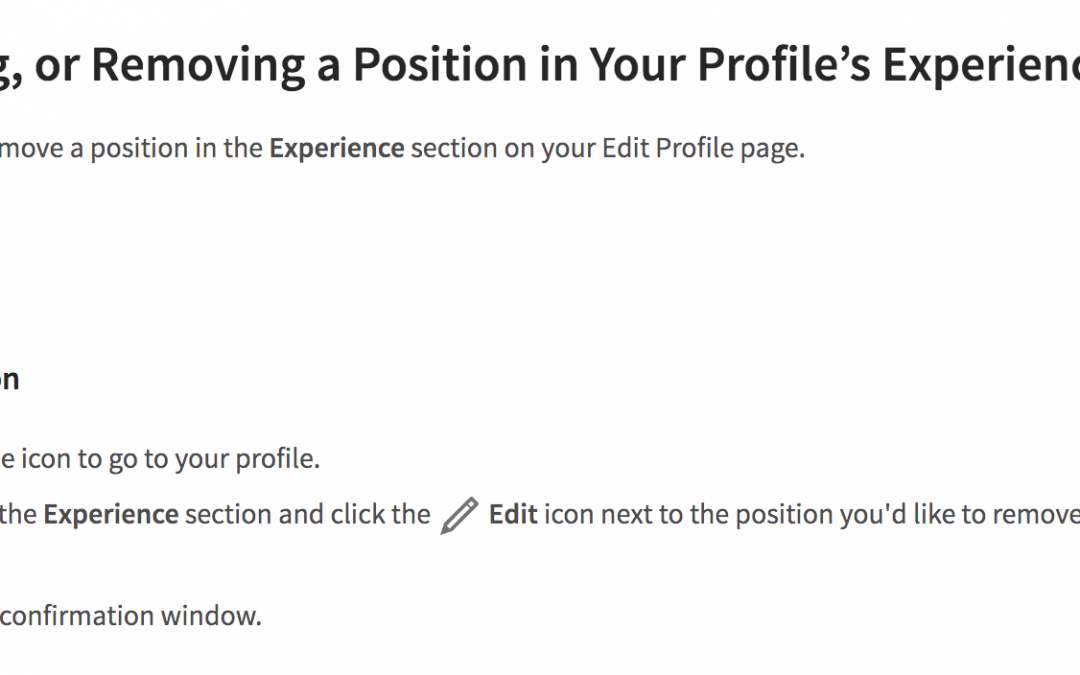
If you reach her, and she agrees, she’ll need to update her profile in the “Experience” section to reflect the end date of employment at your business. While in the “edit” mode of her profile, she should uncheck the box next to “I currently work here,” add the month and year and click “Save.”
If this doesn’t work, try removing the employee from your Company Page by submitting a request to LinkedIn Customer Service. They can perform this action for you.
1. Log into your LinkedIn Company Page.
2. Click the link to the incorrectly listed employee’s profile.
3. Note the person’s full name and the web address for her profile page to ensure this is the person you want to delete.
4. Go to the “Contact Us” Web page.
5. Type “Remove Member from Company Page” in the subject field.
6. Select “Company Pages” for the “Issue Type” field.
7. List the person’s full name, the Web address for her profile page, and an explanation for why she should be removed from your Company Page in the “Your Question” field.
8. Click “Continue” to submit your request.
At this point, you should receive a confirmation email from LinkedIn, and a ticket reference number to access the Support History Web Page. Customer Service will contact you when the person is removed, or if they require additional information.
Note: Only those with a confirmed company email address can edit information on your Company Profile. Newer company pages contain a triangular icon with a “!” character next to your company’s name on each employee’s profile page. Clicking the icon begins the “Report profile position” process that lets you report the incorrectly listed employee.
Submit a Formal Complaint.
You can also submit a formal complaint using this form on LinkedIn to report an inaccurate employment listing. This tells LinkedIn that a profile is erroneous. LinkedIn Customer Service will investigate and take action on your complaint. It may take a while for this to process, but it’s a good way to handle the situation.
How to Remove Fake LinkedIn Profiles
If you ever need to complain about a fake or inappropriate LinkedIn profile go to this page and follow the steps listed.
Lessons Learned
If you want to avoid this from happening in the future, make an addendum to the terms and conditions in your employee policy and state that each must amend all online and offline profiles to reflect that they have left your employment.
You should have some form of social media policy in place that you can provide your staff so there are no misunderstandings about what can or cannot be published online. During employees’ exit interviews, remind them to update their profiles, including LinkedIn, to reflect their last day of employment.

by Felicien | Jan 13, 2018 | Education
If you employ a person who is blind or visually impaired, you know that you must make accommodations to minimize or eliminate workplace barriers. By doing this, you not only ensure their safety but their productivity. In some instances, making these accommodations can be costly, so you must take into account the value of making them.
However, installing a digital assistant in the office won’t require a huge investment–And the return on this investment for both your blind employee and your business can be game-changing. Your best option today is the Amazon Echo.
What Is Echo?
Amazon’s Echo is a popular hands-free smart speaker that you control with your voice. When Echo is connected to the Internet, it can assist with a variety of tasks. Your visually impaired employee can use it to make calls, send and receive messages, get information from the web, make a task list, turn on and off lights, and so much more.
You can purchase Amazon’s Echo for as little as $179. The kinds of features Amazon keeps adding to Echo is mind-boggling. This is very promising for employees with disabilities.
What sets Echo apart from voice assistants like Apple’s Siri, is its responsiveness. It’s completely hands-free. There are no activation buttons to press. Your employee simply speaks a triggering word like “Alexa, “Echo,” “computer,” etc., followed by what they need to happen, and the task will complete.
Echo, it instantly provides him with the results and information he’s looking for. He won’t have to flip through pages of a book in Braille, operate an e-reader to read, or navigate a website on an electronic device. Echo will provide him the information he needs by simply asking for it.
The Basic Design of the Echo
The Amazon Echo is essentially a talking cylindrical speaker that connects to the Internet. It’s a deceptively simple looking device. It’s a black cylinder approximately 10 inches tall, 3 inches wide, with an AC power cord that you plug into a wall outlet. There are two buttons on the top of the Echo: one for power and one to turn the microphones on or off. The top of the Echo rotates either right or left to adjust the volume. The speaker inside the Echo projects throughout a medium-sized room and has several microphones to hear a voice from any direction. You can purchase a remote control separately if needed.
Echo and Alexa
Alexa is the brain behind Echo. It’s a virtual assistant that’s built in the cloud. With time, Alexa will get smarter and understand your needs. The developers keep adding “Alexa Skills” that bring new capabilities. Of course, you need to set up everything properly beforehand and get used to the system just as you would with any digital assistant, but once you do, it’s easy.
Set Up
You must have a Wi-Fi Internet connection to use the Echo, along with access to a computer, smartphone or tablet. Setup requires connecting to the Amazon website to synchronize the Wi-Fi settings in the Echo to enable the various settings, profiles, and “Skills.”
The setup can be completed by following the voice prompts from the Echo after plugging it in and downloading the Alexa app from Amazon.com. Although the initial setup requires using a computer or mobile device, once the setup is complete, the Echo can then be controlled only by voice commands. (You will need to use a computer if you want to add a new feature to your Echo.)
After setup, simply say the wake-up word, “Alexa.” Responses from Alexa are very fast. Her voice is pleasant, and one of the most human-sounding of all the digital assistants available.
Your visually impaired employee can use the Echo to:
Look up events and appointments on his calendar and find out what his schedule looks like. (“Alexa, what appointments are scheduled today?”)
Find addresses and phone numbers of clients, vendors, and coworkers. (“Alexa, what’s the address for IBM Research in Austin, Texas?”)
Set an alert. (Alexa, set an alarm in one hour to remind me about my conference call with ABC Contracting and Mary White in Accounting.”)
Make a conference call. (“Alexa, set up a conference call between ABC Contracting and Mary White in Accounting.”)
Listen to a webinar. (“Alexa, turn on the webinar I signed up for today.”)
Listen to a podcast. (“Alexa, open Cool Blind Tech from Tunein.”)
Pair a Bluetooth device. (“Alexa, pair my Bluetooth.”)
The options are endless!
Audible and Kindle
By using the Alexa app, the Echo can be synchronized to your employee’s Audible.com audiobook library, or his Kindle. For example, when the employee says, “Alexa, play “Negotiate to Win, by Jim Thomas,” the Echo will begin playing the content of the audiobook. To increase the volume, the employee can say, “Alexa, turn up the volume.”
Alexa Works with Google and Microsoft Office 365 Calendars.
One of the recent features is the integration of the “Quick Events Skill” with the Google Calendar. This lets your employee add a calendar event completely by voice. Quick Events is enabled in the Alexa App, and a Google Calendar that’s set up on his profile calendar. This only needs to be performed once from the Alexa app to get the feature started.
Once enabled, Alexa will record a calendar event by voice, using the command, “Alexa, open Quick Events.” Then, your employee simply listens and responds to Alexa’s prompts to add the calendar event. Once complete, the employee can review events in the calendar by asking, “Alexa, what’s on my calendar tomorrow?”
Amazon recently announced that its connected speakers and other Alexa-powered devices will work with Office 365 calendars. Through this integration, your blind or visually impaired employees can use voice commands to control their O365 work calendars, adding meetings and seeking information about upcoming appointments.
Echo and Alexa Can Control Appliance Switches.
The Echo can be configured to work with some appliance switches, such as the Belkin WeMo smart switches or the Phillips Hue smart luminaries. Once configured, your visually impaired employee can turn on and off certain appliances in the office using a voice command, “Alexa, turn off the fan,” or “Alexa, turn on the office light.” This feature would require the additional purchase of appliance switches to work with the Echo.
Conference Calling
Your employee can use Alexa to connect to meetings by controlling existing video conferencing equipment or by using the Echo device as a speakerphone. If there’s no scheduled meeting, Alexa prompts your employee for the meeting ID and optionally the PIN to join the meeting, and makes a PSTN call to your conferencing provider.
Amazon is Working to Make Echo a Key Component in The Workplace.
The company is hoping to make Alexa a virtual office assistant. They’re testing ways where Alexa can be used to automate daily work tasks into a few voice commands. For instance, to collaborate with Salesforce and FinancialForce, which would make it easy for a visually impaired user to interact with complex business software using voice commands. A great deal of content from the Internet is available by enabling the various Alexa Skills Amazon’s developers are quickly churning out.
As we said, the opportunities are endless for both the visually impaired and your sighted employees!

by Felicien | Jan 12, 2018 | Education
Even leaders in tech-adjacent fields — like the toy industry — know the importance of investing in technology expertise and a more robust IT infrastructure.
As much as we try to predict the future, it’s never been easy. The catch has always been that as soon as you’re sure of what’s coming next, it’s probably too late to take advantage of it.
What’s worse is that we’re often too short-sighted to make the next leap – as Henry Ford himself put it, “If I had asked people what they wanted, they would have said faster horses.”
This quote, attributed to one of the world’s greatest innovators, illustrates both why it’s so important to think ahead of what consumers want, and why it’s so troubling when you fall behind. When customers ask for the wrong thing (faster horses), it’s up to innovators to match that request with the perfect solution (automobiles). Another great example is the iPhone – nobody was asking for a smartphone, but Apple knew it was what was next.
However, while you may not know for sure who’s going to win the Super Bowl, or what tomorrow’s lotto numbers are, more and more experts and leaders have begun to bet on one thing for sure: technology.
“How do we embed, in all our toys, the 21st-century skills that children need to succeed?”
That’s the question that Mattel CEO Margot Georgiadis asked herself and her company, shared in a Fortune interview with Suzie Gharib. What Georgiadis and many other business leaders are coming to realize is that the future belongs to those who embrace it – not those that fight against it.
“This company started in a garage, just like Google, by passionate entrepreneurs, and so much of what I’m trying to do is the anchor the company back in that entrepreneurial, creative space that made us so successful,” said Georgiadis.
“One of the areas that I really think a partnership is important in is technology – there are so many capabilities that are being developed that we can actually leverage if we create the right ecosystem that’s simple and easy to use.”
She’s not alone. More and more, business leaders are finding that investing in technology by building a strong IT infrastructure soon leads to growth, expansion, and innovation.
Consider the cloud-first movement, which prioritizes investment in cloud technologies over any other type of technology. Spearheaded by the US government back in 2010, more and more members of the tech industry today are finding that by focusing on providing the best possible cloud solutions (and using them themselves), they can grow more rapidly and command a larger market share.
However, as Georgiadis notes, it’s not just the cloud that’s important.
“We can leverage new developments in robotics and artificial intelligence, in general, to plug into our toys in a more platform-centric way, the way you would in a tech company,” said Georgiadis. “You take ideas from inside and outside, and when you put those together, change happens a lot faster.”
This is all in an effort to help shepherd the next generation into greater tech-literacy. By investing in how children think about and use technology, Georgdalis believes we can build a better future.
“One of the things that have been amazing in getting tech companies to want to partner and help us is this whole need for STEM education to be advanced,” said Georgiadis. “To ensure that boys, girls, and minorities are falling in love with this technology from as young an age as possible and really see that as a potential career. We do not want to leave anyone behind, and we all have a role to play in shaping a world where everyone is included in this incredible set of changes that are going on in our world – to me, that’s a huge area of passion, it’s one of the most important reasons why I took this job.”
How is Georgiadis shaping the future of Mattel?
Georgiadis is focusing on technology simply by investing in the company’s technology, primarily by hiring Mattel’s first-ever Chief Technology Officer, Sven Gerjets. The first step is for them to develop a more robust infrastructure and ensure that Mattel can survive in a tech-centric business world.
“What he’s really doing is not just upgrading and ensuring that we have the infrastructure to be a faster, leaner, more data-driven company, but he’s also ensuring that all the technology products are moved from an item approach to a platform approach,” said Georgiadis. “It’s much more efficient, and allows us to embed our capabilities in far more products more cost-effectively.”
With technology firmly positioned as the foundation of today’s business operations, the need to make the most of an available technology budget is more critical than ever. Whether it’s for a massive enterprise like Mattel, or a small business, getting the absolute most out of your technology investment can be a key part of your business’ success.
Choosing something like an Infrastructure as a Service solution has great advantages to offer businesses in both the short-term and long-term. In the short-term, employees are given the tools they need to work efficiently and offer better service to their customers. As the business becomes more comfortable with the accessibility and flexibility the cloud provides, there will soon be a growing number of options available to streamline business processes and eliminate repetitive and time-consuming tasks.
Furthermore, as the business continues to grow, the cloud will easily grow with it. Scalability is one of the biggest selling points for Infrastructure as a Service, as its potential to adapt and expand as needed is a fantastic asset for any business. It would be difficult to find any other technology that’s as universally well-suited as Infrastructure as a Service, making it not just a smart technology investment, but a smart investment in the future success of a given business, such as Mattel.
“[Gerjets has] been bringing together all the people working on those products, he’s been streamlining what we’re focused on, and he’s been deciding the four or five key technologies that we’re going to bet on across the company, and ensure we have a scalable approach,” said Georgiadis.
If there’s one thing you can bet on, it’s technology. The question is: are you going to wait until your competitors have eaten up the market share of consumers looking for businesses with a technology focus? Or will you start investing in IT infrastructure today?
