IT Helps Dementia Patients

IT Helps Dementia Patients

Dementia and Alzheimer’s are scary for both patients and caregivers. Right now, there is no cure. Scientists are trying to find ways of prolonging patient’s lives and delaying the onset of the disease. IT Technicians are finding ways to make lives better and caring for patients easier. Some remarkable work is doing things for these individuals that has never been seen or done before.

First, A Word About The Disease
According to Alzheimer’s International, nearly 44 million people worldwide have Alzheimer’s or related dementia. More than 5 million American’s are living with it, and Between 2017 and 2025 every state is expected to see at least a 14% rise in the prevalence of Alzheimer’s. Those statistics are startling, especially since Alzheimer’s disease is irreversible.
Accounting for around 70 perfect of dementia cases, Alzheimer’s Disease is the most common cause of dementia, a group of brain disorders that results in the loss of intellectual and social skills. These changes are severe enough to interfere with day-to-day life. It progressively destroys the brain and ruins memory and thinking skills, and eventually the ability to carry out the simplest tasks.
A Few Other Statistics

In 2017, Alzheimer’s cost the United States $259 billion.
By 2050, costs associated with dementia could be as much as $1.1 trillion.
The global cost of Alzheimer’s and dementia is estimated to be $605 billion.
Alzheimer’s is the 6th leading cause of death in the United States.
Between 2017 and 2025 every state is expected to see at least a 14% rise in the prevalence of Alzheimer’s.
By 2050, it’s estimated there will be as many as 16 million Americans living with Alzheimer’s.
Every 66 seconds someone in the United States develops Alzheimer’s.
1 in 3 seniors dies with some form of dementia.

Technology at its Finest
Because of these sad stats and high numbers, IT experts have come up with some amazing devices that use modern technology to aid in the care of people suffering from memory problems. Here’s a look at a few of the latest innovations.
Clocks
Clocks precisely intended for those with Alzheimer’s and dementia can help ease the stress associated with day to day life. Someone who has dementia may confuse night and day so an easy to read clock can help them to better tell the time.
Medication Management
Medication management technology created high tech automated pill dispensers which beep and open to remind caregivers and those with dementia to take their medicine. Vibrating alarms on a watch have also been fashioned to remind when it’s time for a pill. This technology serves the busy caregiver well by helping them not to forget medication time as well.
Video Monitoring
Video monitoring technology supports both care recipient and caregiver, by allowing both people more freedom. The patient doesn’t feel watched constantly because loved one can spend a little time away, and loved ones get the comfort of being able to see their family even when they’re not in the same house.
GPS Location and Tracking Devices
People with Alzheimer’s or dementia may wander. Tracking devices can be worn by the person in some way and have alert systems that let a caregiver know if their loved one has left a certain area. This type of technology can also alert emergency personnel to aid in a quick recovery.
Picture Phones
Picture phones are specifically designed for people who cannot remember phone numbers. These phones have large numbers and are pre-programmable with frequently called phone numbers. Some of the phones come with clear buttons where photos can be placed so that the person can just push the button associated with the photos to call their loved one quickly.
Electrical Use Monitoring
This device monitors a patient’s use of electrical appliances. It plugs into a wall outlet or power strip and will alert caregivers if their commonly used appliances have not been turned on or off.
Wearable Cameras
Wearable cameras and augmented reality glasses could be the next big thing in helping patients. These devices can take hundreds of pictures every day from the user’s point of view logging their lives in this way.
A Village of Care
In Kitchener, Ontario, something wonderful is happening. Facilities have been designed to be less institutional-looking, friendlier and homier. “Schlegel Villages” is one of the first of its kind and is improving the quality of life for the people that live there.
One problem they deal with though is when at-risk seniors become confused and attempt to leave. According to Schlegel’s IT director, Chris Carde, “Some seniors with certain types of mental illness can remember the door-lock code to get out but can’t remember anything else. A confused senior wandering out into a southern Ontario winter can be a serious, even fatal, incident”.
Schlegel Villages is also implementing an e-health system to replace paper charts at its care facilities. Carde states, “Nurses would have to write down a patient’s vital signs, then enter them into a desktop computer some distance away. The new system, which will use iPads and iPad minis to enter health information directly into the database, is being greeted warmly by clinicians”.
Thinking Outside of the Box
A German senior center applied the idea of using fake bus stops to keep Alzheimer’s disease patients from wandering off. Because their short-term memory is not intact, but their long-term memory works fine, they know what the bus stop sign means, and they stop. It is a huge success in Germany, now they want to bring it to several clinics in North America.
A Final Word
Thanks to these researchers and IT innovators, the future is much brighter for patients with memory diseases and their families and care providers. This is just the beginning when it comes to making life easier. Information Technology has only just begun to scratch the surface of what can be done to help in the fight against dementia and Alzheimer’s.

How Much Is Your Medical Data Is Worth?

How Much Is Your Medical Data Is Worth?

Believe it or not, your medical record has the potential to be sold for thousands of dollars. And due to the digitization of health records, it’s now more prone to theft.

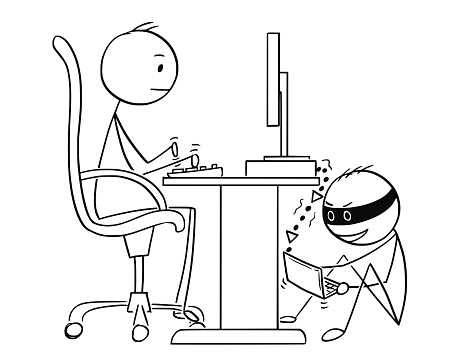
As more patient health records have gone digital over the years, they’ve become vulnerable to hackers—and far more valuable than credit-card data or other forms of confidential data.
Why? Because they contain insurance information that poachers can use for fraudulent billing and illegal prescriptions. These thieves can falsify insurance claims and collect checks and obtain hundreds of thousands of dollars in free care on someone else’s insurance.
The healthcare industry wasn’t prepared for this, and they are trying to play catch up to secure protected health information (PHI):
“The U.S. has a huge shortage of highly qualified cybersecurity people across all industries,” says Rod Piechowski, a senior director at the Healthcare Information & Management Systems Society, or HIMSS, a Chicago-based nonprofit with more than 50,000 members. “Being late to the game, health care just can’t compete.”
Health IT professionals, although they are in great demand, haven’t been able to play a major role in employer’s’ software procurement decisions. This is unlike banking and the financial industry where their option is regularly solicited before a major IT system is implemented. And until recently cybersecurity wasn’t prioritized in healthcare the way it has been in financial services. The result is that IT professionals had no influence when it came to software security standards for medical care, and now they’re having to oversee systems that are difficult to safeguard.
If your PHI is breached, hackers have the information they need to blackmail you for the rest of your life. That’s because your EHR contains information like conditions you suffer from such as depression, anxiety or other psychological conditions, sexually transmitted diseases, or heart conditions. If released to the public, these might be an embarrassment to you or even keep you from obtaining a particular position.
How Bad Is It?
EHRs (electronic health records) are being used by over 96 percent of critical-care facilities, and 83 percent of all hospitals. While the digitization of health records enables easy access to patients’ information, if not properly safeguarded they’re also available to hackers. This poses a real threat to patient privacy.
In the year 2016, there were 450 data breaches where 27 million EHRs were affected. Of these, 120 came from the outside, while 200 (more than 65%) came from the inside.
In 2017, there were 477 healthcare breaches reported to the U.S. Department of Health and Human Services (HHS) or the media, which affected a total of 5.579 million patient records.
With major hospitals and healthcare organizations paying higher fines for lost patient data, the challenges of maintaining EHR security remains a huge concern. And because of this, the benefits of using them must be weighed against the risks of theft and misuse.
Presence Health in Chicago was fined USD475,000 by the U.S. Health and Human Services (HHS) because they didn’t report a 2013 breach in a timely manner. Advocate Health Care had to pay HHS a whopping USD5.5 million for a breach of patient privacy–the most ever by a single entity.
Compounding the issue, now physicians who are frustrated with the bogged down systems try to design their own workarounds to speed up processing of healthcare data. These ad hoc “shadow IT” systems are insecure and rely on unencrypted data and personal emails. It’s only a matter of time before a sophisticated hacker breaks in to steal their data.
How do hackers obtain medical records?
One of the ways they do this is through spoofing where the facility is fooled into thinking that the person accessing the information is legitimate. Plus, Microsoft researchers warn that many types of databases used for electronic medical records are vulnerable to leaking information despite the use of encryption.
Hospitals and healthcare organization use methods like data encryption and the scrambling of PHI (de-identification) to disguise data so hackers can’t read it.  However, the hackers simply steal the data and replace the encryption keys with their own to demand ransoms to unlock the data. This is called ransomware, and it’s very effective against healthcare facilities and hospitals that need ready access to patient data for their everyday operations.
Who are these hackers?
They’re not who you think they are. When we think of hackers, in our mind’s eye they are guys in hoodies working on computers in their parents’ basements. What’s hard to believe is that most attacks and data breaches don’t come from external hackers, but from the inside of an organization, where doctors, nurses or accounting personnel are negligent, abuse the system as disgruntled employees, or steal patient data for financial gain. In 2017, employee error affected 785,281 patient records and insider-wrongdoing affected 893,978.
One Promising Solution
Robert Lord, a former analytics systems designer, joined forces with Nick Culbertson, a former Special Forces operator when they were students at the John Hopkins University of Medicine. They created an Artificial Intelligence (AI) system to combat hacking of EHRs. They co-founded a cybersecurity company Protenus, to help the healthcare industry use artificial intelligence to prevent the theft of Protected Health Information and Electronic Health Records.
Lord explains:
“Your EHR contains all of your demographic information–names, historical information of where you live, where you worked, the names and ages of your relatives, financial information like credit cards and bank numbers…The medical record is the most comprehensive record about the identity of a person that exists today. We recognize that EHRs are living documents, so we’ve built an AI that is able to monitor how individuals interact with the EHR and associated systems, building a unique profile of every workforce member’s clinical and administrative workflow.”
The folks at Protenus are working on a solution that can tell the difference between routine access to EHRs or possible illegal attempts to retrieve this data. They do this by detecting unusual patterns and anomalies using AI that are then escalated to security officers. Over time, the solutions get “smarter” and learn exponentially as the customer base grows.
We’re Behind the 8 Ball When It Comes to Protecting EHRs.
Health care has lagged far behind banking and other industries when it comes to implementing security protocols. Until EHR records were mandated by Obamacare, many healthcare providers still used paper, faxes and handwritten charts. And once EHRs were finally implemented, the hackers were already a step ahead, and the medical industry is still scrambling to find ways to protect them.
Cybersecurity experts tell us that the seriousness of this can’t be overstated. The frequency of threats has taken off in the past 10 years as EHR data is increasingly networked between healthcare entities. And as we continue to struggle to secure our EHRs, increasingly savvy thieves are finding more ways to steal them.

The Lawyer’s Guide to Preventing 7 Major IT Headaches

The Lawyer’s Guide to Preventing 7 Major IT Headaches

An efficient and secure running IT system is essential for any organization, and especially so for today’s law practices. Your work relies on secure and ready access to your data when you’re in the office, courtroom or when on the road. You need the ability to interface your Line of Business applications with other IT solutions you and your staff depend on each day. In order to remain competitive, you must use the most advanced legal technology solutions available and use them to your best advantage. And, any form of downtime is totally unacceptable because can cost you your clients. For all this, you need a Technology Solutions Provider who can build an IT infrastructure from the ground up to meet your high-security, high-availability, high-efficiency requirements.

The Seven IT Headaches All Lawyers Face Today (And Their Remedies)
Technology challenges can lead to significant IT headaches, especially for small and medium-sized firms that manage their own infrastructure. They often “tag” the one employee who knows the most about technology. But today, it’s impossible for a non-professional to provide the 24/7 IT support, expertise and defense-in-depth protection required today.
Even law firms with a professional IT employee struggle with their changing and increasing technology demands and the need for 24/7 IT remote management. IT headaches in the legal industry vary. But the common factor is that they are pervasive and never-ending unless they are prevented by qualified Legal IT experts.
Headache #1 – Cybersecurity
Client confidentiality is a priority for every law firm. And without the proper IT management, your data can be at great risk.
Many lawyers aren’t aware that their critical data is at risk. The chance that data is breached has increased as attorneys, and their employees use mobile devices and email outside the office. They don’t realize that at a moment’s notice their IT system could be hacked, and confidential information stolen.
Cybercriminals have discovered new, creative ways to steal data. Hackers are increasingly targeting law firms to steal clients’ confidential data. Additionally, unethical competitors engage in illegal eDiscovery to harm a competing law firm, or to win a lawsuit.
Many say, “This only happens to larger legal organizations, not small ones like mine, right? Wrong–Small and mid-sized law firms are a more attractive target for hackers because they typically don’t have the right security solutions in place, nor do they train their employees to recognize phishing and ransomware threats like their larger counterparts do.
Building a cybersecurity infrastructure today can be a daunting task with all the attack vectors in play. The most important challenge comes from the requirement to protect clients’ private information. Client confidentiality is at the top of every attorney’s mind, and without the right IT management, this confidentiality can be breached. Cybersecurity should be the primary concern for litigation attorneys who handle confidential electronically stored information.
“To maintain the required level of competence, a lawyer should develop and maintain a facility with technology relevant to the nature and area of the lawyer’s practice and responsibilities. A lawyer should understand the benefits and risks associated with relevant technology, recognizing the lawyer’s duty to protect confidential information.”

Law firms must prevent:

Unauthorized access to both their wired and wireless networks.
Malware from corrupting their network.
Their employees from clicking on malicious links or unknowingly revealing confidential information to a hacker.
The disclosure of electronically transmitted communications.
Data loss from both manmade attempts or natural disasters.

Law firms must ensure:

Data is encrypted and safeguarded.
Compliance with legal, regulatory and confidentiality requirements when using technology.
Files are properly backed up both onsite and offsite, and that they are easily recoverable.
A secure email-archiving and retention strategy for both data at rest and in transit.
Cybersecurity is confirmed with regular Vulnerability and Risk Assessments.

The situation demands a defense-in-depth security plan that employs multiple security measures to protect confidential data. Defense-in-depth security was originally conceived by the NSA to provide a comprehensive approach for cybersecurity.
By using multiple layers of automated and remote security solutions, where the outer layers provide a first line of defense, and deeper more concentrated layers stop anything that gets through, lawyers can stop worrying about cyber threats and concentrate on their work at hand. And, as each law firm is unique, this protection requires an IT professional with the knowledge and expertise to find the right combination of security techniques and solutions.
The Remedy: The answer is to rely on a Technology Solutions Provider who will avert security risks and compliance issues that can cost you in legal liabilities, regulatory penalties, and your good reputation.
Headache #2 – Downtime
Every hour lost to downtime means lost billable hours. Time is money when it comes to law practices. Downtime due to power failures, ransomware, natural disasters and more mean your firm is paralyzed and unable to operate.
The increasing digitization of information over the last 20 years has increased productivity for law firms. When IT runs as it should, it helps you save time, and work more efficiently. However, this also means that when it doesn’t, and you’re faced with downtime that your clients, who are used to your efficiency, don’t understand and become angered when their cases come to a standstill.
This causes headaches for you, your employees and your clients. It’s critical that you recover as quickly as possible. When your IT goes down, even for a few hours during a workday, you lose billable hours, lose the ability to send and receive emails, and risk damaging your firm’s reputation.
It doesn’t matter how long downtime persists. It’s unacceptable in any case because it’s preventable. You can mitigate the risk of downtime by having the right technology in place.
The Remedy: Preventive IT measures are key to protecting your confidential data. With the right enterprise cloud backup and recovery system, and the services and support from a Technology Solutions Provider, your firm will benefit from complete system monitoring, secured servers, safeguarded data and upwards of a 99% guaranteed uptime.
Headache #3 – Inefficient IT Performance
In today’s digital world, a slow-performing IT system is like a wound that can drain the life’s blood out of your law firm. You can’t afford to wait this out and hope that things will improve. Time is money, and inefficient IT solutions are not only frustrating, but they can also impede your ability to meet your clients’ demands.
Increased IT performance is one of the biggest benefits of outsourcing your IT service and support. Often, an in-house technical staff creates new problems by overcomplicating basic configurations, because they lack the skill and experience required.
The Remedy: A Technology Solutions Provider offers a higher level of expertise and establishes a highly performing IT system to keep your law firm up and running.
Plus:

You’ll save money. Unlike with in-house staff, you won’t have to provide benefits like healthcare coverage, sick and vacation days and workman’s compensation.
You’ll have 24/7 Live Help Desk Support, to ensure your issues are resolved quickly, and your IT systems stay up and running at all times.
You’ll save time with the resources to start new IT solutions quickly as opposed to waiting for in-house techs who will need to be trained.

Headache #4 – Poor Integration of Line of Business Solutions
You need your Line of Business (LOB) applications to complete your responsibilities each day for Practice Management, Document Management, Time & Billing, and Legal Document Generation.
Applications like:

PCLaw
Prolaw
Juris
Clio
Timeslips
Amicus
Abacus
Tabs3 / Practice Master
Timeslips
ProDocs

You also need these applications to integrate with popular software programs like Microsoft Office. And when they don’t run as expected, this can cause major headaches.
The Remedy: This requires assistance from a Technology Solution Provider with expertise in legal IT programs.
Headache # 5 How to Maintain Client Confidentiality While Using the Cloud.
Attorneys are using the Cloud in their law practices. However, this can present significant challenges when it comes to their ethical and legal obligations to maintain client confidentiality.
Your law firm can benefit immensely from cloud computing services. However, it’s important to fulfill all of your legal and ethical duties to your clients.
As an attorney, you are subject to ethical rules that make it difficult to use certain types of cloud services. But how do you know what ethical rules apply to your law firm when it comes to using the Cloud? Plus, these ethical rules vary from one jurisdiction to another. If you have firms in multiple locations, how do you manage this?
The more questions you have about cloud solutions, the greater the potential for more headaches:
Confidentiality & Integrity?
Does cloud computing threaten the confidentiality or integrity of your data? Most ethical rules contain a duty of confidentiality and competence.
Third Party Providers?
If you’re assigning responsibilities to the third-party cloud provider, you must make a reasonable effort to ensure that their conduct is compatible with your legal and ethical obligations. Most ethical rules maintain that you must supervise third parties.
Communicating with Clients about Cloud Services?
Must you ask each of your clients if you can store their data in a third party’s cloud? Most ethical rules contain a duty to seek consent for decisions regarding clients’ data.
Safeguarding of Data?
How do you know that your cloud provider can ensure the proper safeguarding of your clients’ files and documents? Are you liable if they don’t? After all, it’s your responsibility to safeguard your clients’ property.
But, cloud computing provides many benefits for the small law practice. You don’t want to miss out on these:
Low Cost
Most enterprise cloud-based services can be obtained at a very reasonable cost. Law firms typically find that it’s less expensive to use these services than running and maintaining their own servers. With cloud computing, you don’t have to pay for your additional servers and hardware.
Less Maintenance
Enterprise cloud services often include maintenance in their offerings. As an attorney, your workday is too busy to worry about updating programs and patching software. The right cloud provider will automatically install all updates for you.
Greater Accessibility
With cloud computing, you and your authorized employees can access your data from any computer, in any location where you have internet access. If you need to work long hours outside the office, you can still access the IT resources you need remotely.
More Flexibility
Cloud computing services are often sold on a subscription and month-to-month basis. They are based on the number of users who access the solution. If your workload increases, you can up the number of subscriptions. If it declines, you can reduce them. on demand.
Security
Most cloud providers employ sophisticated security measures, so you don’t need to worry about client confidentiality. Also, their staff is trained and experienced in the implementation of security measures that align with current security risks.
Cloud computing offers many benefits for your law firm. Don’t let the potential risks stop you from experiencing those benefits. But you must mitigate your risks.
Review the ethical rules that apply to your jurisdiction and determine what type of cloud services would be best for your law firm.

Make sure you’re clear about the particular service you’re planning to purchase.
Where are the servers located?
How will the servers be used to process your data?
Make sure the service is reliable and secure.

If you’re ready to purchase cloud computing services be sure to review the proposed contract carefully.
Pay attention to the disclaimers of liability, intellectual property, confidentiality, and security provisions. Also, does the service provider have a robust disaster recovery plan in place? It’s critical to ensure that the cloud service provides alternative access to data in the event of a service outage.
The top two important risks to consider include:
Security Breaches
Does the cloud provider protect your data from unauthorized access or modification? Make sure you’re informed about any security breaches that affect your data. Discuss compensation in case a security breach is caused by the cloud provider.
Data Ownership
Read the contract and look for clauses that might give the cloud provider ownership of data stored in the Cloud. Make sure the contract acknowledges that your data is owned by your law firm.
The Cloud provider may offer recommendations for security measures. Your staff must understand these security measures and sign a written agreement to comply with them, such as the prohibition of shared passwords.
The Remedy: Ask Technology Solutions Provider to address these concerns and help you choose the right cloud solutions for your law firm.
Law firms that want to compete in today’s technology-driven environment must depend on reliable, up-to-date hardware and software solutions. But, with the complexities and rapid changes in IT today, they’re realizing the need to also outsource IT services to experts like Technology Solution Providers, so they can focus on their core competencies, and benefit from increased security, innovation, cost savings, efficiency, and productivity.
Headache # 6– How to Keep Up with Ever-Changing Legal Technology Solutions
The digitization of legal documents and the use of use of electronic word processing, databases, and research software has gone mainstream today. Most law practices now manage case files by electronic means and rely on software programs to search, edit, track, archive and distribute documents.
From legal technology in the courtroom, in corporate environments, for paralegals, for electronic discovery, to BYOD solutions, and even for Artificial Intelligence, all of these enable you and your employees to do your job more efficiently.
But these technologies are ever-changing and evolving. How are you supposed to know which ones to use, which will provide the most benefits, and how to find the time to train your employees to use them properly and securely? How can you keep up?
The Remedy: Choose a Technology Solutions Provider who is adept at keeping up with today’s legal technology solutions and can help you select which are best for your unique requirements.
Technology helps today’s lawyer carry out essential tasks, exercise professional judgment, engage with and represent clients, provide advice and settle key commercial dealings. Those who view technology as an opportunity—rather than a threat—will prosper, and more easily reap the rewards from their efforts. Those who don’t will fall behind the competition.
Headache # 7– Lack of IT Talent
Even if you wanted to hire a full-time IT staff, the talent pool is quickly shrinking if you run a small practice. Even your larger competitors are having difficulty finding the IT talent they need to compete.
Most techs in the workplace lack the breadth and depth of knowledge and experience to stay up to date on today’s ever-changing technology resources. Plus, your law firm has very specific requirements when it comes to IT.
You need the expertise of an IT professional who understands your needs, work processes, regulations, the applications you use, and your unique technology challenges. One who knows the complexities you face and can help you improve the way you use technology by:

Automating routine legal transactions,
Assuring you can share and store documents securely,
Optimizing your work processes,
Deploying mobility solutions that keep data secure, and
Helping you capitalize on tools like electronic data discovery.

The Remedy: The only way to get this kind of IT talent is with a Service Level Agreement from a Technology Solutions Provider who specializes in Legal IT Services.
In Conclusion
Today’s law firms are moving to a Managed Services Model where their Technology Solutions Providers have the expertise and credentials to provide the proactive support they require to keep their IT systems secure and running at peak performance. When they do, they no longer suffer from the IT headaches that can put them at a competitive disadvantage.
Technology Solution Providers are helping law firms use technology efficiently and safely. The result? – Increased value from your technology assets, and no IT headaches for both you and your clients.


Stay competitive by making technology your business advantage

With our expertise and cloud services from Microsoft, you can quickly and affordably meet your business goals, whether it’s adapting to a changing competitor landscape, achieving business growth, protecting customer data, or reaching new clients. Let CompNetSys and Microsoft cloud services put you on the fast track to the modern business

Orbitz Hack Compromises Nearly 1 Million Customers – Are You One Of Them?

Orbitz Hack Compromises Nearly 1 Million Customers – Are You One Of Them?

Orbitz has disclosed that a recent data breach could have exposed extensive information of up to 880,000 of their customers.

It’s so often these days that hacks hit big-name companies that consumers are becoming numb to it. The latest to get hacked? Orbitz.
The travel booking company recently announced that they may have been hacked, possibly compromising the personal information of approximately 880,000 users. The breach could have included their date of birth, gender, and credit card info, exposing those using the platform between January and June of 2016, and October and December of 2017.
“We determined on March 1, 2018, that there was evidence suggesting that an attacker may have accessed personal information stored on this consumer and business partner platform,” said Orbitz in a statement. “We took immediate steps to investigate the incident and enhance security and monitoring of the affected platform. To date, we do not have direct evidence that this personal information was actually taken from the platform. We deeply regret the incident, and we are committed to doing everything we can to maintain the trust of our customers and partners.”
Whereas Orbitz is big enough to handle the damage control for an incident like this, what about you and your business? Cybercriminals are often just as likely to target small organizations as they are large ones, particularly because of the lack of cybersecurity measures.
Are you prepared to defend your business? If you’re not sure, keep these tips in mind:
Stay informed about phishing and spoofing techniques. Regular security awareness training should be a top priority for your organization.
Stop and think before you click a link. Don’t click on links from random emails or text messages. Hover your mouse arrow over a link to see who sent it. Most phishing emails begin with “Dear Customer”, so watch out for these. Verify the website’s phone number before placing any calls. Remember, a secure website always starts with “https”.
Never divulge personal information requested by email. Phishing attempts try to send you to a webpage to enter your financial or personal information. If you suspect this, give the company a call. Never send sensitive information in an email to anyone.
Be skeptical of messages that contain an urgent call to action:

With an immediate need to address a problem that requires you to verify information.
That urgently asks for your help.
Asking you to donate to a charitable cause.
Indicating you are a “Winner” in a lottery or other contest, or that you’ve inherited money from a deceased relative.

Consider installing an anti-phishing toolbar and security tools. Some Internet browsers offer free, anti-phishing toolbars that can run quick checks on the sites you visit. If a malicious site shows up, the toolbar will alert you.
Never download files from suspicious emails or websites. Double check the website URL for legitimacy by typing the actual address into your Web browser. Check the site’s security certificate. Also, beware of pop-ups as they may be phishing attempts.
Block pop-ups via your browser settings. You can allow them on a case-by-case basis if you decide to.
Most importantly? Be sure you’re working with a trusted, reliable cybersecurity service provider. We have the industry experience and expertise needed to keep you and your business secure against today’s cyber threats.

New Distracted Driving Laws for Ontario

New Distracted Driving Laws for Ontario

Many cities and countries around the world are having problems with distracted driving accidents. During 2016, Great Britain recorded 1,445 fatal crashes where one or more people were killed. One study completed in the town of St. Albans found that one in six drivers were engaged in some type of activity that took their focus away from driving.

In the United States, approximately nine people are killed on average each day due to distracted drivers. Another 1,000 people are injured with millions of dollars in property damage. In Toronto, there were about 7,500 distracted driving accidents during 2016. Of those, there were eight fatalities and 2,642 injuries with thousands of dollars in property damage.
In spite of public awareness campaigns, drivers continue to ignore these statistics. People tend to think that bad things only happen to others, so they go ahead and text or talk while driving. This has become such a problem that cities around the world have changed their distracted driving laws, increasing penalties and fines. Ontario is one those areas that have recently increased the penalties and fines for those caught.
What is Considered Distracted Driving?
Many people connect distracted driving with texting while driving. In fact, distracted driving covers any activity that causes the driver to divert their attention away from the roads and traffic. Studies have found that younger drivers are more likely to ignore laws and put everyone on the road at risk. Distracted driving includes:

Eating while driving
Changing the radio
Watching any type of media
Talking or texting while driving
Reading
Looking at a map
Smoking
Any activity that diverts the driver’s attention

Most cities are seeing a big rise in the number of tickets issued for distracted driving each year. Lawmakers feel that these penalties and fines will eventually cause drivers to realize that times have changed. Drivers must give their full attention to the road and avoid losing focus. Lives are at stake.
A Major Factor
One of the major factors that make distracted driving so deadly is speed. A car traveling at 60mph moves at 88 feet per second. Using simple math, we can see that if you turn your attention away from the road for only three seconds, your car will have traveled 264 feet. A football field measures 360 feet so you will have traveled approximately three-fourths the length of a football field, just to put things in perspective. That’s a great distance when you consider that there are autos moving at similar speeds all around you and on both sides of the road. If each driver looked away from their driving for three seconds, there would be dozens of crashes with multiple fatalities.
The truth is that each driver feels that they’re probably the only one on the road who is looking away for a few seconds. Surely with all the other drivers paying attention, there’s no need to worry – they’ll see you and take action in time to avoid an accident. This can be a deadly assumption.
An average vehicle weighs around 3,500 pounds, making it a very dangerous weapon in the wrong hands. Though more experienced drivers are less likely to be guilty of distracted driving, the truth is that everyone occasionally feels that a text message or phone call is important enough to take the risk.
This type of thinking has become an epidemic in Ontario, England, America and many other countries. For these reasons, legislatures and lawmakers have been forced to increase the penalties for these crimes.
Changes in Ontario’s Laws
New laws have recently taken effect in Ontario that increases the fines and penalties for failing to give your undivided attention to the road. Fines for a first offense can be as much as $490 with three demerit points on your license. If you decide to fight the ticket and lose, you could pay up to $1,000 in fines. If you’re a new driver with very little driving experience, you could lose your license for 30 days. With each conviction, novice drivers will have their license suspended for longer periods of time, up to 90 days. After that, a novice driver’s license could be revoked completely.
When is it Safe to Use the Phone?
Many drivers have had questions about these new laws. In Ontario, it’s not uncommon to see drivers pull off to the shoulder in order to take an important phone call. But is this legal? Or it is dangerous as well? Each city has its own unique laws when it comes to these types of issues. In Ontario, the law states that a driver may pull off the road to a safe location and take a phone call.
In some cases, moving to the shoulder of the road is not deemed safe. There may be workers there making road repairs. The shoulder of the road often has gravel, which can fly up and crack a windshield. Since each case is a bit different, it’s up to the driver to ensure that they are pulling off and re-entering the highway in a safe fashion. If a traffic officer feels that a driver has not pulled off the road in a safe manner, the driver may receive a traffic citation for this. At the end of the day, the traffic officer’s job is to make sure that all drivers are protected. Everyone wants to get home safely to their family each day and it simply is not worth it to put anyone in danger over a text message or phone call.
Tips for Avoiding Fines
We all want to get to our destination safely so what is the standard these days for using a phone while driving? According to the new laws in Ontario, drivers can use hands-free devices (Bluetooth) to talk on the phone while driving. However, you cannot pause to dial a number or answer a call unless you can do so using voice commands.
Most experts recommend turning your phone off while driving. That way, you will not be tempted to answer a call or text message. If you are leaving on a long trip, then email all your friends and tell them that you will be driving and will not be able to return calls until you stop for service or food.
Safe Driving Tips
Always be mindful if on the road with cyclists, emergency vehicles or buses. Pay special attention to the road, your driving and other drivers. Remember that although you may not be breaking the law, there are others on the road who are. There may be a teenager who wants to talk to his girlfriend while driving to school. These drivers present a special danger due to their limited experience behind the wheel.
There may be drivers who are under the influence of drugs or alcohol. This condition has been shown to slow a driver’s reflexes. Sometimes drivers are worried about being late, so they try to speed, take shortcuts or make erratic movements. When you put all these different drivers on the road at the same time, it can be dangerous.  It’s a good idea to bear these things in mind before getting behind the wheel.