What To Do When Your Privacy Is Violated And Your Details Are Public

What To Do When Your Privacy Is Violated And Your Details Are Public

Your relationship with the Internet started out so well! Long before you realized it, sites like Facebook and Google were tracking your every move and keeping records on you to you use against you. Fight back!

It may have started with an American Online disc promising 40 hours of free time, or it may have started with your university email account and use was limited to time spent in the school library. Perhaps it was with odd-duck Juno, connecting to download new email messages and then only dialing back in to re-connect for a quick send-and-receive, and no real time spent “online”. Or it may have started after “AOL” was unlimited and free, and you weren’t among those who had to create a brand-new email address every time you needed to score more free time from a new disc – seriously, those things were everywhere!
No matter how it started, we’re all in the same boat today. Well, unless you’re still connecting from a university library computer anonymously and your home life is spent in a cabin in the mountains somewhere living the life unplugged. Side note: There’s a reason people pay to travel to the most remote locations in the world – unplugged – for a back-to-the-basics experience, sometimes all the way to staying in a tent in a sleeping bag and fishing or foraging for food. It’s ironic how we’ll consider paying for this as a vacation, given the access we have to modern amenities like running water, indoor plumbing, air conditioning, and maybe a Keurig.
Are we on information overload? Are we overwhelmed with data and addicted to being busy? Well, yes to both – but that’s not the real reason we revert to rustic living. It’s the feeling of control over everything in your immediate world and being in charge of your destiny. It’s knowing the unknown doesn’t live in some dark room halfway around the globe, waiting to steal your credit card information or plant malware on your laptop through one innocent but careless action on your part. We’re going to skip the part about possible bears or wild animals on that extreme camping expedition analogy we’re making here.
Back in the real world, where Google and Facebook exist, we now know that those are just two of the major organizations who use the information gathered from us online to benefit them. Yes, the fine print we accept without reading vaguely indicates the information they collect will be used to cater our online experiences to our preferences, etc., but no matter how you look at it, the primary benefactor in that data collection isn’t us. Google collects the data to serve us advertisements, deliver sponsored search results which are really ads that charge the advertiser a premium to show their search result at the top – from which, again, Google benefits. We’re not saying this is a bad thing – oh, no! But at the same time, we need to be incredibly cautious about what information we do share. After all, knowledge is power. We already know Google is in an extremely powerful position, being the exception and the rule, depending on the circumstances.
Now that we’re learning more about the Internet and how organizations are using data to target consumers – us – and we’re learning the unfortunate side effects – for us – about the relationships these organizations have with other major organizations who are willing to pay for our information. All so they, in turn, can then target us with more advertising and messaging. We refer back to the earlier comment about information overload.
The question we face is, what can we do? How can we take back control of life in the world where we connect to the Internet every single day, whether it’s to check email, post a status to Facebook, share an image on Instagram, or use Google to search for a recipe?
We’ll tell you.
There are steps you can take to see what information Google has collected on you. We warn you, before you follow these steps, be prepared to understand Google has far more information than you realize, and it can feel like an intrusion. It may feel like the last time you went to a physical ATM – way back in the day – and were worried about that guy behind you who wasn’t at least 4 feet back, and you were worried he’d see your PIN and rob you.
For Google:

Log into your personal Google Account. You already have one if you’ve read this far. Chances are you’re already signed in. How to know? This is simple: go to https://www.google.com/ and look in the upper right corner. If there is the avatar you’ve chosen or an image you recognize, you’re signed in. If not, there will be a blue rectangle that says “Sign In”.
Once you’re logged in, visit this link: Google Maps Timeline.

This pulls up Google Maps and may give you a dialogue box with a brief introduction: “Explore your timeline”, with the text under this that “Only you can see your timeline”.
“What’s Location History?” wants to tell you that you’re about to see a personalized map of all the places you’ve been with your logged-in devices. This is where you’re promised better commute options and improved search results.
You’re next promised control, with the option to delete anything you prefer.
Clicking through will take you to a page where Google tells you what it thinks your home address and work address are. These may be blank.
At the bottom left, there is a blue button: “Manage Location History”.
This is your option to delete the data Google has collected from your usages and stored.

For Facebook:

Log into your personal Facebook Account.
Once logged in, there will be a drop-down menu in the upper right corner that just looks like a triangle pointing down. Click this to see the drop-down menu.
Select “Settings”.
In the left navigation menu, select “General”.
In the center panel, you’ll see a series of items – probably about a half dozen, depending on the latest iteration of Facebook. Underneath these menu items, you’ll see an option to “Download a copy of your Facebook data.”

Depending on your Facebook tenure and activity, this can take a very long time to download. Clicking this text will take you to a page with a green button that reads “Start My Archive”. You will probably be prompted for your password again at this point.
Facebook will happily email you when your archive is complete – it’s ok, they already know your email address, remember?

This is not necessarily related to all those personality quizzes some Facebook users love about “Which Harry Potter Character Are You?” or “What Color Is Your Aura?” or “What Type of Dog Breed Are You?”, and the data that is collected through this – by the way, it’s typically your email address and your list of friends. With the news of Facebook selling information on over 80 million of its users recently, there is a large movement to #DeleteFacebook, but we’re not sure jumping ship is the answer.
Updating activity on Facebook isn’t as straightforward as it is on Google, but at least now you know what is being collected from you now from both and how to handle it. As we mentioned, knowledge is power, and the more power you can take back, the more control you have over your digital destiny.

Why I No Longer Charge My Mobile Phone Overnight and Why You Shouldn’t Either

Why I No Longer Charge My Mobile Phone Overnight and Why You Shouldn’t Either

I just read this warning: “Don’t overcharge your mobile phone. Make sure you unplug it from the charger after it reaches 100%. Don’t leave it charging overnight.”
Why is this?
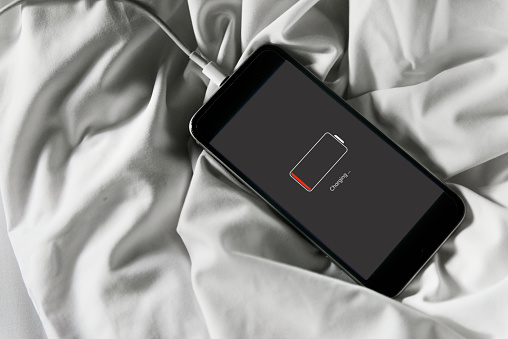
It’s because your mobile phone charger doesn’t stop charging after your phone reaches 100% capacity. It keeps topping off the charge during the night. This is called a “trickle charge.”

While you’re sleeping, and the phone is plugged in, it works to keep fully charged by compensating for the small amount of charge it loses by just being turned on. This is bad because the trickle charge causes your mobile phone to retain a higher ambient temperature than it should. This ultimately reduces the battery’s capacity.
I wondered why I couldn’t seem to keep my phone charged all day. It’s barely three-years-old, and I’m already having battery issues! Now I know why. I’ve been damaging the battery all this time by charging it at night while I sleep. I wish I had known this before!
Mobile phones contain a rechargeable lithium-ion (or Li-ion) battery that charges faster than traditional rechargeable batteries. So, when we plug our iPhone or Android into a charger, it can get fully charged in just about two hours.
By keeping our phones charged overnight we’re increasing the amount of time it spends on the charger, thereby degrading its battery capacity that much sooner.
Hatem Zeine, the founder of Ossia, a developer of wireless charging technology, tells us: “If you think about it, charging your phone while you’re sleeping results in the phone being on the charger for 3-4 months a year. So even though the manufacturers try their best to cover this scenario, this process inevitably lowers the capacity of your phone’s battery.”
Batteries decay from the moment you start using your new phone. This means they gradually lose their ability to hold a charge. By charging your phone overnight, you’re increasing the amount of time it spends with the charger. As a result, it degrades the capacity much sooner.
If you’re like me, you’re always on your phone checking text messages, emails, calling people, listening to music, watching videos, surfing the Web and more. It’s no wonder the battery runs down so quickly. However, if we’re careful about the way we recharge our phones, we can get much more life from the battery.
The people at Cadex Electronics that make lithium phone batteries say:
“Go ahead and charge to 100%. There’s no need to worry about overcharging as modern devices will terminate the charge correctly at the appropriate voltage…Modern smartphones are smart, meaning that they have built-in protection chips that will safeguard the phone from taking in more charge than what it should. Good quality chargers also have protection chips that prevent the charger from releasing more power than what’s needed. For example, when the battery reaches 100%, the protection hardware inside the phone will stop current from coming in, and the charger will turn off.”
However, they go on to say:
“Li-ion does not need to be fully charged as is the case with lead acid, nor is it desirable to do so. In fact, it is better not to fully charge because a high voltage stresses the battery.”
Don’t wait until your phone battery gets to 0% to charge it. A good time to charge it is when the battery reaches 35-45%. Doing this will help to preserve the battery life. If you do this religiously, then you should be able to keep your smartphone for longer than two years.
So essentially what I’ve learned is that rechargeable batteries are doomed to failure. They are constantly decaying from the moment you first turn on your brand-new phone and eventually lose their capacity to hold a charge. How depressing!
This is why my phone keeps losing its charge more quickly the longer I have it! I’ve owned my current iPhone 7 for over two years, and I’ve experienced a significant reduction in battery capacity.
Even worse, Apple tells us that constantly charging and recharging the iPhone battery isn’t good because the capacity of Li-ion batteries diminishes slightly with each charging cycle.
Most Android phones have a feature that allows for fast charging. They also have a chip with a Power Management IC (PMIC) that tells the charger when it’s receiving the higher-voltage fast charging to prevent it from overheating. Heat is a bad thing for all mobile phones. This is why you should never leave your phone in a hot car. The same goes for freezing temperatures.
So, what do the experts advise us to do? How should we charge our smartphones?
Here’s what the people at Cadex say to do:
“Don’t wait until your phone gets close to a 0% battery charge until you recharge it. Full discharges wear out the battery sooner than do partial discharges. Wait until your phone gets down to around a 35% or 40% charge and then plug it into a charger. That will help preserve the capacity of the battery. You should also keep your phone cool, as higher temperatures accelerate the loss of battery capacity.”
Another tip: Take off your phone’s case before you charge it so it won’t overheat.
Well, I guess this is the reason why I never seem to keep a phone longer than two years. This, coupled with the fact that Apple keeps coming out with cool new phones entices me to replace my old one. I know–This can be an expensive proposition. Maybe this is what the phone companies planned for all along–To keep us buying new phones! And with the pay-by-the-month plans that providers now offer, they make it even easier to swap out our not-so-old phones for a new one.
But for those of you who want to keep your phones for longer than two years, charge your phone during the day after it reaches 35 to 40 percent and unplug it when it reaches 100%. This might get you more longevity from your Li-ion battery so you can hang onto your phone for another year or so.

Why Do 4 Out Of 10 Companies Still Use Ransomware Friendly Anti-Virus?

Why Do 4 Out Of 10 Companies Still Use Ransomware Friendly Anti-Virus?

If The Marketplace Distrusts and Has Moved Away From Legacy Anti-Virus and Switched To Next-Generation Endpoint Protection To Escape Ransomware Infection, Why Are You Keeping It?

All the way back in 2006, the word was getting out that Anti-Virus software must retire and make way for the Cloud, Next-Generation Endpoint Protection. AV served its purpose when systems were simpler. And hacking was a college prank, not a malicious attack for financial gain.
Ransomware, Malware, and non-Malware exploits were infants. Legacy AV could carry the load. But in this day and time, they’ve grown-up, and 53% of US organizations are blaming their tired, outdated Anti-Virus, as the cause for not preventing a Ransomware attack. Could your Legacy Anti-Virus be one of them?
It Takes A Cool Million to Plunk Down and Recover, From a Ransomware Attack.
$900.000 a year, is the average cost an individual company spends, on the Ransomware attack, paying the ransom monies, time used to respond, and productive labor time lost. In the US alone, the lost work time equals 44-man hours, responding to an attack, from attack to complete recovery.
44-man hours! That’s a little over a week’s work for one employee. The cost translates into paying that person’s salary, to do a job, you did not hire them to do. Is this good or wrong time management?
Do you know the percentages your Partners and Supply Chain suffered from your infestation?
Research recently provided by SentinelOne shows your affliction has a vast, direct and negative impact, on your Partners and third-party vendors. What happened to your company, magnified their loss and downtime, both in productivity and revenue, it’s the proverbial “domino-effect.”
Let’s look at those numbers SentinelOne provided:

46% Downtime – Your Partners and third-party vendors suffered;
35% Loss of productivity – Your Partners and third-party vendors suffered;
20% Loss of revenue – Your Partners and third-party vendors suffered.

So, who’s to blame?
Worthless legacy antivirus software? Careless employees? Decision makers? Yes. All three have a hand in it. And we’ll explain how.
Let’s start with the legacy antivirus software.
According to Business Wire, a Berkshire Hathaway Company, “Legacy vendors have failed to build solutions for new vectors – specifically, many legacy AVs still lack basic anti-exploit capabilities.” The key word here is “Exploit.” Exploiting is what a Ransomware programming-pirate knows and uses against you and your system.
Legacy anti-virus solutions are not able to keep up. Innovation is inadequate. The volume of attacks from:

DDoS Attacks
Malware Attacks
Ransomware Exploits
Viruses

Can not be charted. Hundreds of thousands of new strains appear daily. The best legacy anti-virus can’t keep up. It is overwhelmed. And here’s why.
AV infection solving depends on long-established signature-based identification methods to search for digital threats. What it struggles to overcome in today’s world, is the new strains. They are Signature-less and Fileless. The dangers go unchallenged and give a cyber-thief an easy way to access any unprotected enterprise networks.
The second culprit is the carelessness of employees.
According to Ponemon Institute’s 2017 State of SMB Cybersecurity report, sponsored by Keeper Security, The number one most significant cyber threat to your business is your employees. The cause of a breach was a whopping 54% from negligent employees.
But what makes them negligent? For starters device convenience. 50% of your data is accessible from a mobile phone. Not just a company-issued device. It could be a spouse or friend’s phone. A company, of any size, is a target. If your employee has 3 bars in the middle of the Sahara desert, your data can be accessed.
Secondly, your security and policies have gaps making it difficult to enforce your employees to follow proper protocols. According to the research, password policies lacked strict enforcement, 68% of the time. And 58% had no or unclear direction into password practices.
The third and final enabler.
I hate to be the one that says it, but the business owner or decision maker(s) prevent their protection from a Ransomware attack. They hang on to old beliefs. “It won’t happen to us.” Or “It costs too much to swap our legacy antivirus for endpoint solutions.”
45% in this group will pay the ransom, to get their files unlocked and returned, rather than the 55% that credit Cloud, Next Generation Endpoint protection. But those who spent to get their files back were targeted again and again and were attacked 73% of the time. The cyber-criminal sees that business as a bank atm. When they need some cash, it’s paid up or lose your files.
According to {company} Ransomware Specialists, “Cybercriminals will continually perfect their ransomware attacks. They will bypass your Legacy Anti-Virus. They will trick non-trained employees into infecting their organization. They will make you pay their ransom demands or sell your data to the highest bidder.”
Of the 70% who swapped from Legacy Anti-Virus over to Next Generation Endpoint protection, 96% are confident they will prevent future attacks.
To learn more about Next Generation Endpoint Protection and have 96% confidence you will prevent future Ransomware attacks give {company} a call at {phone} or email us {email} to speak to one of our Ransomware Prevention Specialists.

Data Breaches and Credit-Card Fraud Can Destroy Your Small Business

Data Breaches and Credit-Card Fraud Can Destroy Your Small Business

Most business owners are cognizant of the prevalence of fraud in the digital world today. According to Experian’s Global Fraud and Identity Report 2018, almost three-quarters of businesses believe fraud is a growing concern, and nearly two-thirds reported fraudulent losses over the past year.

What is Fraud?
Fraud occurs when an individuals’ payment information is used without their authorization. When hackers breach your network and access your customers’ or clients’ sensitive cardholder information, they have many opportunities to commit fraud numerous times. Anytime someone falsifies an identity and “tricks” a system into thinking the person making a purchase is someone other than who they actually are, this is considered to be fraud.

Fraud is Pervasive in Today’s Digital World

This is because the majority of business and consumer data remains vulnerable. As the value of digital information grows, so does the hacker’s motivation to develop methods to avoid detection from the latest technologies.
The existing account setup process requires consumers to provide extensive amounts of personal information along with passwords and secret questions. And data breaches provide this information to cybercriminals. When this data is stolen, it’s often used for fraudulent activities.
Fraud is a moving target just like the hackers. New tactics are evolving where criminals combine real and fake information to create new identities.
Most business owners just don’t have a handle on this – and they lack confidence in their ability to protect their customers and their companies from fraud.
One of the reasons for this is that their initiatives are mostly reactionary rather than proactive as many continue to use legacy cybersecurity technology rather than investing in new, more sophisticated data protection solutions. As a result, every month that goes by increases their vulnerability and exposure to data breaches and fraud.

Fraud is an ever-present and growing risk

For businesses in e-commerce, managing the risk of fraud is a delicate balancing act between providing an ease of use for customers vs. fraud protection. They struggle with mitigating fraud and providing a positive customer experience. Unfortunately, the customer experience wins out in most cases, and businesses are willing to risk fraudulent losses over losing customers to their competition. Ironically, they are setting their businesses up for reputational damage where they will end up losing customers anyway, fail to gain new ones, and possibly face financial penalties and litigation costs.
The 2017 Cost of Data Breach Study from the Ponemon Institute, sponsored by IBM, puts the global average cost at $3.6 million, or $141 per data record. That’s a reduction in the average cost in 2016, but the average size of data breaches has increased. It’s also worth noting that the average cost of a data breach in the United States is much higher at $7.3 million.
More than 50 percent of businesses say they still rely on passwords as their top form of authentication.1 And business leaders know that using passwords isn’t the most secure option. But customers are used to them, and business owners want to please them. They also complain that they lack the financial resources to adopt more advanced authentication methods when this would save them legal fees and penalties if/when their customers’ accounts are breached–not to mention their reputation and the future existence of their business. This, of course, is very shortsighted.

How data breaches and fraud are connected
Data breaches and fraud don’t usually occur at the same time and place. Cybercriminals won’t steal a customer’s information and turn around and use it for a purchase from the same business. So. it’s not easy for a business to detect when a breach occurs. Data breaches are typically detected by using specific security tools that monitor all payment activity. Merchants should follow PCI/DSS Standards to identify and prevent breaches and remain compliant. PCI-DSS audits will help you find vulnerabilities in your system and reveal inadequacies that must be eradicated.

A successful case of fraud spreads like cancer

If a hacker can get one password, they may have the keys to other password-protected accounts. The more online accounts people open, the greater their risk. And most people have quite a few. If the hacker can figure out the password to someone’s email account, they may also have the key to their credit card and banking accounts as well.
You must remain vigilant to prevent data breaches and fraud.

What to do if you suspect fraud

A key indicator of evidence of fraud is in chargebacks where a customer disputes a charge on their credit card, and where you aren’t paid for the service or product. If your chargeback rate increases above a 1% margin, this is a good indication that you’re experiencing fraud.
In this case, you should hire a third-party auditor like an IT Managed Services Provider (MSP) to help bring you back into compliance and stop the thieves. They will detect where the problem(s) exist and if what they find indicates a data breach. PCI-DSS compliance requirements mandate that you do this to stop the fraudulent activity.
Of course, you should contact the card processor as well. They will connect you to the card providers who can often identify the point of access or detect a suspicious pattern of activity.

What You Can Do to Reduce Fraud and Data Breaches.
Use EMV Technology.
EMV (Europay Mastercard Visa) is the global standard to authenticate payment cards. EMV technology can help you protect your business from fraud. It ensures the card is legitimate and that the person using the card is the authorized user.
EMV chips are microprocessors that store and protect cardholder data. They use a unique cryptogram that’s validated by the card issuer. This makes it more difficult for hackers to break the code and steal card information to commit fraud.
Today, if you don’t use an EMV-capable terminal, and the transaction turns out to be fraudulent, you can be held financially liable for that transaction.
EMV has been used in the United Kingdom since 2004, and card-present fraud has gone down by 80% as a result. By comparison, without EMV in the U.S., fraud increased during this time by nearly 70%.
Protect Data in Transit by Using Encryption.
When credit card data is stolen, it’s considered a data breach. Considering the number of card payments your business processes in a month, hackers may view you as the “Pot of Gold at the end of a Rainbow.” In other words, your business is a prime target.
You can help stop the hackers from accessing data in transit by using end-to-end encryption (E2E) and point-to-point encryption (P2PE).
The advantages of end-to-end encryption are:

That you don’t need a separate key for the decryption of the data.
You have flexibility in deciding what data to encrypt.
You can choose specific configurations for more functionality.
The file size is small, and the processing time is minimal.

Point-to-point encryption encrypts transmitted data as it goes through a designated “tunnel.” This is used most often for credit card information that’s encrypted from the point-of-sale (POS) to the credit card processor.
With encryption, if a breach does occur, and data is stolen, it will be useless to cybercriminals in its encrypted state.
Protect Data at Rest by Using Tokenization.
Tokenization breaks up a sequence of data into pieces such as words, keywords, symbols, phrases, and elements called tokens. Tokens can be words, phrases or even whole sentences. In other words, tokenization keeps cybercriminals from using data by replacing it with meaningless characters. Tokenization is helpful for businesses that store sensitive card data for re-billing. It’s also one of the most effective and affordable ways for businesses to protect their customers’ confidential card data.
Combining encryption and tokenization is one of the best ways to protect your business from the devastating effects of a data breach.

Secure Your IT Environment

Ask your IT Managed Services Provider (MSP) to set up a next-generation firewall, anti-spam, and anti-virus solutions.
Ensure your POS and router are on different networks and separate from other systems that access the Internet.
Don’t use your business POS for surfing the Web. This can expose it to viruses and result in vulnerabilities that can be breached.
Assign separate login credentials for each user.
Forbid sharing of login credentials and enforce this.
Keep your user list up to date and disable accounts that are no longer needed.
Only provide remote access for users with a clearly identified need.
Don’t leave remote access software turned on when unattended.
Keep all software and anti-virus, anti-spam programs up-to-date.
Regularly run and review scans for malware.
Regularly have your MSP run vulnerability scans.
Ask your MSP to train your staff on the latest security threats and what to do if they come across one.
Train your staff how to detect unauthorized skimming devices that could be installed on POS or credit-card terminals.

Have Your MSP Train Your Employees on Cybersecurity Awareness.

Teach your employees about password security and make sure you enforce this behavior:

Don’t use words from the dictionary.
Don’t use names of family members.
Don’t reuse passwords from your other accounts.
Don’t write down your passwords or put them where others can see them.
Consider using a Password Manager (e.g., LastPass or 1Password).
Use password complexity (e.g., P@ssword1).
Create a unique password for work separate from your personal use.
Change passwords at least quarterly.
Use passwords with 9+ characters.

A criminal can crack a 5-character password in 16 minutes.
It takes five hours to crack a six-character password.
Three days for a 7-character password.
Four months for eight characters.
26 years for nine characters.
centuries for 10+ characters.

Turn on Two-Factor Authentication if it’s available.

Teach employees about ransomware and phishing threats. These appear to be from an official like the IRS or FBI. If a screen pops up that says you’ll be fined if you don’t follow their instructions, don’t! If you do, the criminal will encrypt all your data and prevent you and your employees from accessing it. Teach them to:
Beware of messages that:

Try to solicit your curiosity or trust.
Contain a link that you must “check out now.”
Contain a downloadable file like a photo, music, document or pdf file.

Don’t believe messages that contain an urgent call to action:

With an immediate need to address a problem that requires you to verify information.
Urgently asks for your help.
Asks you to donate to a charitable cause.
Indicates you are a “Winner” in a lottery or other contest, or that you’ve inherited money from a deceased relative.

Be on the lookout for messages that:

Respond to a question you never asked.
Create distrust.
Try to start a conflict.

Watch for flags like:

Misspellings
Typos

Ask Your MSP to Help You with PCI Compliance.
PCI Compliance is not a one-time event but should be a continual process to ensure your IT systems are appropriately transmitting and storing sensitive data. It mandates that network and business practices are secure.
Failing to maintain compliance with the Payment Card Industry Data Security Standards (PCI DSS) can ruin your small business if you get hit with a data breach.

It’s not always easy to do this on your own. Your MSP can help by:

Performing scans of your network to identify and eliminate vulnerabilities that can lead to data breaches.
Monitoring network activity and blocking malicious activity before it can lock down or steal your data.
Providing you the tools and resources to promote compliance.
Implement data-breach protection solutions.
Help you sign up for a breach assistance/cyber insurance program that provides for reimbursement of certain card brand fees that are charged if data is compromised. Some cover the costs of a data breach, which can be upwards of $100,000 or more.

Protect Your Business from Data Breaches, Fraud, and the Resulting Consequences
When you take all of this seriously, you’re not just protecting your customer’s confidential information; you’re also protecting your business from fraud.
Most companies that experience a data breach will see a rise in cost to retain existing customers. And, they will also see an increased cost to acquire new customers. When you add these increases in cost to the loss of revenue from customers that choose take their business to your competitors, you’ll soon see how your damaged reputation dramatically affects your company’s bottom line.
You don’t have to face this alone.

The right IT Managed Services Provider can be your best ally against security threats. From helping you with integrated and compliant POS systems to implementing technologies like encryption and tokenization, and providing compliance and breach assistance, the right IT Partner is worth every cent when it comes to helping you secure your business against the devastating effects of credit-card fraud and data breaches.

Stay competitive by making technology your business advantage

With our expertise and cloud services from Microsoft, you can quickly and affordably meet your business goals, whether it’s adapting to a changing competitor landscape, achieving business growth, protecting customer data, or reaching new clients. Let CompNetSys and Microsoft cloud services put you on the fast track to the modern business

The Future We’ve All Been Eagerly Anticipating Is Here – Are You Ready?

The Future We’ve All Been Eagerly Anticipating Is Here – Are You Ready?

The standard of next-generation telecommunication is no longer the future, but the present. You’re probably not using it, even though you should be, and you may have to wait.
When casual conversations bring up speed, it’s inevitable we hear the clichés about “faster than the speed of sound” or “faster than the speed of light”. Sometimes, if participants are up on pop culture, even “faster than Usain Bolt” is tossed around.

Which travels faster, light or sound? Light travels at about 300,000 kilometers per second, and the speed of sound is usually around 300 meters per second.

What is the fascination with speed? Faster cars, faster jets, faster roller coasters…we are compelled to increase speed and speed capacity – you may even have the speeding ticket to prove it! We’re an impatient bunch – or is it a competitive drive that fuels us further in our quest for the next fastest “thing”?
When conversations turn to tech talk, the topic of speed is generally relative to a generation. No, we don’t mean Baby Boomers versus Millennials. The speed at which data travels wirelessly, whether it’s over an organization’s wireless network or a major wireless provider’s network, puts consumers entirely at the mercy of current technology and our data connection. Have you ever been on a Google Hangout and had your connection interrupted? It’s frustrating, possibly embarrassing, and potentially costly if the Hangout was a sales pitch.
There are currently five generations of wireless communications standards:

1G: The first generation of wireless cellular networks and technology was analog and considered the telecommunications standard since the 1980s.
2G: Wireless data networks go digital! This is the generation that data entered into our wireless world, with the introduction of the text message. There are sub-2G generations, but these didn’t have a noticeable impact on our daily wireless use.
3G: The third generation focused on telecommunication networks that supported faster data transfer speeds, regardless of the type of communication: voice calls, video calls, mobile or fixed wireless Internet. This was the generation that introduced the smartphone. This generation also had sub-generations with advancements to support faster speeds and better performance as a preparation of infrastructure toward 4G technologies.
4G: Fourth-generation technology increased data speeds again and established thresholds for speed to qualify.
5G: The future of wireless technology, implemented in December 2017 and anticipated to be available globally by 2020.

Note that last part: anticipated to be globally available by 2020. Currently, maybe five countries are using it based on wireless providers. Most of the larger providers are testing 5G implantation, including Verizon and AT&T in 2018. The complication is that the U.S. infrastructure doesn’t yet support 5G wireless technology, so even with the “Big Box” mobile service providers testing the technology, consumers won’t get the benefit – yet. But what’s crucial to keep in mind about the future is that 5G is more than faster data speed. The next generation of wireless technology seeks to enable new and incredible insights that drive efficiencies. In other words: faster and smarter! How is wireless technology smart? Glad you asked!
Given the explosion – not literally – of “smart” devices in the market, the Internet of Things reinforced the need for the new generation of wireless. In fact, beyond just wireless, 5G incorporates technologies like computing and the cloud for everything to be smart, and everything to connect – even smart vehicles! Technology is supposed to simplify our lives by finding ways to make things easier. Connectivity and integration further this notion, and underscores the direction of the future is with the Internet of Things.

What is the Internet of Things (IoT)? The IoT is the network of connected devices that have internal components enabling connectivity, like electronic sensors and software, which allow for the exchange of data.

The wireless economy and data standards are experiencing a massive evolution. Consumer appetite is skyrocketing, and the next generation will support an overhaul of the service model that allows wireless service providers to reduce costs to accommodate data needs while simultaneously driving revenue with new services. Adversely, the current generation actually incurs greater costs for data in cases like autonomous vehicles compared to the costs of its fuel. 5G will fundamentally change this service model.
All this talk of evolution doesn’t mean the existing model will disappear. In fact, the next generation – 5G – incorporates many wireless technologies, and improves upon those we already use (4G). 5G is going to change the way we interact, work, and live in general. As full-scale monetization is recognized – the cost to produce smart goods decreases for manufacturers, and the cost to support increasing data needs decreases for service providers, thus passing these reductions on to consumers – we can expect to see ever greater numbers of smart goods. For example, hospitals are migrating to electronic health records in greater numbers due to the simplicity of the centralized patient records and access to complete history at-a-glance, but the ease of submitting prescriptions to external pharmacies has also been increasing with major metropolitan hospital systems. From cars to hospitals, the 5G model will not only support but become critical to data needs in this evolution.
The transition to 5G will require the U.S. infrastructure to transform to cloud-based architectures with a virtualized core, and it’s expected that companies will spend over $300 billion by 2025 to upgrade and become compatible with 5G demands, including new data centers, new network transformation gear, and new modems/IPs.
There aren’t currently any mobile devices supporting 5G capabilities, but we can expect an upcoming surge of announcements with new products flooding the market once 5G is more widely adopted. Hopefully, the United States isn’t late to that particular game!
Excited for the future generation of wireless telecommunications, Qualcomm debuted the first 5G modem in 2016, and in 2017 European leaders established a baseline for next-generation standards. It’s safe to say the world is not just open to 5G, but embracing the changes in technology this next generation is ushering in.